13
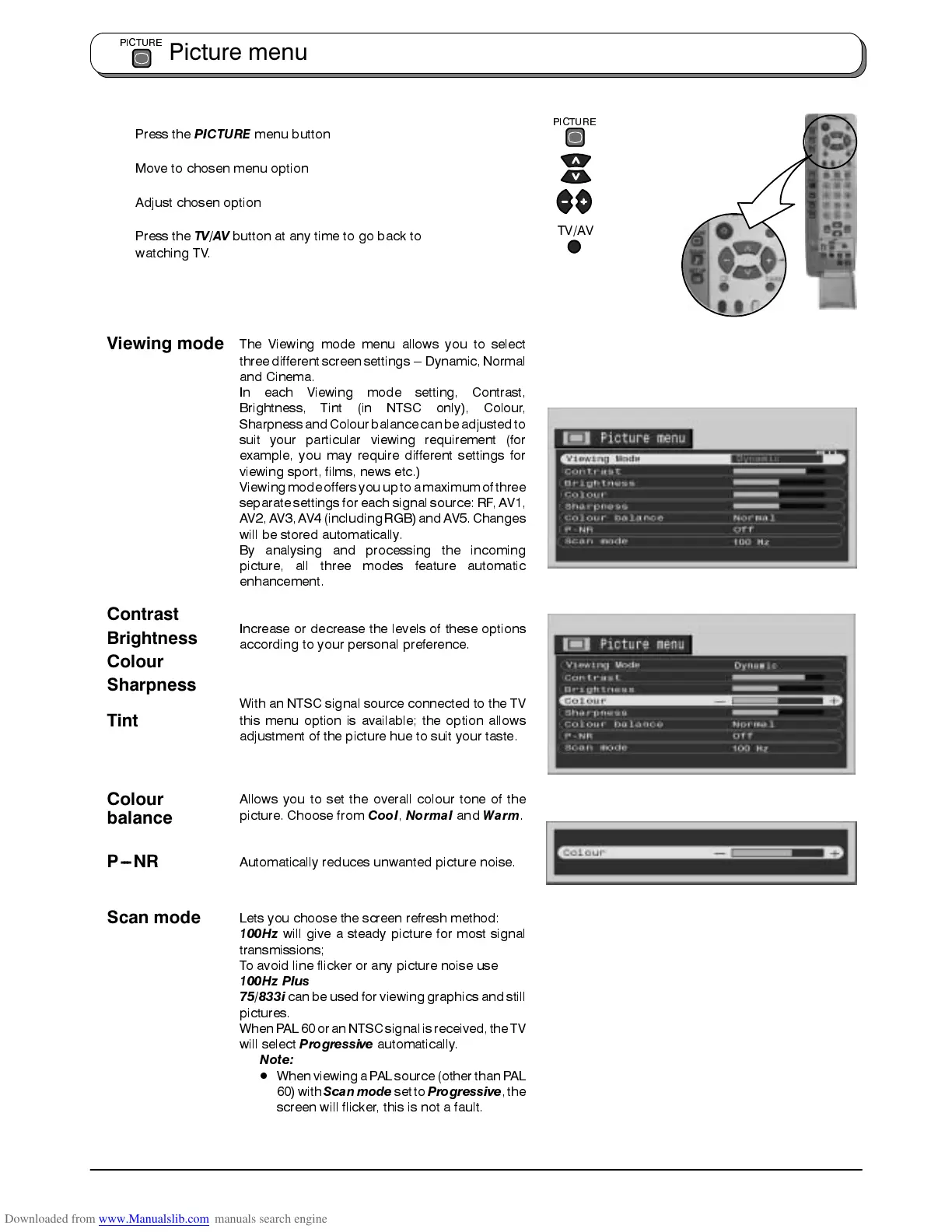
Press the
PICTURE
menu button
Move to chosen menu option
Adjust chosen option
Press the
TV/AV
button at any time to go back to
watching TV.
The Viewing mode menu allows you to select
three differentscreen settings --- Dynamic, Normal
and Cinema.
In each Viewing mode setting, Contrast,
Brightness, Tint (in NTSC only), Colour,
Sharpnessand Colourbalance canbeadjusted to
suit your particular viewing requirement (for
example, you may require different settings for
viewing sport, films, news etc.)
Viewingmodeoffers youupto amaximumofthree
separate settings for each signal source: RF, AV1,
AV2,AV3,AV4 (includingRGB)and AV5.Changes
will be stored automatically.
By analysing and processing the incoming
picture, all three modes feature automatic
enhancement.
Increase or decrease the levels of these options
according to your personal preference.
With an NTSC signal source connected to the TV
this menu option is available; the option allows
adjustment of the picture hue to suit your taste.
Allows you to set the overall colour tone of the
picture. Choose from
Cool
,
Normal
and
Warm
.
Automatically reduces unwanted picture noise.
Lets you choose the screen refresh method:
100Hz
will give a steady picture for most signal
transmissions;
To avoid line flicker or any picture noise use
100Hz Plus
75/833i
can be used for viewing graphics and still
pictures.
WhenPAL 60or anNTSCsignal isreceived,the TV
will select
Progressive
automatically.
Note:
D
When viewinga PALsource (other thanPAL
60)with
Scanmode
setto
Progressive
,the
screen will flicker, this is not a fault.
Picture menu
PICTURE
PICTURE
TV/AV
Contrast
Tint
Colour
Brightness
Sharpness
Colour
balance
P --- N R
Scan mode
Viewing mode









 To Next Page