15
Press the
SETUP
menu button
Move to chosen menu option
Adjust chosen option or access chosen menu
Press the
TV/AV
button at any time to go back to
watching TV.
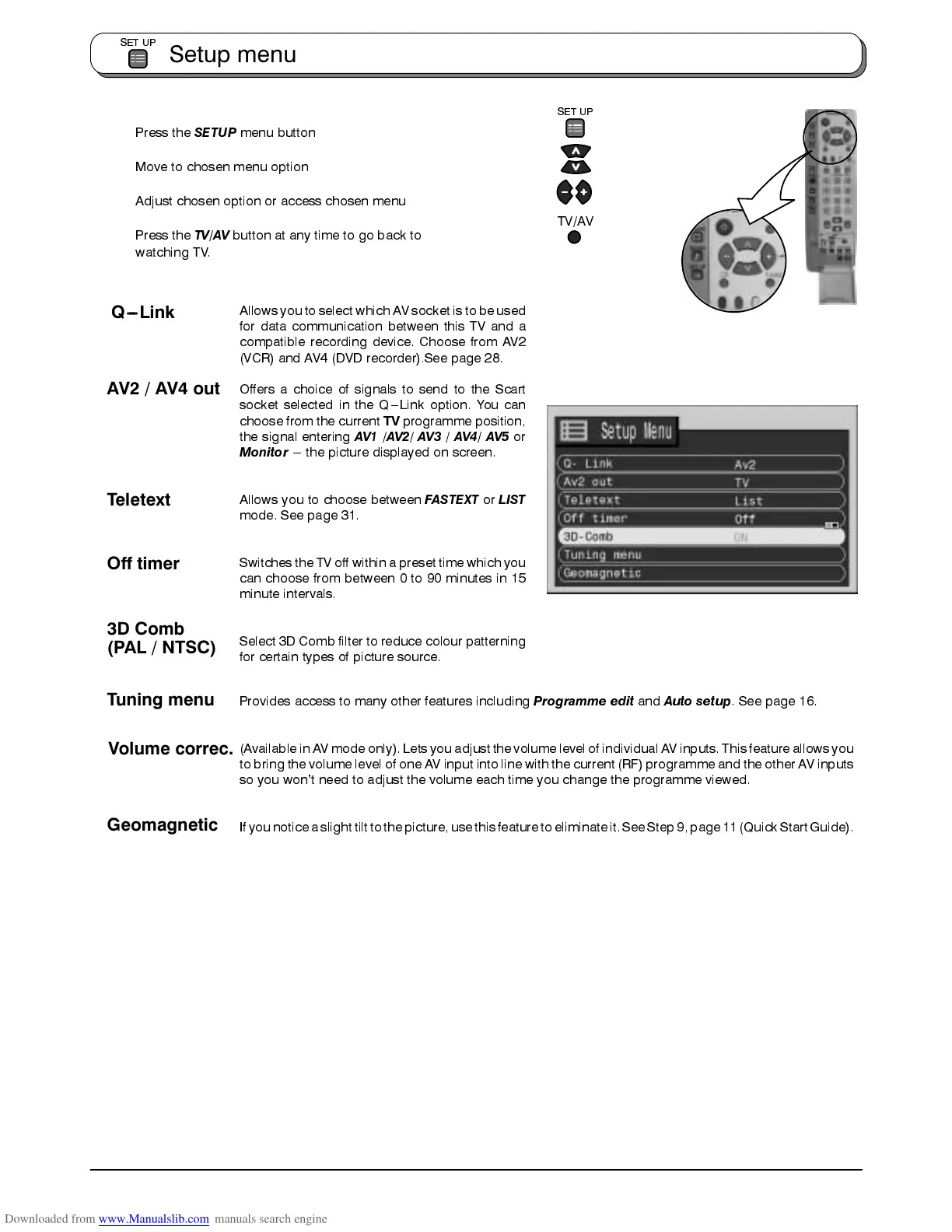
Allows you to selectwhich AV socket is to be used
for data communication between this TV and a
compatible recording device. Choose from AV2
(VCR) and AV4 (DVD recorder).See page 28.
Offers a choice of signals to send to the Scart
socket selected in the Q---Link option. You can
choose from the current
TV
programme position,
the signal entering
AV1
/
AV2
/
AV3
/
AV4/ AV5
or
Monitor
--- the picture displayed on screen.
Allows you to choose between
FASTEXT
or
LIST
mode. See page 31.
Switches the TV off within a preset time which you
can choose from between 0 to 90 minutes in 15
minute intervals.
Select 3D Comb filter to reduce colour patterning
for certain types of picture source.
Provides access to many other features including
Programme edit
and
Auto setup
. See page 16.
(Available inAV mode only). Letsyou adjust the volume levelof individual AV inputs.This feature allows you
to bring the volume level of one AV input into line with the current (RF) programme and the other AV inputs
so you won’t need to adjust the volume each time you change the programme viewed.
If younotice aslight tilt tothe picture,use this featureto eliminateit. See Step9, page11 (QuickStart Guide).
Setup menu
SET UP
SET UP
TV/AV
Teletext
Off timer
Tuning menu
Volume correc.
Geomagnetic
AV2 / AV4 out
Q---Link
3D Comb
(PAL / NTSC)









 To Next Page