9
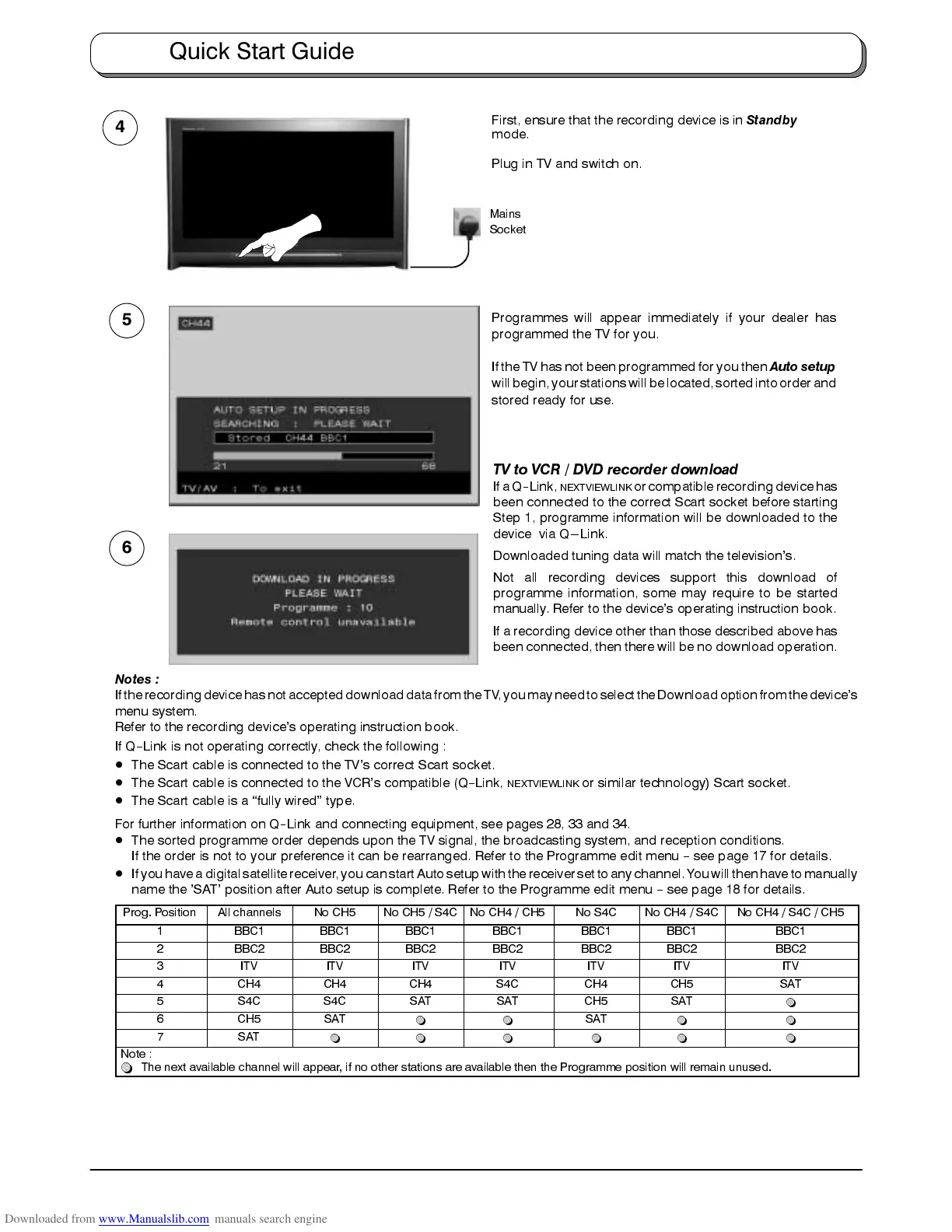
First, ensure that the recording device is in
Standby
mode.
Plug in TV and switch on.
Programmes will appear immediately if your dealer has
programmed the TV for you.
If the TV has not been programmed for you then
Auto setup
willbegin, yourstations willbe located,sorted intoorder and
stored ready for use.
4
5
Mains
Socket
6
TV to VCR / DVD recorder download
IfaQ
--
Link,
NEXTVIEWLINK
or compatiblerecording device has
been connected to the correct Scart socket before starting
Step 1, programme information will be downloaded to the
device via Q---Link.
Downloaded tuning data will match the television’s.
Not all recording devices support this download of
programme information, some may require to be started
manually. Refer to the device’s operating instruction book.
If a recording device other than those described above has
been connected, then there will be no download operation.
Notes :
Ifthe recordingdevice hasnotaccepted downloaddata fromtheTV, youmayneed toselect theDownload optionfrom thedevice’s
menu system.
Refer to the recording device’s operating instruction book.
If Q
--
Link is not operating correctly, check the following :
D
The Scart cable is connected to the TV’s correct Scart socket.
D
The Scart cable is connected to the VCR’s compatible (Q
--
Link,
NEXTVIEWLINK
or similar technology) Scart socket.
D
The Scart cable is a “fully wired” type.
For further information on Q
--
Link and connecting equipment, see pages 28, 33 and 34.
D
The sorted programme order depends upon the TV signal, the broadcasting system, and reception conditions.
If the order is not to your preference it can be rearranged. Refer to the Programme edit menu
--
see page 17 for details.
D
If youhave adigital satellite receiver, youcan startAuto setup withthe receiverset toany channel.Youwill thenhave tomanually
name the ’SAT’ position after Auto setup is complete. Refer to the Programme edit menu
--
see page 18 for details.
Prog. Position All channels No CH5 No CH5 / S4C No CH4 / CH5 No S4C No CH4 / S4C No CH4 / S4C / CH5
1 BBC1 BBC1 BBC1 BBC1 BBC1 BBC1 BBC1
2 BBC2 BBC2 BBC2 BBC2 BBC2 BBC2 BBC2
3 ITV ITV ITV ITV ITV ITV ITV
4 CH4 CH4 CH4 S4C CH4 CH5 SAT
5 S4C S4C SAT SAT CH5 SAT
~
6 CH5 SAT
~ ~
SAT
~ ~
7 SAT
~ ~ ~ ~ ~ ~
Note :
~
The next available channel will appear, if no other stations are available then the Programme position will remain unused.
Quick Start Guide









 To Next Page