- 100 -
Recording
USB HDD setup
Preparations
You can record the digital TV programmes to the connected USB HDD and
enjoy playing back in various ways.
●
Prepare the USB HDD for the exclusive use of recording with this TV.
●
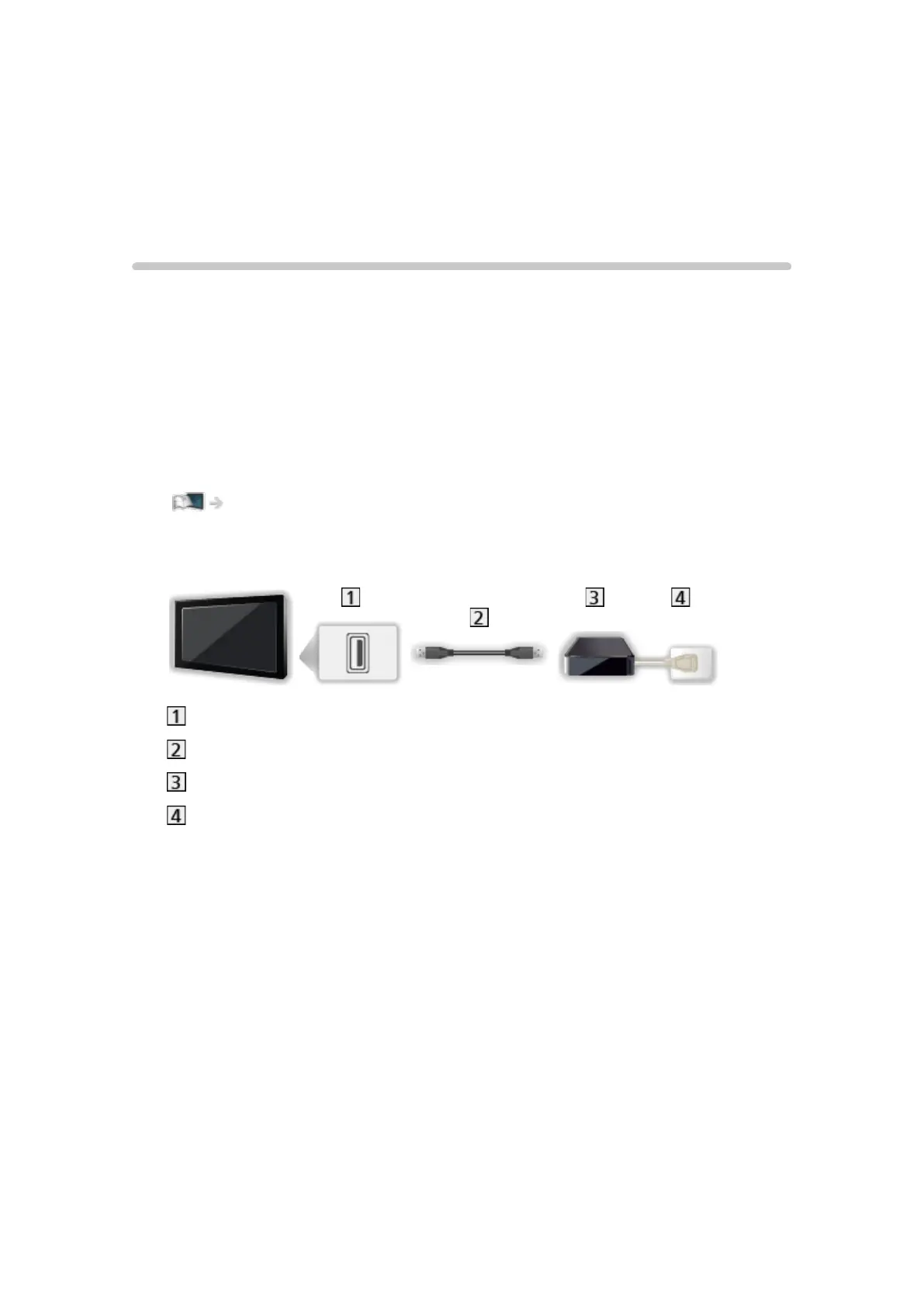
Connect the USB HDD to the USB 3 port with the USB cable.
●
Be sure to connect the USB HDD to the socket outlet.
●
To remove the USB HDD safely from the TV, perform Safely remove USB
in USB Device Setup.
Recording > USB HDD setup > Setting for USB HDD
●
Check the terminal type and cable plugs are correct when connecting.
USB port
USB cable
USB HDD
Socket outlet



 To Next Page