32
Connecting Equipment to the TV
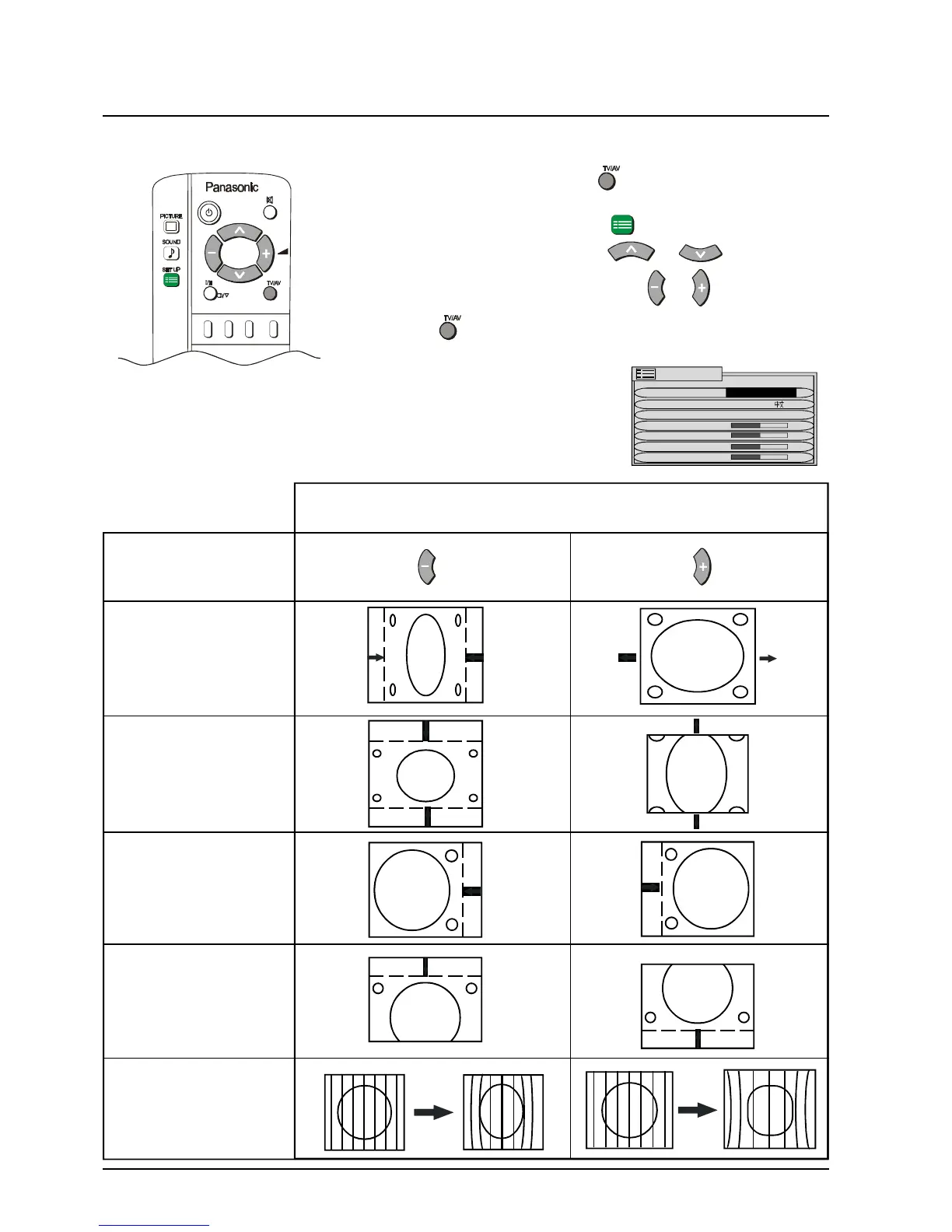
Adjusting the RGB Picture
1 Push the TV/AV button .
2 Push the Yellow button to select RGB mode.
3 Push the SET UP button .
4 Move to the option using or .
5 Adjust the chosen option using or .
Push at any time to return to watching TV.
OPTION Push Push
H-SIZE
V-SIZE
H-POS
V-POS
PARABOLA
EFFECT
SET UP MENU
OFF TIMER OFF
LANGUAGE ENGLISH
H-SIZE OFF
V-SIZE
H-POS.
VPOS.
PARABOLA



 To Next Page