6 Service Mode
6.1. How to enter into Service Mode
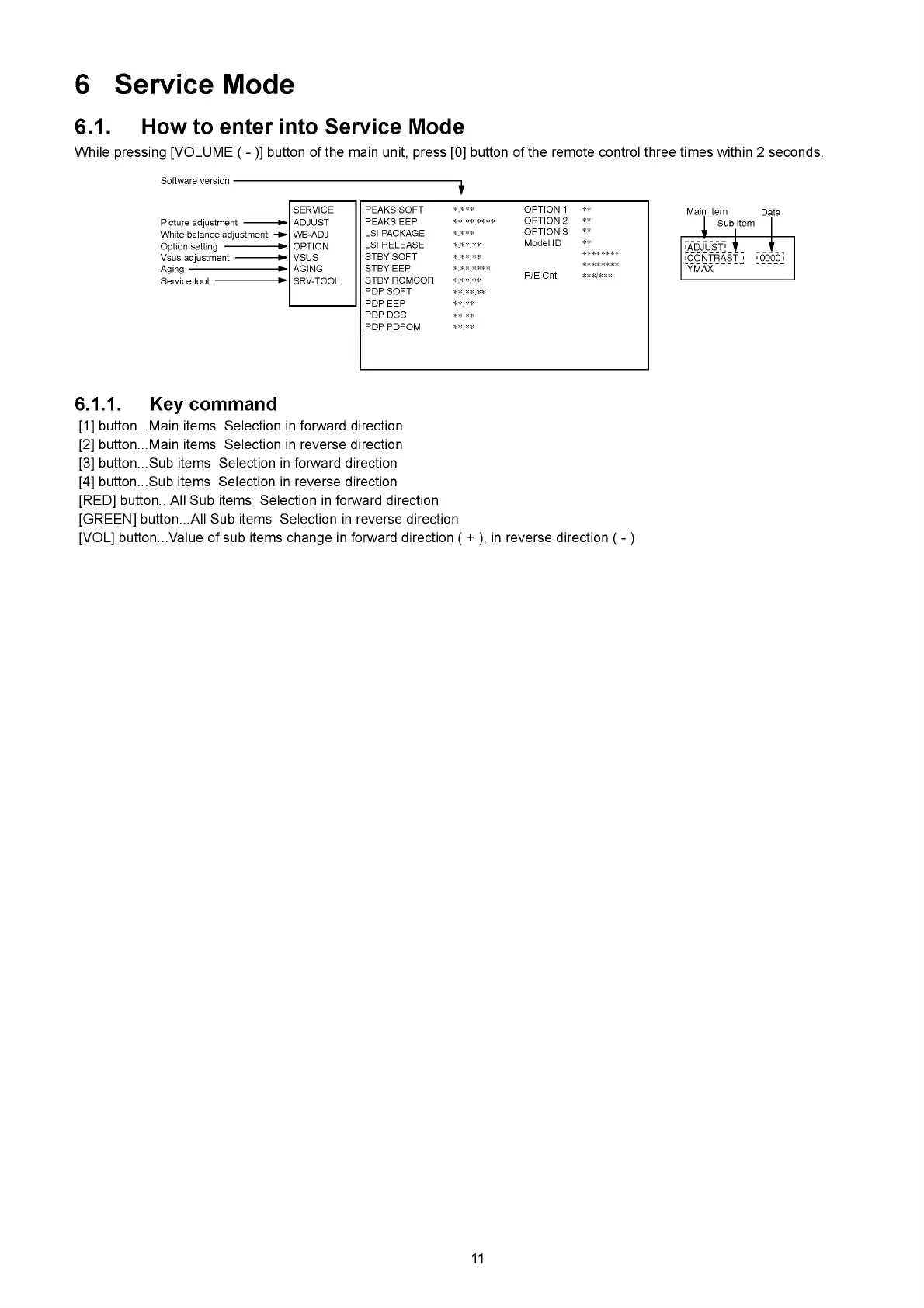
While pressing [VOLUME ( - )] button of the main unit, press [0] button of the remote control three times within 2 seconds.
Software version ■
Picture adjustment
----------
White balance adjustment
Option setting
-----------------
Vsus adjustment
-------------
Aging
------------------------------
SERVICE
ADJUST
WB-ADJ
OPTION
VSUS
AGING
SRV-TOOL
1
PEAKS SOFT
*.***
OPTION 1
**
PEAKS EEP
* * * * * * * *
OPTION 2
**
LSI PACKAGE
*.*** OPTION 3
**
LSI RELEASE
* * * * *
Model ID
**
STBY SOFT
* * * * *
***** ** *
STBYEEP
* ** ****
***** ** *
STBY ROMCOR
*.* * * *
R/E Cnt
***/***
PDPSOFT
* * * * * *
PDPEEP
* * * *
PDP DCC
* * * *
PDP PDPOM
I Sub Item
+ I
Ia d ju st " i ’
'CONTRAST ' 'OOOOi
YMAX
6.1.1. Key command
[1] button...Main items Selection in forward direction
[2] button...Main items Selection in reverse direction
[3] button...Sub items Selection in forward direction
[4] button...Sub items Selection in reverse direction
[RED] button...All Sub items Selection in forward direction
[GREEN] button...All Sub items Selection in reverse direction
[VOL] button...Value of sub items change in forward direction ( + ), in reverse direction ( - )
11












 To Next Page