MENU
TV
48
Note
Each input mode can only be displayed either on main screen or sub screen.●
The sound comes from only the main screen in multi window.●
You cannot change the aspect ratio in multi window.●
Multi window cannot be used with PC, SD Card or Network services.●
COMPONENT or HDMI is available only for main screen.●
Some signals are reformatted for suitable viewing on your display.●
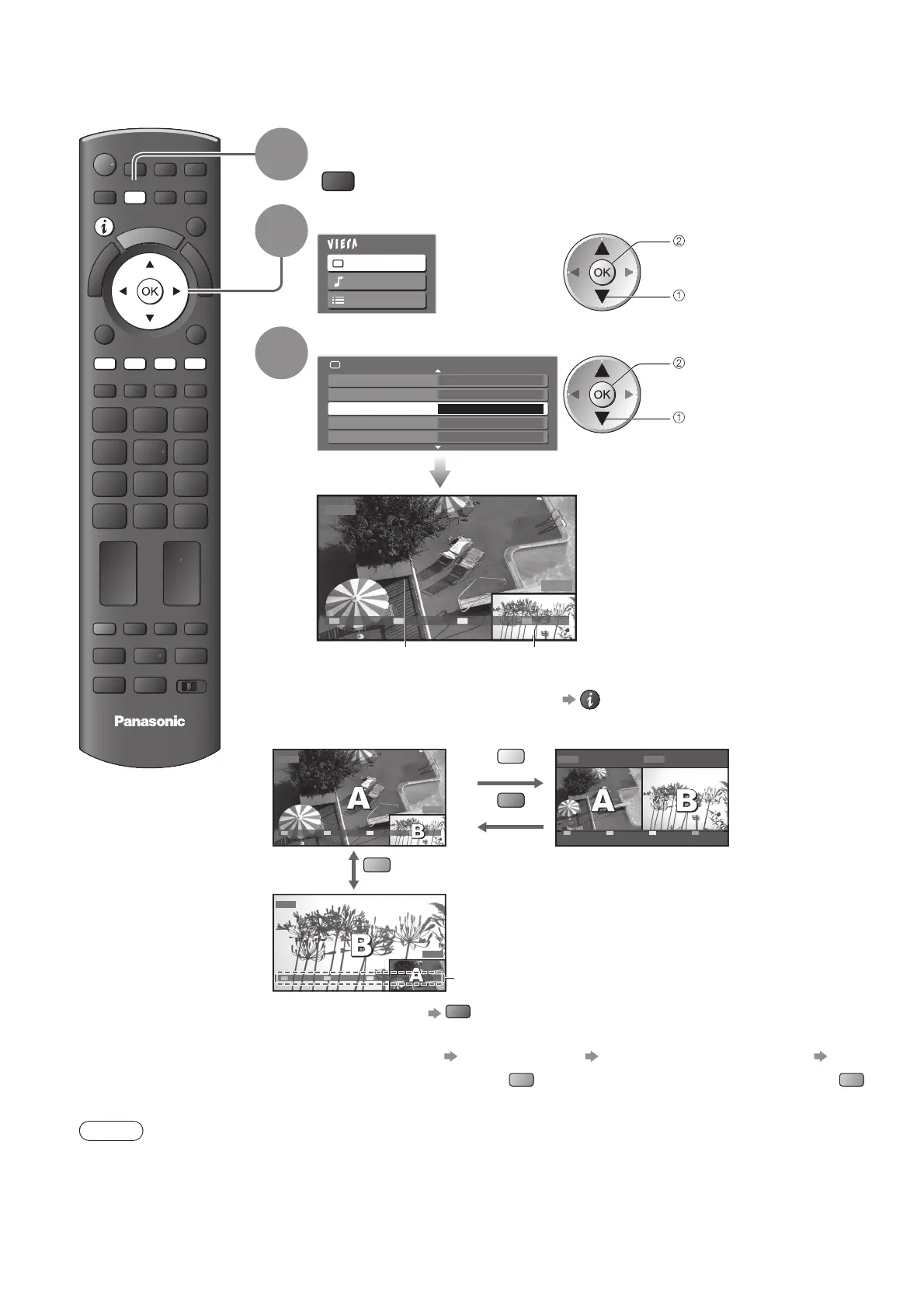
Multi Window
1
Display the menu
MENU
2
Select “Picture”
Main Menu
Picture
Sound
Setup
access
select
3
Select “Multi Window”
2/2
Multi Window Access
3D-COMB Off
P-NR Off
Reset to Defaults Reset
Advanced Settings
Picture Menu
access
select
DVD
EXIT PandP Swap
AV1
Main screen Sub screen
Remote control operations apply to ●
the main screen.
How to operate in multi window■
Display the colour bar if it is not displayed
Picture-in-Picture mode
(PinP)
Picture-and-Picture mode
(PandP)
DVD
EXIT PandP Swap
AV1
yellow
green
DVD AV1
EXIT PinP Swap
blue
AV1
EXIT PandP Swap
DVD
Colour bar
To exit multi window ●
red
To change the ●
input mode or
channel of sub screen
Swap sub screen
for main screen
blue
Change the input mode or
channel by the remote control
(p. 14 or p. 22)
Swap
again
blue
Enjoy viewing two images at once (multi window), such as a TV programme and a DVD.








 To Next Page