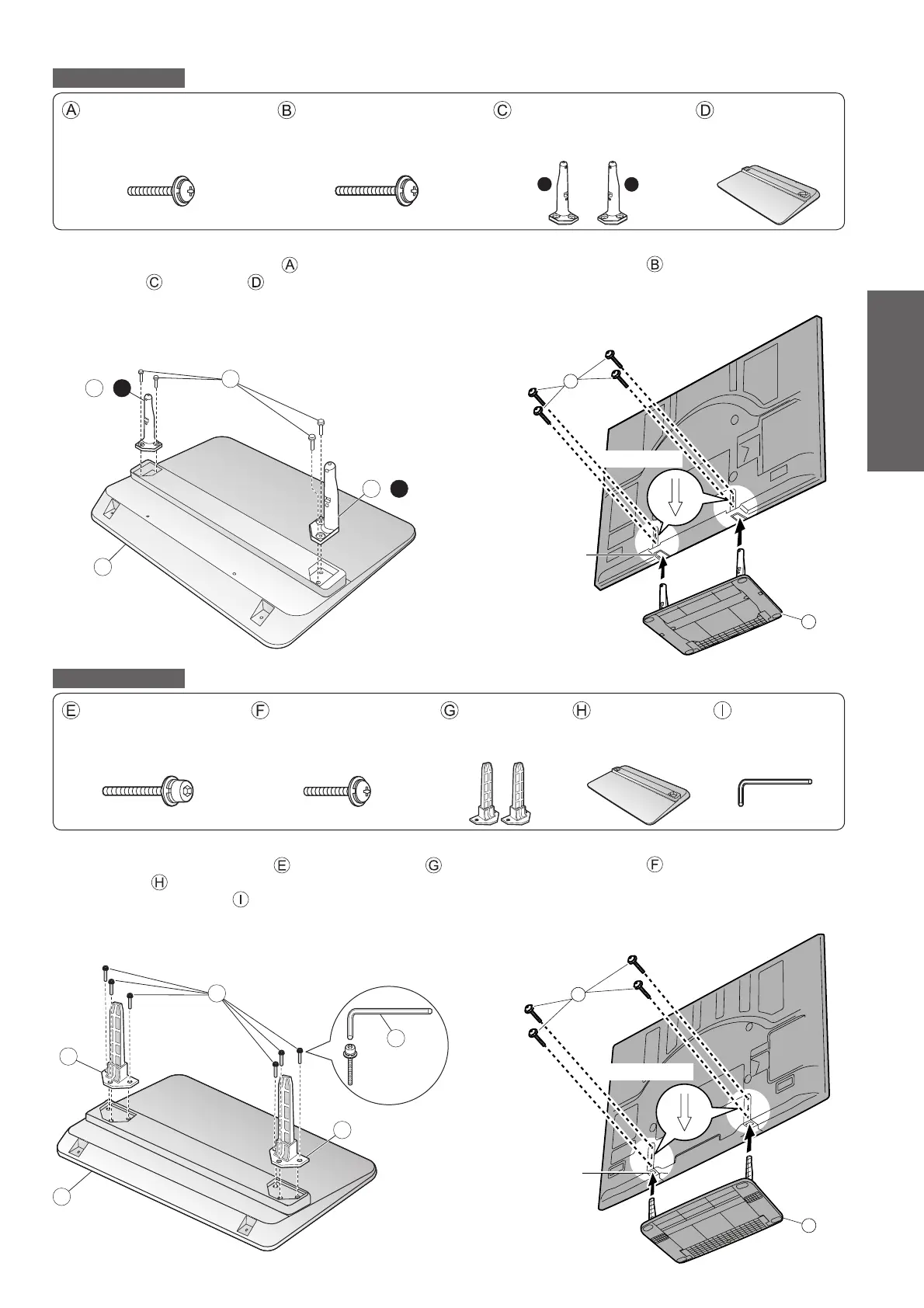
Accessories / Options ●
Quick Start Guide
7
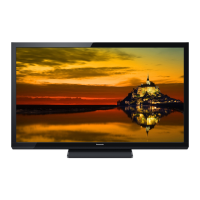
TX-P58V10E
Assembly screw (4)
(silver)
XYN5+F25FN ●
Assembly screw (4)
(black)
THEL073N●
Pole (2)
R : TBLA3689 ●
L : TBLA3690 ●
Base
TBLX0128 ●
M5 × 25 M5 × 30
L
R
Assembling the pedestal ■
Use the four assembly screws to fasten the left and
right poles to the base securely.
Make sure that the screws are securely tightened. ●
Forcing the assembly screws the wrong way will strip ●
the threads.
“L” or “R” mark is stamped on the bottom of the pole. ●
Securing the TV ■
Use the assembly screws to fasten securely.
Make sure that the screws are securely tightened. ●
Carry out the work on a horizontal and level surface. ●
A
D
C
-
L
C
-
R
Front
D
B
View from
the bottom
Hole for pedestal
installation
Arrow mark
TX-P65V10E
Assembly screw (6)
(silver)
THEL074 ●
Assembly screw (4)
(black)
XYN6+F25FJK●
Pole (2)
TBLA3773 ●
Base
TBLX0125 ●
Allen wrench
TKKX5116 ●
M5 × 30 M6 × 25
Assembling the pedestal ■
Use the six assembly screws to fasten the poles
to the base
securely.
Use the allen wrench ● to tighten the screws.
Make sure that the screws are securely tightened. ●
Forcing the assembly screws the wrong way will strip ●
the threads.
Securing the TV ■
Use the assembly screws to fasten securely.
Make sure that the screws are securely tightened.
●
Carry out the work on a horizontal and level surface. ●
H
G
G
I
E
Front
H
F
View from
the bottom
Hole for pedestal
installation
Arrow mark




 To Next Page