EasyManua.ls Logo

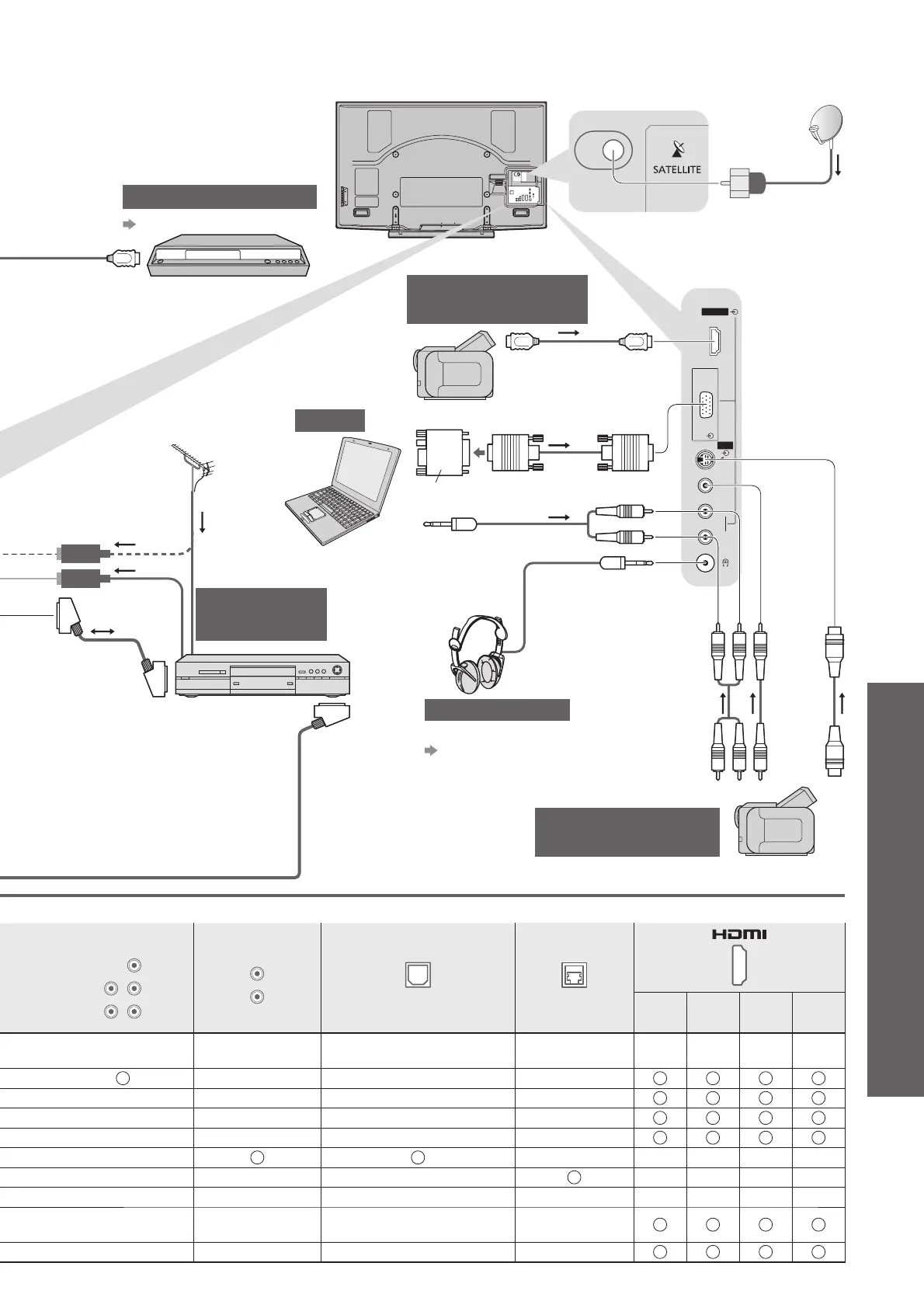
Panasonic TX-P58V10E - External Connections Overview; HDMI and PC connections; Camcorder and Game equipment connections

Panasonic TX-P58V10E
84 pages
Print Icon
To Next Page IconTo Next Page
To Previous Page IconTo Previous Page
Loading...
External Equipment
Advanced
PC
AV3
HDMI4
S-V
V
L
R
71
COMPONENT
P
B
L
R
Y
P
R
AUDIO OUT
L
R
DIGITAL AUDIO OUT ETHERNET
1234
Conversion adapter
(if necessary)
DVD Recorder
HDMI equipment
Headphones
Camcorder /
Game equipment
To adjust volume
“Headphone Volume” in
the Sound Menu (p. 27)
Computer
Terrestrial
aerial
RF cable
PC
DVD Recorder /
VCR
To record /
playback
Fully wired
SCART
cable
Camcorder /
HDMI equipment
“HDMI connection” (p. 77)
Fully wired HDMI
compliant cable
(Viewing)
(Listening)
(M3 stereo mini plug)
(S-VIDEO)
or
(VIDEO)
or
(AUDIO)
Fully wired
HDMI compliant
cable
Rear of the TV
Satellite
dish
Satellite cable

Related product manuals