EasyManua.ls Logo

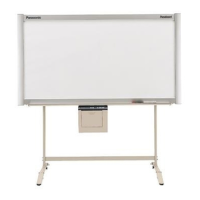
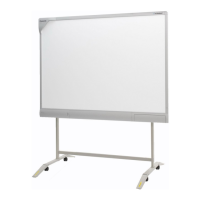
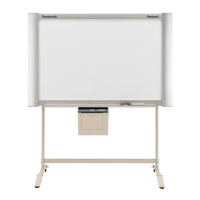
Panasonic UB-5838C - User Manual

Panasonic UB-5838C
136 pages
Print Icon
To Next Page IconTo Next Page
Loading...
© Panasonic Communications 2009 Unauthorized
copying and distribution is a violation of law.
Order Number KM70906495CE
Category Number H19
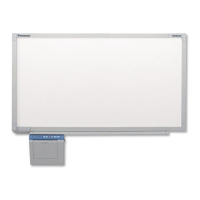
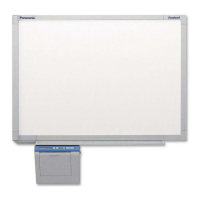
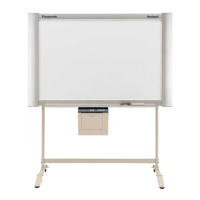
Electronic Board
Model No. UB-5838C
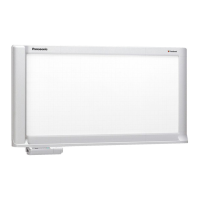
Model No. UB-5338C

Table of Contents

Other manuals for Panasonic UB-5838C

Question and Answer IconNeed help?

Do you have a question about the Panasonic UB-5838C and is the answer not in the manual?

Summary

General Precautions

Safety Precautions

Guidelines for safe handling and operation of the equipment.

Electrical Tests

Procedures for checking electrical safety and resistance values.

Introduction

Specifications

Detailed technical specifications for different models of the unit.

Installation Instructions

Installing

Step-by-step guide for setting up and installing the unit.

Operation Check and Settings

Procedures for verifying unit functionality and initial setup after installation.

Wall Mounting Construction

Detailed steps for securely mounting the unit onto a wall.

Troubleshooting Guide

Error Code

List of error codes, their possible causes, and troubleshooting steps.

Printing Problems

Common issues related to printing and their solutions.

Requirements after replacing and servicing

Actions needed after replacing or servicing specific components or assemblies.

Disassembly and Assembly Instructions

SCANNER Board and Scanner Assy.

Procedures for disassembling and assembling the scanner components.

Control Box Unit

Detailed instructions for disassembling and assembling the control box unit.

Service Mode

How to enter the service mode

Methods for accessing the unit's service mode for diagnostics and settings.

Service Mode and Initial Setting Mode

Explanation of the different modes available for service and initial setup.

Service Mode Operations

Overview of operations and adjustments performable within the service mode.

Explanation of Connector

CN3 [CONTROL Board] - SD Memory Card

Pinout and signal descriptions for the SD Memory Card connector.

CN4 [CONTROL Board] - CN800 [MOTOR DRIVE Board]

Pinout and signal descriptions for the connection between CONTROL and MOTOR DRIVE boards.

CN5 [CONTROL Board] - CN606 [SCANNER Board]

Pinout and signal descriptions for the connection between CONTROL and SCANNER boards.

CN6 [CONTROL Board] - POWER Board

Pinout and signal descriptions for the connection between CONTROL and POWER boards.

Schematic Diagram

CONTROL Board

Detailed circuit diagram for the main control board.

PANEL Board

Circuit diagram for the panel board containing controls and display.

MOTOR DRIVE Board

Circuit diagram for the motor drive board controlling mechanical movement.

Printed Circuit Board

Exploded View and Replacement Parts List

CONTROL Board

List of components and their part numbers for the control board.

SCANNER Board

List of components and their part numbers for the scanner board.

Summary

General Precautions

Safety Precautions

Guidelines for safe handling and operation of the equipment.

Electrical Tests

Procedures for checking electrical safety and resistance values.

Introduction

Specifications

Detailed technical specifications for different models of the unit.

Installation Instructions

Installing

Step-by-step guide for setting up and installing the unit.

Operation Check and Settings

Procedures for verifying unit functionality and initial setup after installation.

Wall Mounting Construction

Detailed steps for securely mounting the unit onto a wall.

Troubleshooting Guide

Error Code

List of error codes, their possible causes, and troubleshooting steps.

Printing Problems

Common issues related to printing and their solutions.

Requirements after replacing and servicing

Actions needed after replacing or servicing specific components or assemblies.

Disassembly and Assembly Instructions

SCANNER Board and Scanner Assy.

Procedures for disassembling and assembling the scanner components.

Control Box Unit

Detailed instructions for disassembling and assembling the control box unit.

Service Mode

How to enter the service mode

Methods for accessing the unit's service mode for diagnostics and settings.

Service Mode and Initial Setting Mode

Explanation of the different modes available for service and initial setup.

Service Mode Operations

Overview of operations and adjustments performable within the service mode.

Explanation of Connector

CN3 [CONTROL Board] - SD Memory Card

Pinout and signal descriptions for the SD Memory Card connector.

CN4 [CONTROL Board] - CN800 [MOTOR DRIVE Board]

Pinout and signal descriptions for the connection between CONTROL and MOTOR DRIVE boards.

CN5 [CONTROL Board] - CN606 [SCANNER Board]

Pinout and signal descriptions for the connection between CONTROL and SCANNER boards.

CN6 [CONTROL Board] - POWER Board

Pinout and signal descriptions for the connection between CONTROL and POWER boards.

Schematic Diagram

CONTROL Board

Detailed circuit diagram for the main control board.

PANEL Board

Circuit diagram for the panel board containing controls and display.

MOTOR DRIVE Board

Circuit diagram for the motor drive board controlling mechanical movement.

Printed Circuit Board

Exploded View and Replacement Parts List

CONTROL Board

List of components and their part numbers for the control board.

SCANNER Board

List of components and their part numbers for the scanner board.

Panasonic UB-5838C Specifications

General IconGeneral
Multi-TouchYes
Frame materialAluminum
Power SupplyAC 100-240 V, 50/60 Hz
Touch TechnologyInfrared
ConnectivityUSB
Operating System CompatibilityWindows, macOS

Related product manuals