EasyManua.ls Logo

Panasonic UB-T780 - User Manual

Panasonic UB-T780
60 pages
Print Icon
To Next Page IconTo Next Page
Loading...
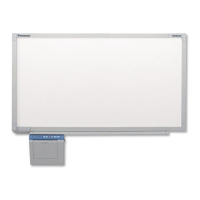
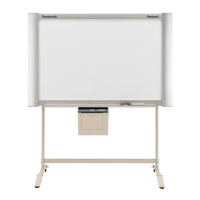
UB-T780
Operating Instructions
(For Basic Operations)
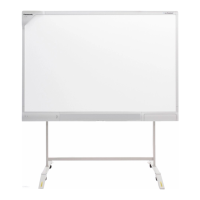
Electronic Board
(elite Panaboard)
Model No. UB-T780
Installation Manual Included (for qualified service personnel)
• To assemble this unit, please refer to the Installation Manual on pages 32 through 56.
• Before operating this unit, please read these instructions completely and keep them carefully for future
reference.
• This unit is designed for installation by a qualified servicing dealer.
Installation performed by non-authorized individuals could cause safety-related problems with the operation of
this equipment.
For U.S.A. only:
• To locate the closest authorized dealer in your area, please call 1-800-449-8989.
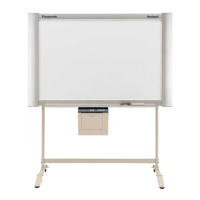
Stand is sold separately.

Other manuals for Panasonic UB-T780

Questions and Answers

  • H
    Heidi BellAug 20, 2025
    What to do if the Panasonic UB-T780 displays a low pen battery message?
    • R
      Ralph BrownAug 20, 2025
      If the message "The pen battery is low. Replace the battery soon." is displayed on the computer screen of your Panasonic Interactive whiteboard, replace the electronic pen's battery with a new one.
  • C
    Christine StewartAug 22, 2025
    Why is the electronic pen position incorrect on my Panasonic UB-T780?
    • C
      Christopher YatesAug 22, 2025
      If the electronic pen's position is not correct on your Panasonic Interactive whiteboard, it might be due to a misaligned projected image. In this case, perform the calibration again.
  • S
    Sara JonesAug 25, 2025
    Why my computer doesn't recognize Panasonic Interactive whiteboard?
    • M
      Michael MorrowAug 25, 2025
      If the computer does not recognize the elite Panaboard, ensure that the USB cable is properly connected and that the elite Panaboard is in an operable state. Also, avoid connecting the elite Panaboard through a USB hub.
  • J
    Julie CohenAug 26, 2025
    Why does my Panasonic UB-T780 Interactive whiteboard display extra lines on the screen?
    • C
      charles51Aug 26, 2025
      If you see extra lines displayed on the computer screen while using your Panasonic Interactive whiteboard, it might be because you accidentally pushed the penpoint with your finger while holding it close to the elite Panaboard. Avoid pushing the penpoint with your finger.
  • G
    Gabriela AlvarezAug 30, 2025
    What to do if Panasonic Interactive whiteboard loses connection to the computer?
    • D
      Dennis PetersonAug 30, 2025
      If the connection between the computer and the elite Panaboard is unexpectedly lost, check that the elite Panaboard is in an operable state, and that the USB cable is properly connected.
  • K
    kelleymichaelSep 1, 2025
    How to fix Panasonic UB-T780 Interactive whiteboard when LEDs do not light up?
    • D
      dennis77Sep 1, 2025
      If the LEDs do not light when the power switch is turned on for your Panasonic Interactive whiteboard, check that the power cord is properly plugged in. If the problem persists, turn off the power, and then turn it on again.
  • A
    Ashley RiggsSep 2, 2025
    How to erase whiteboard marker from Panasonic UB-T780 Interactive whiteboard?
    • C
      Christine GrimesSep 3, 2025
      Because the Panasonic Interactive whiteboard is designed exclusively for projector images, you cannot erase the marks with a standard eraser. Use a commercially available melamine foam eraser to erase marks written with a whiteboard marker.
  • K
    Katie GibsonSep 4, 2025
    Why does my Panasonic UB-T780 Interactive whiteboard say the pen battery is low?
    • Z
      Zachary LivingstonSep 5, 2025
      This message appears because the electronic pen’s battery is weak. Replace the electronic pen’s battery to resolve this issue.
  • G
    goliverSep 6, 2025
    What to do if the computer does not recognize Panasonic Interactive whiteboard?
    • T
      thompsonlindaSep 7, 2025
      If your computer isn't recognizing the elite Panaboard, it could be due to a connection issue. First, ensure the elite Panaboard and your computer are securely connected using a USB cable. Also, make sure the USB cable is not connected through a USB hub; connect it directly.
  • L
    Laura RiveraSep 8, 2025
    How to fix incorrect pen position on Panasonic Interactive whiteboard?
    • M
      mcguirejacquelineSep 9, 2025
      If the electronic pen's position is not correct on the elite Panaboard, and the projected image is misaligned, perform the calibration again.

Panasonic UB-T780 Specifications

General IconGeneral
Display Size77 inches
Touch TechnologyInfrared
ConnectivityUSB
Multi-TouchYes
Built-in SpeakersNo
Built-in MicrophoneNo
Touch PointsUp to 3 points
Operating SystemCompatible with Windows and Mac

Related product manuals