EasyManua.ls Logo

Panasonic VL-MV75 - User Manual

Panasonic VL-MV75
36 pages
Print Icon
To Next Page IconTo Next Page
Loading...
Operating Instructions
Thank you for purchasing a Panasonic product.
Please read this document before using the product and save it for future reference.
Carefully read the information found in the section titled "For your safety" in particular.
Installation Guide is supplied separately.
This system is not designed to provide complete protection from property loss. To the maximum extent permitted by
applicable law, Panasonic will not be held responsible for any damage incurred as a result of property loss.
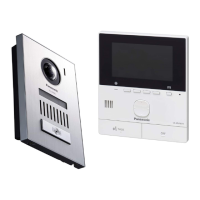
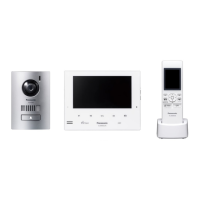
VL-SV74
VL-MV74
Model Name
Model No.
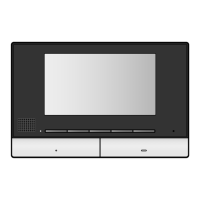
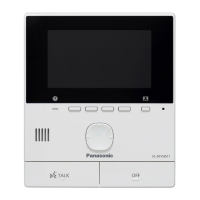
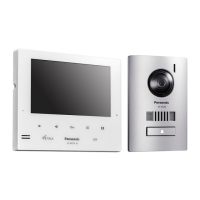
Main Monitor Station
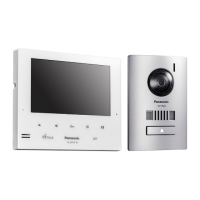
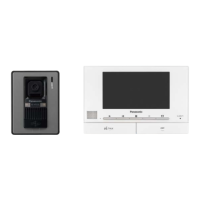
Video Intercom System
VL-MV75
VL-SV75

Questions and Answers

  • C
    christopherstevensonAug 18, 2025
    What to do if images of people's faces are dark on my Panasonic VL-MV75?
    • R
      Richard WoodAug 18, 2025
      If the images of people's faces appear dark when there is strong sunlight or a backlight in the area around the doorphone, use the backlight compensation function.
  • C
    christopherwilsonAug 20, 2025
    How to fix dirty or unclear images on Panasonic VL-MV75?
    • R
      Ricky HarrisAug 20, 2025
      If the images from your Panasonic Intercom System are dirty or unclear, the issue may be: - There is dirt on the surface of the doorphone's lens. In this case, wipe the lens with a soft, dry cloth. - There is water condensation on the surface of the doorphone's lens. In this case, wait for the condensation to evaporate.
  • M
    Mark BrownAug 22, 2025
    What to do if the image of the subject is displayed in black and white (or bluish-purple) on my Panasonic VL-MV75?
    • A
      Angela MillsAug 22, 2025
      If the image is displayed in black and white (or bluish-purple), especially at night or when there is poor light around the doorphone, turn on the LED lights when it is dark. It is also recommended to install extra lights in the area around the doorphone.
  • L
    Lisa HarrisAug 26, 2025
    How to fix dark images at night on Panasonic Intercom System?
    • G
      Gregory VelazquezAug 26, 2025
      If images at night are dark and faces cannot be identified on your Panasonic Intercom System, ensure that “Automatic illumination” is set to “Enable’. If it is disabled, change the setting to “Enable”. It is also recommended to install extra lights in the area around the doorphone.
  • G
    gregory49Aug 28, 2025
    How to fix white or black images on Panasonic VL-MV75?
    • J
      Jorge HarrisAug 28, 2025
      If the images from your Panasonic Intercom System are white or black, the brightness of the display is not correctly adjusted. Adjust the brightness when images are displayed.
  • J
    Johnathan MillerAug 30, 2025
    How to stop sound cutting in/out on Panasonic Intercom System?
    • S
      Steven AguilarAug 30, 2025
      If the sound cuts in/out or fades on your Panasonic Intercom System, this may be because the area surrounding the main monitor, extension monitor, or doorphone are noisy. Try using the "Press-to-talk" mode to mitigate this issue.
  • L
    Lisa GoodwinSep 2, 2025
    How to fix white images with lines/circles on Panasonic Intercom System?
    • P
      Patrick NobleSep 2, 2025
      If images are white, or white lines or circles are shown on the display of your Panasonic Intercom System, strong light such as sunlight is shining into the lens of the doorphone causing images to be difficult to see. Locating the doorphone away from direct sunlight or changing the angle that the doorphone is installed may help reduce this problem.
  • D
    Derrick FrancisSep 4, 2025
    What to do if Panasonic VL-MV75 Intercom System doesn't work properly?
    • J
      Jason ScottSep 4, 2025
      If your Panasonic Intercom System does not work with correct operations, press the MRESETN button on the side of the main monitor with a pointed object.
  • L
    Latoya MosesSep 7, 2025
    Why is my voice not heard on Panasonic VL-MV75 Intercom System?
    • S
      Sarah StoutSep 7, 2025
      If your voice cannot be heard by the visitor but the visitor’s voice can be heard on your Panasonic Intercom System, you may be using the "Press-to-talk" mode. When using this mode, the visitor can hear your voice only while you are pressing M N.
  • A
    Amy HickmanSep 9, 2025
    How to turn off Demo Mode on Panasonic VL-MV75?
    • T
      Tristan CastilloSep 9, 2025
      If “Demo mode” is displayed on the screen of your Panasonic Intercom System, the “Demo mode” feature is enabled. Set “Demo mode” to “Off”.

Summary

Introduction to the Video Intercom System

Model Composition

Describes the composition of main monitor and door station models.

Accessory Information

Information about supplied accessories for the intercom system.

Additional and Replacement Accessories

Lists additional and replacement accessories for the system.

General Information and Symbols

Provides general usage info, regional details, modes, and graphical symbols.

Trademarks and Licenses

Lists trademarks and software licenses associated with the product.

Important Information and Safety Guidelines

Safety Warnings and Precautions

Crucial safety warnings regarding fire, electric shock, injury, and performance.

Best Performance Environment

Recommendations for optimal product performance regarding environment and placement.

Other Information and India Regulations

Discusses privacy, disposal, and India-specific E-Waste regulations.

Preparation and Setup

Controls Overview

Details the buttons, soft keys, and volume adjustments on the doorphone and main monitor.

Display Usage and Configuration

Explains display screens, status icons, language, date, time, and image settings.

Talking and Monitoring Operations

Call Management

Instructions on answering, talking, transferring, and monitoring doorphone calls.

Intercom Communication

Instructions for making and receiving intercom calls between devices.

Recording and Playing Images

Recording Doorphone Images

Explains how the main monitor automatically or manually records doorphone images.

Playing Recorded Images and Options

How to view recorded images and use playback options like protection and brightness.

Using Electric Locks and Other Devices

Electric Lock Configuration and Operation

How to configure and use electric locks connected to the system.

Doorbell and PBX Integration

How to connect a doorbell and integrate with Panasonic PBX for call answering.

Incoming Call Operations

Handling Multiple Incoming Calls

Describes how the system handles multiple incoming calls simultaneously.

Additional Functions

Image Zoom and Pan;Tilt Control

How to adjust zoom, pan, and tilt for doorphone images for better viewing.

Sound and Display Settings

How to adjust incoming call volume, doorphone volume, voice changer, and display settings.

Ringtone and Monitor Settings List

How to change ringtones and access the main monitor/extension monitor function settings list.

Expanding the System

Registering Extension Monitors

Step-by-step guide on how to register extension monitors to the main monitor.

Cancelling Devices

Instructions for cancelling registered extension monitors or other devices.

General Information and Specifications

Cleaning and Maintenance

Instructions on how to clean the product safely and effectively.

Technical Specifications

Technical specifications for the main monitor and doorphone units.

Troubleshooting Common Issues

Monitor Display Issues

Lists common problems with monitor display (doorphone images) and their solutions.

Ringtone, Call, and General Operation Issues

Addresses issues with ringtone, calls, demo mode, product operation, and display.

Main and Extension Monitor Error Messages

Explains error messages and their causes/solutions for main and extension monitors.

VL-V901 Lobby Station Operations

Lobby Station Controls and Calling

Details lobby station controls and how to call residents or the receptionist.

Main Monitor Integration with Lobby Station

How the main monitor displays images and operates with the lobby station, including door opening.

System Conditions and Limitations

Outlines system conditions, call priorities, and limitations of operation.

Panasonic VL-MV75 Specifications

General IconGeneral
BrandPanasonic
ModelVL-MV75
CategoryIntercom System
LanguageEnglish

Related product manuals