EasyManua.ls Logo

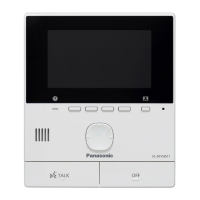
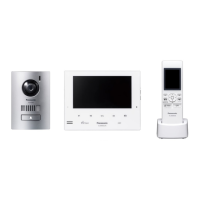
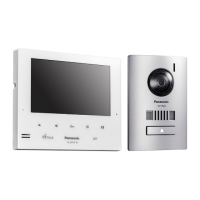
Panasonic VL-MW274 - User Manual

Panasonic VL-MW274
40 pages
Print Icon
To Next Page IconTo Next Page
Loading...
Operating Instructions
Thank you for purchasing a Panasonic product.
Please read this document before using the product and save it for future reference.
Carefully read the information found in the section titled "For your safety" in particular.
Installation Guide is supplied separately.
This system is an auxiliary system; it is not designed to provide complete protection from property loss. Panasonic will not be
held responsible in the event that property loss occurs while this system is in operation.
VL-MW274
VL-SW274
Model Name
Model No.
Wireless Video Intercom System
Main Monitor Station

Table of Contents

Other manuals for Panasonic VL-MW274

Questions and Answers

  • B
    Bob Pollard DDSAug 20, 2025
    How to clean dirty or unclear images on Panasonic Intercom System?
    • E
      Elizabeth ThompsonAug 20, 2025
      If the images on your Panasonic Intercom System are dirty or unclear, it might be due to dirt or water condensation on the doorphone's lens. Try wiping the lens with a soft, dry cloth. If there's condensation, wait for it to evaporate.
  • N
    Nicholas CooperAug 22, 2025
    Why is the Panasonic Intercom System image black and white?
    • C
      Cynthia McintoshAug 22, 2025
      If the image on your Panasonic Intercom System appears in black and white or bluish-purple, especially at night or in low light, it's likely due to insufficient lighting around the doorphone. Turn on the LED lights or consider installing extra lights in the area.
  • T
    Tanya OdomAug 25, 2025
    How to fix a Panasonic Intercom System when the ringtone doesn't sound?
    • B
      Brent CooperAug 25, 2025
      If the ringtone on your Panasonic Intercom System doorphone isn't sounding, ensure that the ringtone volume isn't muted. Also, check if the sub monitor's batteries are discharged and charge them if necessary.
  • W
    William TurnerAug 26, 2025
    How to improve dark night images on Panasonic Intercom System?
    • I
      Isaiah CarsonAug 26, 2025
      If images at night are dark and faces cannot be identified on your Panasonic Intercom System, check if the “Automatic illumination” is set to “Disable”. If so, change the setting to “Enable”. Consider installing extra lights near the doorphone.
  • B
    Brenda HuffAug 27, 2025
    What to do if the sound cuts in and out on Panasonic Intercom System?
    • J
      Jonathan MillerAug 27, 2025
      If the sound cuts in/out or fades on your Panasonic Intercom System, it could be due to a noisy environment around the monitors or doorphone. Try using the 'Press-to-talk' mode. If using the sub monitor, ensure you're not covering the antenna and that it's not too far from the main monitor or obstructed by walls. If moving the sub monitor isn't enough, consider installing a repeater.
  • J
    jason42Aug 29, 2025
    How to fix white or black images on Panasonic Intercom System?
    • J
      John RodriguezAug 29, 2025
      If images on your Panasonic Intercom System are white or black, the display brightness might not be correctly adjusted. Adjust the brightness while images are displayed to correct this.
  • B
    Blake FisherAug 31, 2025
    Why won't the Panasonic Intercom System sub monitor charge?
    • J
      Jonathan VaughnAug 31, 2025
      If the charge indicator doesn't light up when you place the sub monitor on the charger for your Panasonic Intercom System, ensure the AC adapter is firmly plugged into the power outlet. Also, make sure the sub monitor is correctly placed on the charger. Clean the charge contacts with a soft, dry cloth. If the batteries are new or fully discharged, allow a few minutes for charging to begin.
  • A
    Amanda SmithSep 2, 2025
    Why are the Panasonic Intercom System sub monitor images distorted?
    • L
      Lucas RiveraSep 2, 2025
      If images on the sub monitor of your Panasonic Intercom System distort or display slowly, make sure your hand isn't covering the top part of the sub monitor where the antenna is located. Also, the sub monitor might be too far from the main monitor, or an object like a concrete wall is obstructing the signal. Move the sub monitor closer to the main monitor or to an area without obstructions.
  • W
    wilsonkimberlySep 4, 2025
    How to fix dark faces on Panasonic Intercom System images?
    • S
      stacy91Sep 4, 2025
      If people's faces appear dark on your Panasonic Intercom System, it's likely due to strong sunlight or backlight in the area around the doorphone. Use the backlight compensation function to improve the image.
  • L
    Leslie TrevinoSep 6, 2025
    Why does Panasonic Intercom System display white images or lines?
    • B
      brittanycarterSep 6, 2025
      If images are white, or white lines or circles appear on the display of your Panasonic Intercom System, strong light such as sunlight may be shining into the lens of the doorphone. Try locating the doorphone away from direct sunlight or changing its installation angle.

Summary

Important Information

Safety Warnings and Precautions

Provides critical warnings to prevent severe injury, loss of life, and property damage.

Important Safety Instructions

Covers basic safety precautions to reduce risks of fire, electric shock, and personal injury.

Preparation

Charging the Sub Monitor

Provides instructions on inserting the battery and charging the sub monitor unit.

Talking and Monitoring

Answering Doorphone Calls

Details how to answer incoming calls, including press-to-talk functionality.

Monitoring Outside with Doorphone

Describes how to monitor the doorphone's audio and video feeds.

Recording and Playing

Recording Doorphone Images

Details automatic and manual recording of doorphone images.

Playing and Managing Recorded Images

Details how to play, manage, protect, and delete recorded doorphone images.

Using Electric Locks and PBXs

Using Electric Locks

Explains how to configure and unlock electric doors using the system.

Incoming Call Operations

Troubleshooting

Troubleshooting Common Issues

Covers troubleshooting for monitor display, ringtones, sound, and voice problems.

Main Monitor Error Messages

Lists and explains error messages for the main monitor and their solutions.

Extension Monitor Error Messages

Lists and explains error messages for the extension monitor and their solutions.

Sub Monitor Error Messages

Lists and explains error messages for the sub monitor and their solutions.

Panasonic VL-MW274 Specifications

General IconGeneral
TypeVideo Intercom System
Screen Size7 inches
Screen TypeTFT LCD
CameraYes
Two-way CommunicationYes
Wireless ConnectivityNo
Expandable SystemYes
Electric Lock Release SupportYes
Mounting StyleWall Mount
Night VisionYes
Weight (Monitor)1.2 kg
Power SupplyAC Adapter

Related product manuals