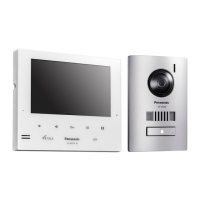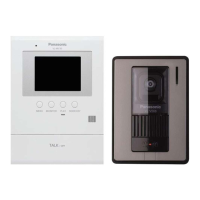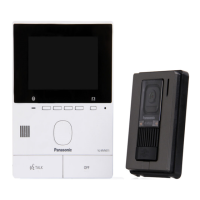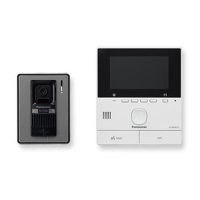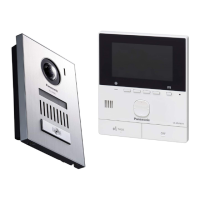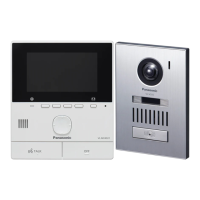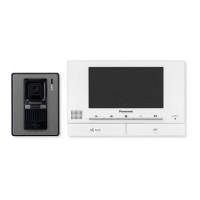

 To Next Page


B
Benjamin FloresAug 14, 2025
How to turn on ringtone on Panasonic Intercom System?
- RrobertpowersSep 12, 2025
If the ringtone for the doorphone of your Panasonic Intercom System does not sound, activate the sound for the ringtone in the settings.

How to turn on ringtone on Panasonic Intercom System?
If the ringtone for the doorphone of your Panasonic Intercom System does not sound, activate the sound for the ringtone in the settings.
Why are there white lines on my Panasonic Intercom System display?
If the images on your Panasonic Intercom System are white, or white lines or circles are visible on the display, try locating the doorphone away from direct sunlight or changing the installation angle to reduce the glare.
How to fix dark night images on Panasonic VL-SV71?
If the images at night are dark and faces cannot be identified on your Panasonic Intercom System, first, change the “Automatic illumination” setting to “Enable”. If the issue persists, consider installing extra lights in the area around the doorphone.
What to do if Panasonic VL-SV71 Intercom System monitor doesn't work?
If the main monitor of your Panasonic Intercom System does not work properly, check the power connection. If the problem persists, contact an authorised service centre.
Why can't visitor hear me on Panasonic VL-SV71 Intercom System?
If your voice cannot be heard by the visitor on the Panasonic Intercom System, but you can hear the visitor, and you are using the "Press-to-talk" mode, remember that the visitor can only hear you while you are pressing the button.
What to do if Panasonic VL-SV71 Intercom System not working correctly?
If the product of your Panasonic Intercom System does not work with correct operations, press the MRESETN button on the bottom side of the main monitor with a pointed object. Note that recorded images and configured settings are not affected.
Why is Panasonic Intercom System image black and white?
If the image of the subject is displayed in black and white (or bluish-purple) on your Panasonic Intercom System, turn on the LED lights when it is dark. It's also recommended to install extra lights in the area around the doorphone.
How to reduce noise on Panasonic Intercom System calls?
If you experience noise or feedback during calls on your Panasonic Intercom System, move away from the other party to reduce interference.
Why is my Panasonic Intercom System flickering?
AC (alternating current) lights such as fluorescent lights may cause flickering in dark environments. This is not a malfunction of your Panasonic Intercom System.
Crucial safety precautions to prevent injury and property damage during operation.
Basic safety measures to follow during product use to reduce risks.
Guide to initial system configuration for language and time settings.
How to answer, conduct, and end calls from the doorphone.
How to record images automatically or manually from doorphone calls.
How to view, protect, and delete recorded images.
How to configure and operate electric locks for doors or gates.
How to add extension monitors to the main monitor.
Solutions for common image display problems like distortion, darkness, or flickering.
Solutions for sound, call quality, and general operation problems.
Explains common error messages displayed on the monitors and their causes.
How to use the lobby station to call residents and enter unlock codes.
 General
| Type | Video Intercom System |
|---|---|
| Display | 7-inch color LCD |
| Camera | Yes |
| Connectivity | Wired |
| Wireless Connectivity | No |
| Power Supply | AC adapter |
| Recording | Yes |
| Night Vision | Yes |
| Expandability | Supports additional monitors and cameras |