EasyManua.ls Logo

Panasonic VL-SV74 S - User Manual

Panasonic VL-SV74 S
2 pages
Print Icon
To Next Page IconTo Next Page
Loading...
Key Features
VL-SV74 WVL-SV74 S
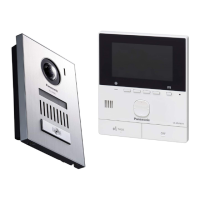
Sophisticated Design:
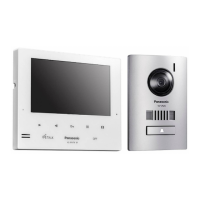
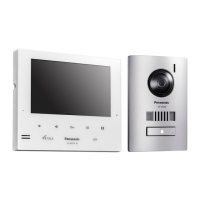
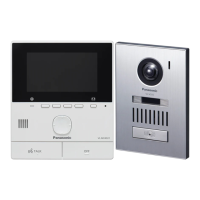
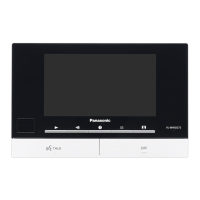
Touch sensor keys are used in the monitor, achieving a fully flat design for our thinnest* model yet. You can select from silver or white.
Particular attention has been paid to the materials and coatings used for the surface of the doorphone, resulting in a gently curved, metallic-looking design.
Also, the optional mount box can be used to install the door inside the wall, reducing the distance between the front surface of the doorphone and the wall even further.
Easy-to-use:
A 1.3 M pixel image sensor is used in the doorphone to dramatically improve image quality. Furthermore, the “bell” indicator on the call
button illuminates so visitors immediately know where to press even in dark environments.
A dedicated E-lock release key is placed on the front of the monitor and a volume a
djustment key is placed on the side, making it easy to operate while talking.
Highly Expandable:
Up to 3 wide monitors (7-inch) can be connected to the main monitor. In addition, PBX connectivity is also supported.
7-inch Screen:
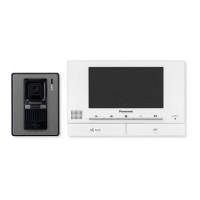
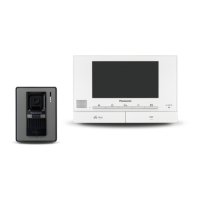
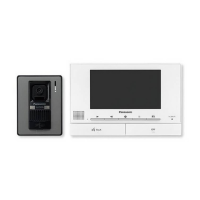
The main monitor and extension monitor have a 7-inch wide screen that offers easy viewing of wide vertical and horizontal views.
Voice Change Function:
This unique safety feature lowers the voice heard at the doorphone so that a female's voice sounds like a male's.
Electric Lock Release Support for Gate:
The gate or door lock can be easily and quickly released using monitors.
Picture Recording
:
The main monitor and extension monitor can record doorphone images from up to 50 doorphone calls or monitoring sessions.
Night Vision with:
Doorphone is equipped with LED lights (illumination lamp). It enables the colour display of visitors at a distance of about 50 cm at night.
Wiring Schematic Diagram
Optional Accessories
Related Products
* The thinnest intercom with built-in power supply produced by Panasonic.
*1 When you use an additional doorphone, the maximum number of the electric locks that can
be connected to the doorphone depends on the type of doorphone. Consult your dealer for
further information.
For VL-V554 users:
- The electric lock can also be connected to the S1/S2 terminals of the doorphone.
*2 Connection devices for option input (A contact)
-Make sure to connect doorbells to the IN3/IN4 terminals. A doorbell and doorphone 2
cannot be used together.
-
When a VL-V901 and VL-V700 series Video Intercom System for Apartment Complexes is used,
emergency terminals can be used. Make sure to connect emergency terminals to the IN1/IN2 terminals.
*3 Connectable PBX Model Numbers: KX-TDA30/100/100D/200/600 series,
KX-TDE100/200/600 series, KX-NS300/500/700/1000 series. Please consult your dealer
when connecting with a PBX.
*4 Type: Single-pair cable with outer sheath (jacket)
Conductor: Copper solid
A certified power supply wiring has to be used with this equipment. The relevant national
installation and/or equipment regulations shall be considered. A certified power supply wiring
not lighter than ordinary polyvinyl chloride flexible wiring according to IEC 60227 shall be used.
*5 When an extension monitor is used, make sure that the total wiring length from the
doorphone to the main monitor and then to the extension monitor, is within about 100 m.
*6 When using an electric lock or a connection device for option input (A contact),
select a device that meets the following guidelines:
• Electric lock connection terminal (S1/S2, S3/S4):
-N/O dry closure contact
-30 V AC (1 A)/24 V DC (1 A) or lower
• Connection device for option input (A contact) terminal (IN1/IN2/IN3/IN4):
-Input method: No-voltage contact
-Open-circuit voltage between terminals: DC 7 V or less
-Detection definite time: 0.1 seconds or more
-Short-circuit between terminals: 5 mA or less
-Resistance value: make: 500 Ω or less, break: 15 KΩ or more
Door Station
(Doorphone)
Flush Mount Box
f o r V L- V5 24
VL-MB524
Flush Mount Box
for VL-V554/V555
VL-MB554
Extension Monitor
VL-MV74 S
(Silver)
VL-MV74 W
(White)
Lobby Station
Up to 20 Rooms
VL-V591
Up to 32 Rooms
VL-VM series
Up to 2,240 Rooms
VL-V901
Wire type and length
Wiring run
Wire type
*4
Diameter Length (Max.)
Doorphone –
Main monitor –
Extension monitor
*5
φ
0.65 mm 22 AWG 100 m
φ
1.0 mm 18 AWG 130 m
φ
0.5 mm CAT 5 50 m
Main monitor –
Electric lock
*6
φ
0.5 mm -
φ
1.2 mm
(24 AWG - 17 AWG)
According to the speci cation
of connected device.
Main monitor –
Connection device for
option input (A contact)
*6
φ
0.5 mm -
φ
1.2 mm
(24 AWG - 17 AWG)
According to the speci cation
of connected device.
Main monitor – PBX
φ
0.65 mm
CAT 3 or
22 AWG
100 m
Ml-1
Ml-2
5
6
Ml-1
Ml-2
5
6
Ml-1
Ml-2
5
6
EXTENSION
MONITOR 1
EXTENSION
MONITOR 2
EXTENSION
MONITOR 3
DOORPHONE 1
*1
DOORPHONE 2
*1
Electric
lock
Electric
lock
NP: Non-polarised
MAIN MONITOR
D1
D2
D3
D4
Ml-1
Ml-2
IN1
IN2
IN3
IN4
P1
P2
MO-1
MO-2
MO-3
MO-4
MO-5
MO-6
1
2
3
4
5
6
7
8
9
10
11
12
13
14
15
16
17
18
S1
S2
S3
S4
19
20
21
22
Connection device
for option Input
(A contact)
*2
PBX
*3
Power
supply
Power
supply
NP
NP
NP
NP
NP
NP
NP
NP
NP
NP
Terminal box
(4-conductor
wiring)
Power plug
(220-240 V AC)
You can also connect an
optional lobby station.
Door Station
(Doorphone)
(Plastic)
CMOS 0.3 MP
VL-V522L
Door Station
(Doorphone)
(Aluminium)
CMOS 1.0 MP
VL-V554
CMOS 0.3 MP
VL-V555
(Plastic)
CMOS 1.3 MP
VL-V524
(VL-MB554 included
w i t h V L-V 5 5 4U )
Video Intercom System
VL-SV74

Other manuals for Panasonic VL-SV74 S

Questions and Answers

  • R
    rickyhillSep 23, 2025
    What to do if the main monitor of my Panasonic Intercom System does not work properly?
    • T
      Thomas VincentSep 23, 2025
      Check the power connection of your Panasonic Intercom System. If the power is connected, there may be a problem with the electrical wiring.
  • K
    Kayla PenaAug 23, 2025
    What to do if Panasonic VL-SV74 S images are unclear?
    • D
      Donna GoldenAug 23, 2025
      If the images on your Panasonic Intercom System are dirty or unclear, the doorphone's lens surface may be dirty or have water condensation. Wipe the lens with a soft, dry cloth, or wait for the condensation to evaporate.
  • M
    Marcus OrtegaAug 25, 2025
    Why is Panasonic Intercom System image black and white?
    • B
      Billy HillAug 26, 2025
      If the image of the subject is displayed in black and white (or bluish-purple) on your Panasonic Intercom System, it may be night or there may be poor light in the area around the doorphone. Turn on the LED lights when it is dark. Also, if you are using a doorphone not equipped with LED lights, it is recommended to install extra lights in the area around the doorphone.
  • G
    greenedestinyAug 26, 2025
    How to improve night vision on Panasonic Intercom System?
    • A
      andersonethanAug 27, 2025
      If images at night are dark and faces cannot be identified on your Panasonic Intercom System, ensure that “Automatic illumination” is set to “Enable”. If the doorphone's LED lights are lit, but the light from the LED lights cannot illuminate the edges of the visible area, it is recommended to install extra lights in the area around the doorphone.
  • J
    Justin WheelerAug 27, 2025
    Why can't visitor hear me on Panasonic Intercom System?
    • K
      Katherine ConleyAug 27, 2025
      If your voice cannot be heard by the visitor on the Panasonic Intercom System, but you can hear the visitor’s voice, you might be using the "Press-to-talk" mode. When using this mode, the visitor can only hear your voice while you are pressing M N.
  • K
    Krystal PorterSep 16, 2025
    What to do if Panasonic VL-SV74 S Intercom System doesn't work properly?
    • W
      William PayneSep 16, 2025
      If your Panasonic Intercom System does not work with correct operations, press the MRESETN button on the side of the main monitor with a pointed object.
  • M
    michaelhicksSep 13, 2025
    How to stop sound cutting in/out on Panasonic Intercom System?
    • G
      Grace JohnsonSep 13, 2025
      If the sound cuts in/out or fades on your Panasonic Intercom System, this may be because the area surrounding the main monitor, extension monitor, or doorphone are noisy. Try using the "Press-to-talk" mode to mitigate this issue.
  • A
    Alexis MitchellSep 14, 2025
    How to fix white images with lines/circles on Panasonic VL-SV74 S Intercom System?
    • A
      Anthony RobertsSep 14, 2025
      If images are white, or white lines or circles are shown on the display of your Panasonic Intercom System, strong light such as sunlight is shining into the lens of the doorphone causing images to be difficult to see. Locating the doorphone away from direct sunlight or changing the angle that the doorphone is installed may help reduce this problem.
  • C
    clifford03Sep 5, 2025
    What to do if Panasonic VL-SV74 S Intercom System doesn't work?
    • C
      chrisdiazSep 5, 2025
      To solve the problem when the product does not work with correct operations, press the MRESETN button on the side of the main monitor of your Panasonic Intercom System with a pointed object.
  • W
    Wendy RushSep 3, 2025
    Why is Panasonic VL-SV74 S flickering?
    • K
      kirbyalejandroSep 3, 2025
      If the images on your Panasonic Intercom System are flickering, it may be due to AC (alternating current) lights such as fluorescent lights being used near the doorphone. These lights may cause flickering in dark environments.

Overview

The Panasonic VL-SV74 is a sophisticated video intercom system designed for enhanced security and convenience in residential and commercial settings. This system comprises a main monitor, extension monitors, and door stations, offering a comprehensive solution for managing visitor access and communication.

Function Description

The core function of the VL-SV74 system is to enable two-way audio and one-way video communication between indoor monitors and outdoor door stations. When a visitor presses the call button on the door station, the indoor monitor rings, displaying the visitor's image on its 7-inch wide screen. This allows occupants to visually identify visitors before granting access. The system supports hands-free communication, making interactions seamless.

A key security feature is the "Voice Change Function," which lowers the voice heard at the doorphone, making a female's voice sound like a male's. This adds an extra layer of privacy and security for occupants. The door stations are equipped with LED lights for "Night Vision," enabling clear color display of visitors even in low-light conditions, up to approximately 50 cm away from the camera lens.

The VL-SV74 also integrates with electric lock release mechanisms, allowing occupants to remotely unlock gates or doors directly from the indoor monitors. This feature enhances convenience, eliminating the need to physically go to the door to grant access. The system supports "Picture Recording," automatically capturing images of visitors during doorphone calls or monitoring sessions. These recorded images can be stored on the main and extension monitors, providing a visual log of all interactions.

The system is highly expandable, capable of connecting up to three wide 7-inch extension monitors to the main monitor. This allows for multiple viewing points within a property. Furthermore, the VL-SV74 supports PBX connectivity, integrating with various Panasonic PBX models to expand its communication capabilities within a larger network. The system can also accommodate an additional doorphone and an optional lobby station, making it suitable for multi-unit dwellings or larger properties.

Usage Features

The VL-SV74 prioritizes ease of use through its intuitive design and features. The main and extension monitors boast a "Sophisticated Design" with a fully flat surface, achieved by using touch sensor keys. This sleek design is available in silver or white, allowing for aesthetic integration into various interiors. The 7-inch wide screen on both the main and extension monitors provides a clear and wide view, enhancing the user experience.

The door stations are designed with a gently curved, metallic-looking finish, adding to the system's overall aesthetic appeal. A prominent "bell" indicator on the call button illuminates, guiding visitors to press the correct button even in dark environments. The doorphone utilizes a 1.3 M pixel image sensor, significantly improving image quality for clearer visitor identification.

For user convenience, a dedicated E-lock release key is prominently placed on the front of the monitor, allowing for quick and easy gate or door unlocking. A volume adjustment key is conveniently located on the side of the monitor, making it easy to control audio levels during conversations. The camera angle of the doorphone can be adjusted by the user, allowing for optimization of the viewing area.

Installation flexibility is a key aspect of the VL-SV74. The doorphone can be surface-mounted using the supplied mounting base or flush-mounted using an optional flush mount box (VL-MB524). This flush-mount option reduces the distance between the doorphone's front surface and the wall, offering a more integrated look. The main and extension monitors are designed for wall mounting, with a mounting bracket supplied for easy installation.

The system supports multiple display languages, including English, Arabic, and Vietnamese, catering to a diverse user base. The hands-free talking method further enhances convenience, allowing users to communicate without holding the monitor.

Maintenance Features

While the manual does not explicitly detail specific "maintenance features" in the traditional sense (e.g., self-cleaning cycles or diagnostic tools), several aspects of the VL-SV74's design and installation guidelines contribute to its longevity and reliable operation, which can be considered indirect maintenance benefits.

The external materials of the monitors are made from flame retardant ABS resin, and the door stations from flame retardant resin. These materials contribute to the safety and durability of the devices, reducing the risk of damage from environmental factors.

The doorphone has an IP44 rating, indicating its resistance to water splashes and solid objects larger than 1 mm. This water resistance is assured when the doorphone is installed correctly according to the instructions in the Installation Guide, which is crucial for preventing water ingress and ensuring long-term functionality in outdoor environments. Adhering to these installation guidelines is a form of preventative maintenance.

The system's wiring schematic provides clear instructions for proper installation, including recommended wire types and lengths. Following these guidelines is essential for optimal performance and to prevent issues that could arise from incorrect wiring, thereby reducing the need for future repairs. The use of certified power supply wiring, as specified in the manual, is also critical for safe and reliable operation.

The ability to record images of visitors serves as a security and monitoring feature, but it also indirectly aids in "maintenance" by providing a visual record of who has approached the property. This can be useful for troubleshooting or identifying potential issues related to access.

Overall, the VL-SV74 is designed for robust performance with considerations for safe installation and durable materials, contributing to its long-term reliability and minimizing the need for frequent maintenance.

Panasonic VL-SV74 S Specifications

General IconGeneral
TypeVideo Intercom System
CameraWide-angle camera
ConnectivityWired
Electric Lock SupportYes
Night VisionYes
Power SupplyAC 100-240V, 50/60Hz
Display7-inch LCD
Smartphone ConnectAvailable
ExpandabilityUp to 2 door stations and 3 monitors

Related product manuals