
 Need help?
Do you have a question about the Panasonic VL-SW274 and is the answer not in the manual?
Details product models, supplied accessories, and general notes.
Crucial safety measures for preventing fire, electric shock, accidents, and property damage.
Safety guidelines for sub monitor batteries and performance optimization tips.
Covers AC adaptor, tapping, privacy, disclaimer, repair, and disposal notes for India.
Instructions for cleaning the product and its recycling information.
Identifies controls for doorphone, main/extension monitor, and sub monitor.
Explains monitor displays, status icons, and sub monitor charging procedures.
Continues charging details and guides on setting language, date, and time.
Covers answering calls, intercom communication, and monitoring the doorphone.
Details automatic/manual recording, playing images, and using electric locks.
Explains function settings and procedures for registering sub monitors, extension monitors, and repeaters.
Identifies lobby station controls and explains how to call residents or receptionists.
Describes main monitor use with lobby station, monitoring, door opening, and system limitations.
Lists technical specifications and trademarks related to the product.
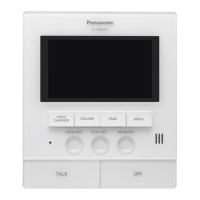
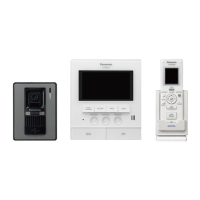
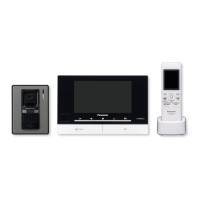
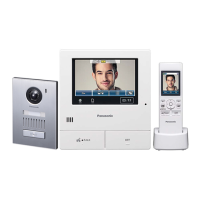
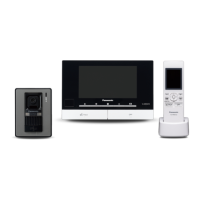
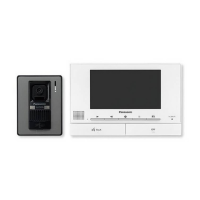
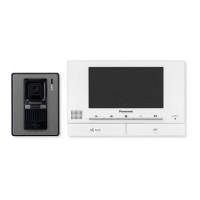
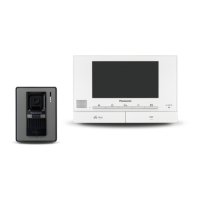
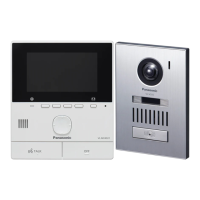
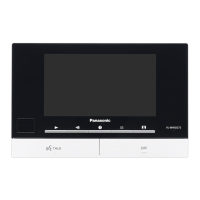
This document provides important information and a quick guide for the Panasonic Wireless Video Intercom System (Model No. VL-SW274) and its Main Monitor Station (Model No. VL-MW274). It also covers the Sub Monitor Station (VL-W617) and Door Station (VL-V522L).
The Panasonic Wireless Video Intercom System allows for visual and audio communication between a door station and one or more monitor stations. It supports both "House mode" for standalone use and "Apartment mode" when connected to a VL-V900 lobby station in apartment complexes.
The system's core function is to enable residents to see and speak with visitors at the door. When a visitor presses the call button on the door station, the main monitor, extension monitor, and sub monitor all ring and display an image from the door station. Users can then answer the call, speak with the visitor, and even unlock a connected electric door lock (sold separately).
Beyond visitor communication, the system facilitates intercom calls between the main monitor, sub monitor, and extension monitors within the premises. This allows for convenient internal communication.
A key feature is the ability to monitor the outside area with the door station. Users can view live video and listen to audio from the door station, and even speak to someone being monitored.
The system also includes image recording capabilities. The main and extension monitors can automatically record still images of doorphone calls, saving up to 8 images per call or monitoring session. These recorded images are stored in an internal memory, with new images overwriting the oldest when the memory is full. Users can also manually record images while monitoring. The sub monitor can also manually record images while monitoring.
For apartment mode, the system integrates with a VL-V900 lobby station, allowing residents to call specific room numbers, search for residents by name, or call a receptionist. It also supports opening the door by entering an unlock code.
Both main and sub monitors feature status icons indicating battery level (sub monitor), active doorphone calls/monitoring, door open status, "Press-to-talk" mode, voice changer mode, reception level, sub monitor registration number, ringer volume status, and navigation key operations. The main monitor also shows icons for main monitor call status, PBX extension calls, image recording, and doorphone LED status.
The sub monitor uses a Ni-MH battery and is charged via a dedicated charger and AC adaptor. Charging takes approximately 7 hours initially or after battery replacement. The CHARGE indicator lights up during charging and turns off when complete. It's recommended to remove the battery if the sub monitor is off the charger or AC adaptor for a week or more to maintain battery performance.
These settings are configured via the monitor's menu, allowing users to select their preferred language and set the current date and time. The play lamp lights if these settings are not configured.
When a call is received, all monitors ring and display the visitor's image. Pressing the TALK button initiates two-way communication. Calls can last up to 90 seconds and are ended by pressing the OFF button.
Users can initiate intercom calls between monitors by pressing the Page button (sub monitor) or selecting the desired device from a list. To receive an intercom call, press the TALK button.
The Monitor button allows users to view and listen to the door station's feed. If multiple door stations are present, the desired one can be selected. The TALK button can be used to speak to the monitored party.
If an electric lock is connected, users can unlock the door from the main, extension, or sub monitor by pressing the DOOR KEY button while talking or monitoring. The system allows configuration of which doorphone the electric lock is assigned to and the unlocking time.
Various settings, including initial settings, ringtone settings, and connected devices, can be adjusted through the menu.
The system supports registration of sub monitors, extension monitors, and repeaters. The process involves selecting "Register/Cancel" and "Register" on the main monitor, then performing specific actions on the device being registered (e.g., pressing MENU or PROGRAM buttons).
The system handles one call or monitoring session at a time, with subsequent calls disconnecting lower-priority ongoing sessions. All calls and monitoring sessions are disconnected after a pre-programmed "timeout" period. Optional devices and configurations are required for certain operations.
The manual emphasizes critical safety precautions to prevent fire, electric shock, and accidents. This includes using only specified power sources and AC adaptors, avoiding disassembly or modification, keeping the product away from water and excessive dust, and handling power cables carefully. It also warns against using the product near medical devices or automatically controlled devices due to potential RF interference.
Users are advised to use only specified batteries, avoid opening or mutilating them, and charge them according to instructions. Batteries should not be heated or disposed of in fire. Proper handling prevents short circuits and overheating.
For optimal performance, the main monitor should be installed in a central, unobstructed indoor location, away from electronic appliances and radio frequency transmitters. Obstructions like metal doors, concrete walls, and multiple walls can weaken signals and distort images.
The manual highlights the importance of privacy and portrait rights when installing and using the doorphone. It also advises users to initialize monitors before repair, disposal, transfer, or return to erase personal information (recorded images).
The product should be wiped with a soft, dry cloth, or a moist cloth for excessive dirt. Harsh cleaning products containing alcohol, polish powder, benzine, thinner, wax, petroleum, boiling water, or sprays like insecticide, glass cleaner, or hair spray should be avoided as they can damage the product's color or quality. For safety, the charger should be disconnected from the power supply, and sub monitor batteries should be removed before cleaning.
 General
| Type | Video Intercom System |
|---|---|
| Display | 7-inch LCD |
| Wireless Monitor | Yes |
| Door Station Camera | Yes |
| Night Vision | Yes |
| Picture Recording | Yes |
| Audio | Two-way audio |
| Power Supply | AC adapter |
| Operating Temperature | -10°C to 50°C |




 To Next Page