EasyManua.ls Logo

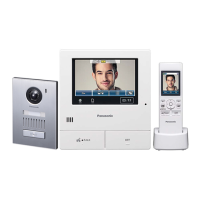
Panasonic VL-SW250BX - User Manual

Panasonic VL-SW250BX
56 pages
Print Icon
To Next Page IconTo Next Page
Loading...
Thank you for purchasing a Panasonic product.
Please read these Operating Instructions before using the unit and save for future reference.
Operating Instructions
Model Name
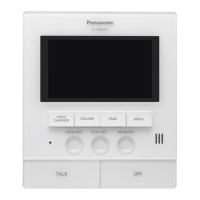
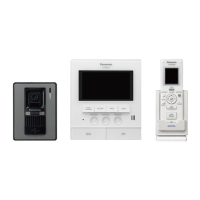
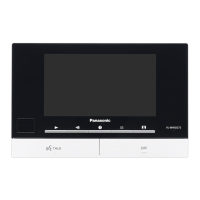
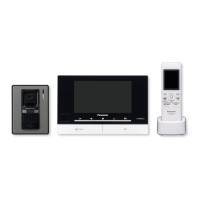
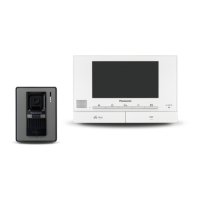
Wireless Video Intercom System Main Monitor
Model No.
VL-SW250BX
Including: VL-MW250BX
VL-W605BX
VL-V566BX
VL-MW250BX
1-62, 4-chome, Minoshima, Hakata-ku, Fukuoka 812-8531, Japan
© Panasonic System Networks Co., Ltd. 2010
PNQX2912YA
SV0910SN1090
VL-MW250BX VL-W605BX VL-V566BX
Attached Installation Guide
01VL-SW250BX.indd101VL-SW250BX.indd1 2010/09/1411:58:282010/09/1411:58:28

Table of Contents

Other manuals for Panasonic VL-SW250BX

Questions and Answers

  • N
    Natalie SandersAug 1, 2025
    What to do if my Panasonic VL-SW250BX Intercom System says 'CAN NOT CONNECT'?
    • J
      john03Aug 1, 2025
      If your Panasonic Intercom System displays 'CAN NOT CONNECT', it could be due to several reasons: * The sub monitor station might be too far from the main monitor station. Try moving closer. * An object, like a concrete wall, may be obstructing the signal. Move to a location without obstacles. * Interference from a microwave or wireless LAN appliance could be the cause. Move closer to the main monitor station, use a sub monitor station away from those appliances or try again later. Consider installing a repeater (optional) to solve the problem.
  • V
    victorbushAug 7, 2025
    Why does my Panasonic VL-SW250BX Intercom System display 'REGISTRATION ERROR'?
    • E
      edwardsmelissaAug 7, 2025
      If your Panasonic Intercom System shows a 'REGISTRATION ERROR', the registration to the main monitor station may not be complete. Move closer to the main monitor station and register it again.
  • J
    Joshua BlanchardAug 13, 2025
    How to fix 'PROTECTED PIC REMOVE PROTECT' on my Panasonic VL-SW250BX?
    • M
      Michelle NunezAug 14, 2025
      If your Panasonic Intercom System displays 'PROTECTED PIC REMOVE PROTECT', it means the image you're trying to erase is protected. Release the protection, and then try erasing it again.
  • N
    Nicole BeckAug 19, 2025
    What to do if my Panasonic VL-SW250BX displays 'IN USE'?
    • N
      nealvictorAug 19, 2025
      If your Panasonic Intercom System displays 'IN USE', it means that either the main monitor station or the sub monitor station is currently in use. Please try again later.
  • H
    Haley SosaAug 26, 2025
    Why does my Panasonic VL-SW250BX say 'PROTECT PIC FULL CAN NOT PROTECT'?
    • D
      Dylan BarrAug 26, 2025
      The Panasonic Intercom System displays 'PROTECT PIC FULL CAN NOT PROTECT' because you have exceeded the number of images you can protect. You can protect up to 20 images. Release the protection from other images, then try again. Note that unprotected images will be overwritten by new images.

Summary

Important Information

Safety Warnings

Crucial safety advice on power, installation, and operation to prevent injury.

Cautions and Safety Instructions

Important cautions on installation, operation, and essential safety instructions.

Preparation

Charging the Sub Monitor Station

Provides instructions for inserting the battery and charging the sub monitor station.

Doorphone

Answering Calls

Explains how to answer calls from the door station via main or sub monitor.

Monitoring Outside View

Guides on how to monitor the door station's image and sound.

Recording

Recording Images Overview

Introduces image recording capacity and auto recording timing.

Intercom

Programming

Adjusting Ringer Volume

Instructions for adjusting ringer volume for door calls and paging.

Changing Ringer Tone

Guides on selecting different ringer tones for door station calls.

Setting Door Key Button

Explains configuring the door key button for door release duration.

Main Monitor Station Function Settings

Lists and explains function settings for the main monitor station.

Main Monitor Settings Details

Details settings for answering, recording, and playback on the main unit.

Sub Monitor Station Function Settings

Lists and explains function settings for the sub monitor station.

Sub Monitor Settings Details

Covers voice answer, voice changer, display, contrast, and initialization for the sub monitor.

Help

Monitor Display Troubleshooting

Troubleshooting guide for common issues with the monitor display.

Main Monitor Station Not Working

Troubleshooting steps when the main monitor station is unresponsive.

Error Messages and Solutions

Lists common error messages and their causes/solutions.

General Information

Technical Specifications

Provides detailed technical specifications for all system components.

Panasonic VL-SW250BX Specifications

General IconGeneral
BrandPanasonic
ModelVL-SW250BX
CategoryIntercom System
LanguageEnglish

Related product manuals