Model Name Model No.
Wireless Video Intercom System VL-SW274
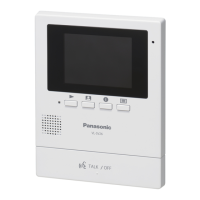
Main Monitor Station VL-MW274
R This guide is for use with the above 2 models.
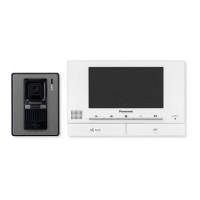
VL-V522L VL-MW274
Door station Main monitor station
R The Installation Guide in Indonesian can be accessed from the following site:
https://panasonic.net/cns/pcc/support/intercom/sw274
R Door station is described as "doorphone" and Main monitor station is described as "main
monitor" in this guide.
R In this guide, the suffix of each model number (e.g., the "BX" in "VL-SW274BX") is omitted
unless necessary.
Note to the installer
R Before attempting to connect or operate this product, please read the label on the rear of
the doorphone and the main monitor/extension monitor.
R Please read this guide carefully, and install the product safely and correctly by following
the instructions. Carefully read the information found in the section titled "For your
safety" in particular.
R Only use attachments/accessories specified by the manufacturer.
R The installation shall be carried out in accordance with all applicable installation rules.
R To the maximum extent permitted by law, Panasonic assumes no responsibility for
injuries or property damage resulting from failures arising out of improper installation or
operation inconsistent with this document.
R After installation, make sure to leave this guide with the customer.




 To Next Page
