24
Getting Started
Memory card
You can use a microSD card as a memory card. It gives you more space to save pictures,
videos, music and more.
Inserting and removing a memory card
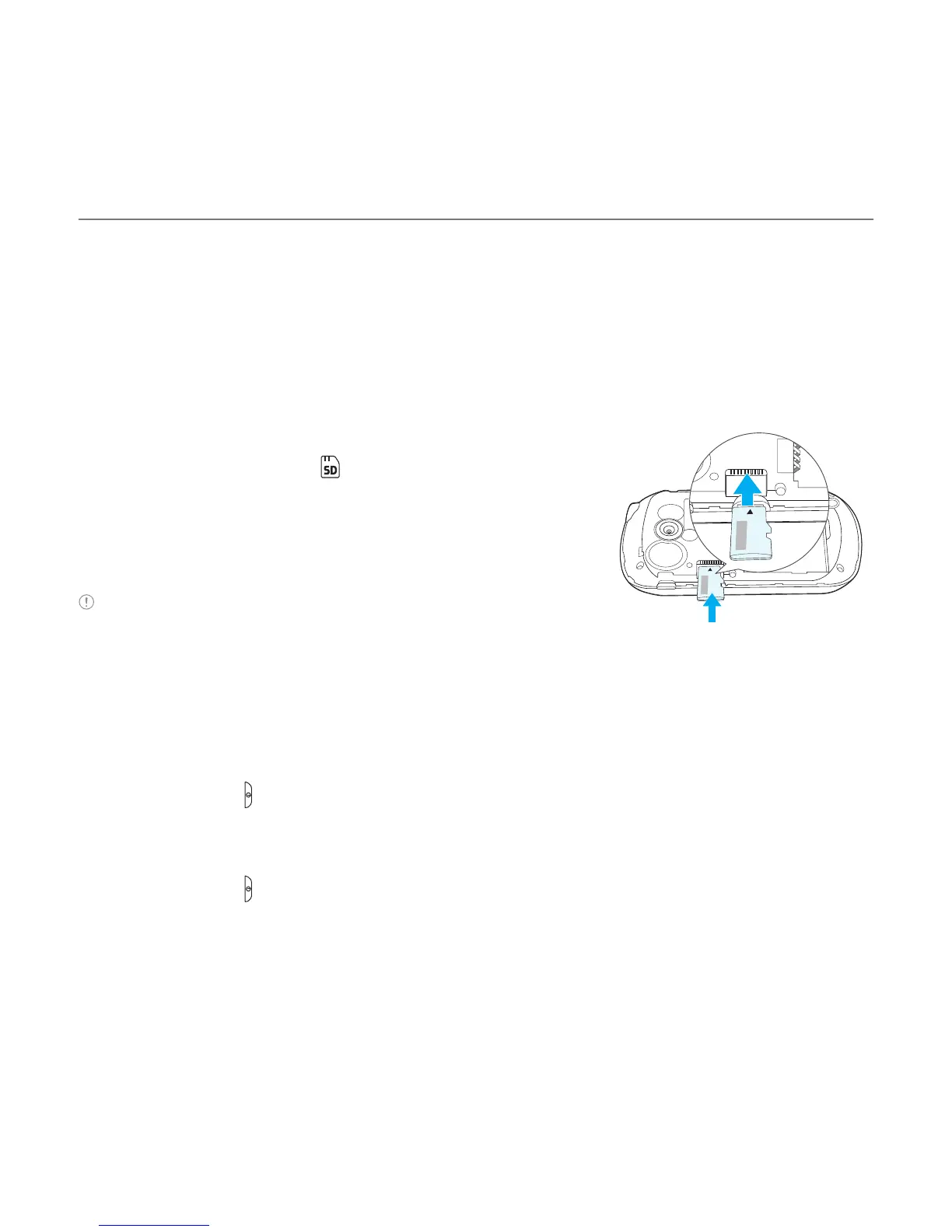
1. Open the battery cover .
2. Insert the memory card. will be displayed on the screen
when a memory card is inserted.
3. To remove the memory card, slide the memory card out in
the opposite direction of the arrow.
Note Supported up to 32 GB.
Turning the phone on/off
To turn on
1. Press and hold .
To turn off
1. Press and hold .



 To Next Page