28
Getting Started
Screen navigation
The home screen is your starting point for using applications on your phone.
You can customize the home screen to display application icons, shortcuts, folders, and
widgets according to your preference.
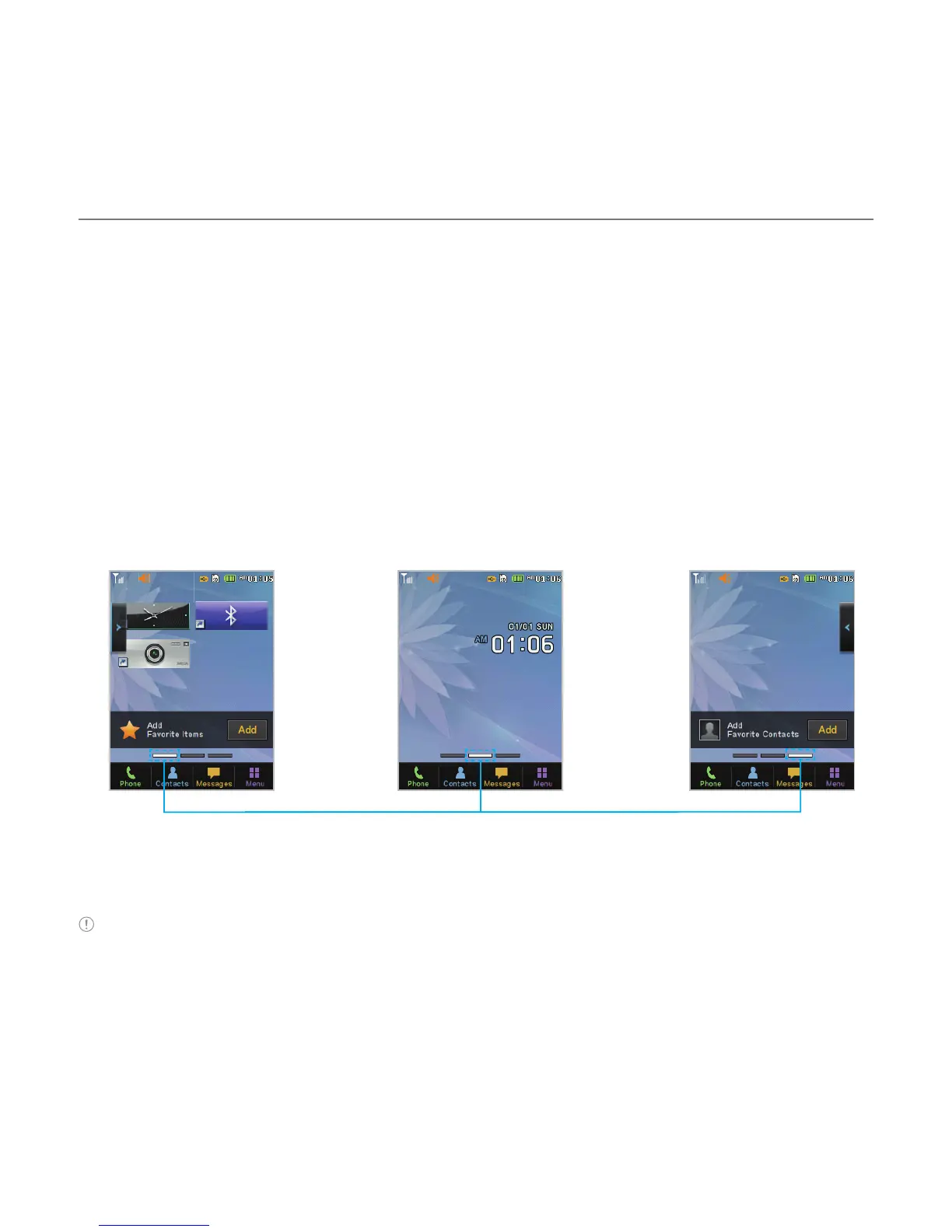
About your home screens
x Main Screen: The phone’s main home screen.
x
Contents Screen: A customizable screen for shortcuts. Max 20 icons can be added.
x Contacts Screen: A customizable screen for favorite contacts. Max 20 icons can be added.
<Main Screen : Center> <Contacts Screen : Right><Contents Screen : Left>
®
®
Position indicators
Note You can access the 3 different home screens by flicking in both directions. However, the position
indicators are always displayed for the corresponding home screen (i.e. Left – Contents, Center – Main,
Right – Contacts).



 To Next Page