71
Multimedia
Setting camera settings
1. Tap Menu ; > Camera.
2. Tap to change settings prior to taking a picture.
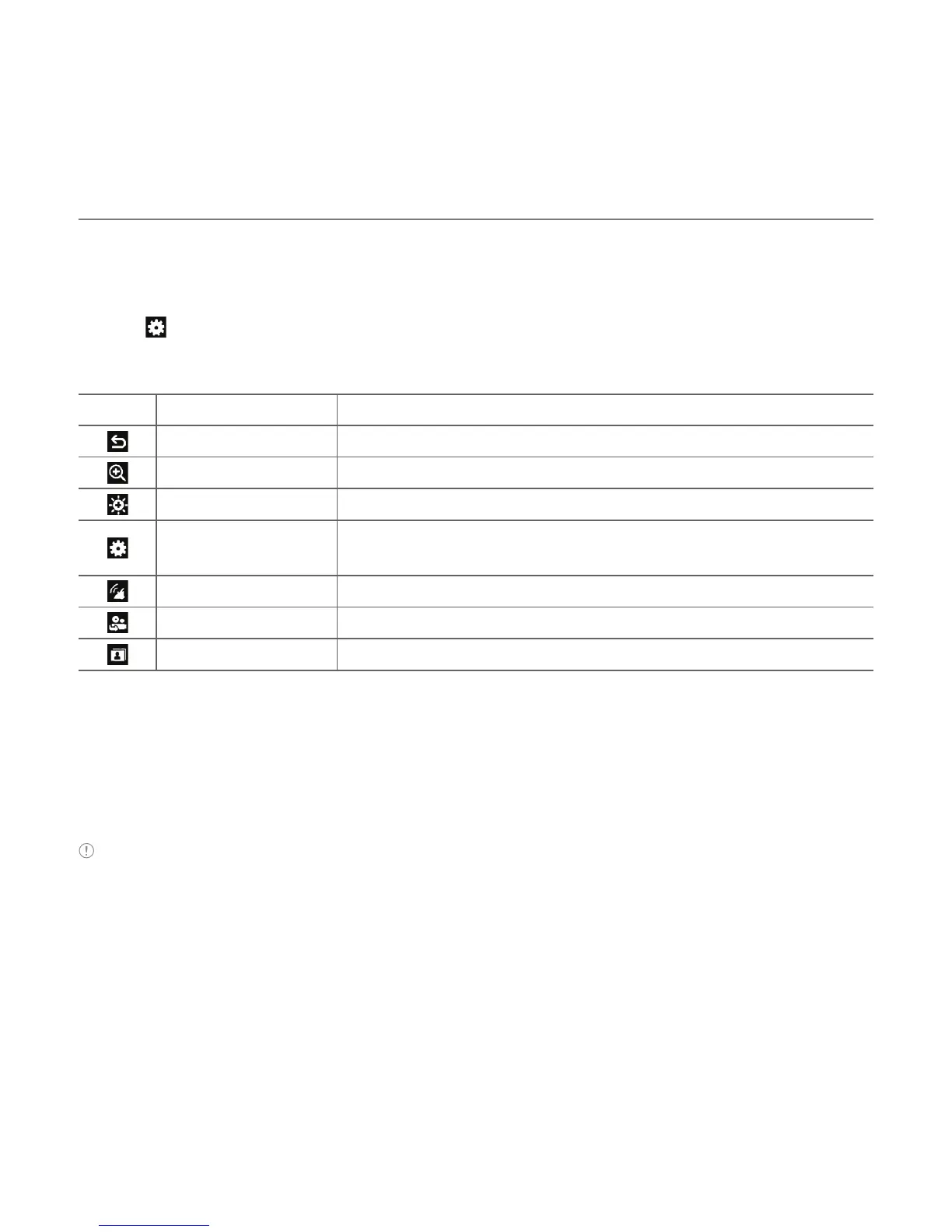
Camera menu options
Icons Name Description
Back Return to previous menu
Zoom 1, 2,3,4,5,6,7,8 (up to 2x zoom)
Brightness -3, -2, -1, 0, +1, +2, +3
Settings
White Balance/ Effect/ Self Timer/ Resolution/ Storage/
Advanced
GEO Tagging On/Off
Video Camera Switch to video camera mode
Album View the pictures stored in the device
Zooming in and out
1. Tap } then tap ~ or /. It increases or decreases the zoom ratio.
Increasing or decreasing the brightness
1. Tap $ then tap % or & . It ranges from -3 to +3.
Note In camera mode, the zoom function is not available at the highest(1600x1200) resolution. GEO
Tagging will work only outdoors. When GEO Tagging is activated, it will search for the GPS for 1 minute and
ask whether to proceed or not.



 To Next Page