Copyright © ParTech, Inc. 2013. All Rights Reserved.Page 10 6/13/2013
Magnetic Swipe (MSR) Configuration
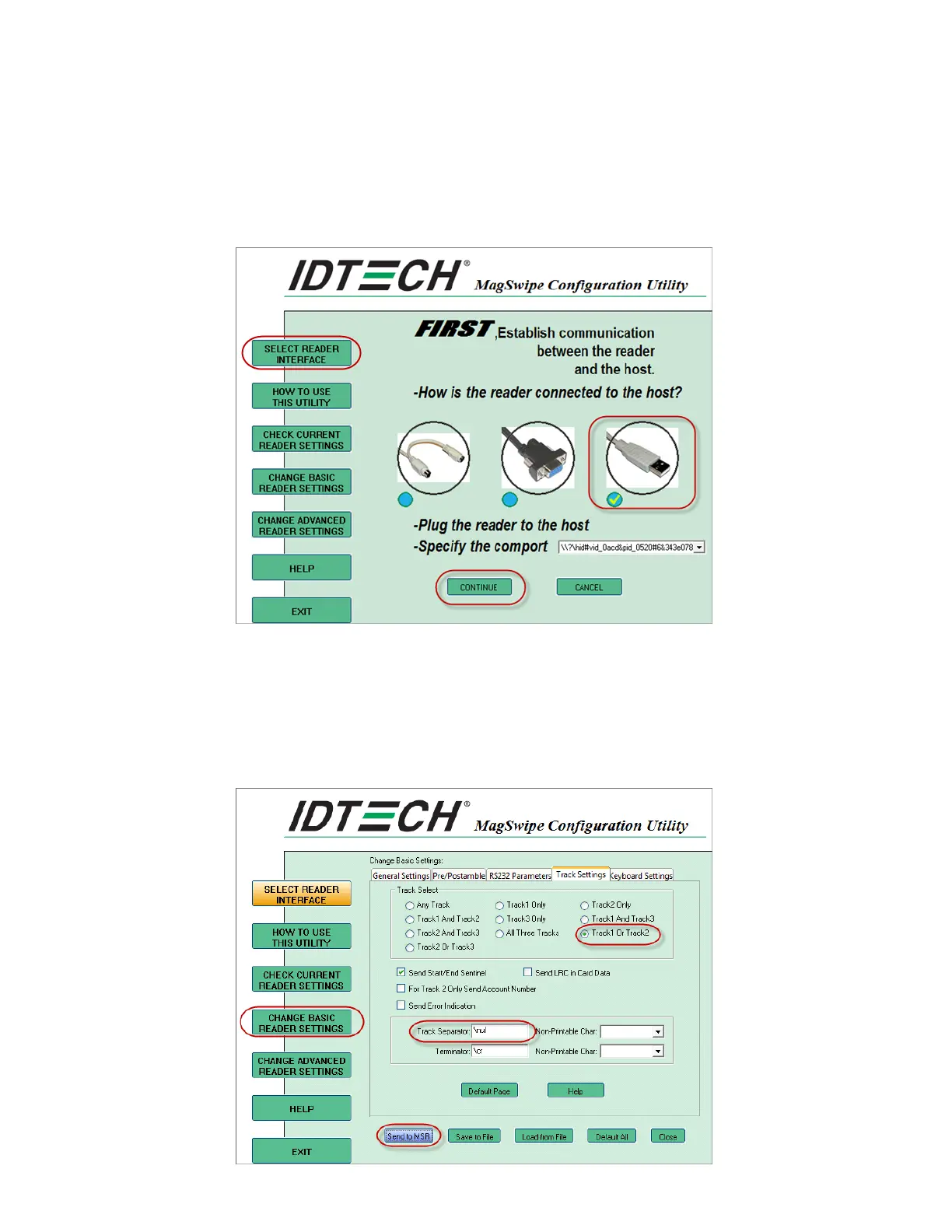
Run the MagSwipe Configuration Utility and configure it as follows:
1. Press [Select Reader Interface] on the left
2. Select the image of the USB cable.
3. Select [Continue].
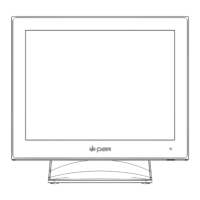
4. Press [Change Basic Reader Settings] on the left
5. Switch to the Track Setting tab.
6. Select Track1 Or Track 2 from the 'Track Select' section.
7. Change the 'Track Separator' field to "\null". You can use the Non-Printable Char drop-
down box to the right to do this.
8. Select [Send to MSR].



 To Next Page