Copyright © ParTech, Inc. 2013. All Rights Reserved.Page 9 6/13/2013
Cash Drawer Registry Configuration
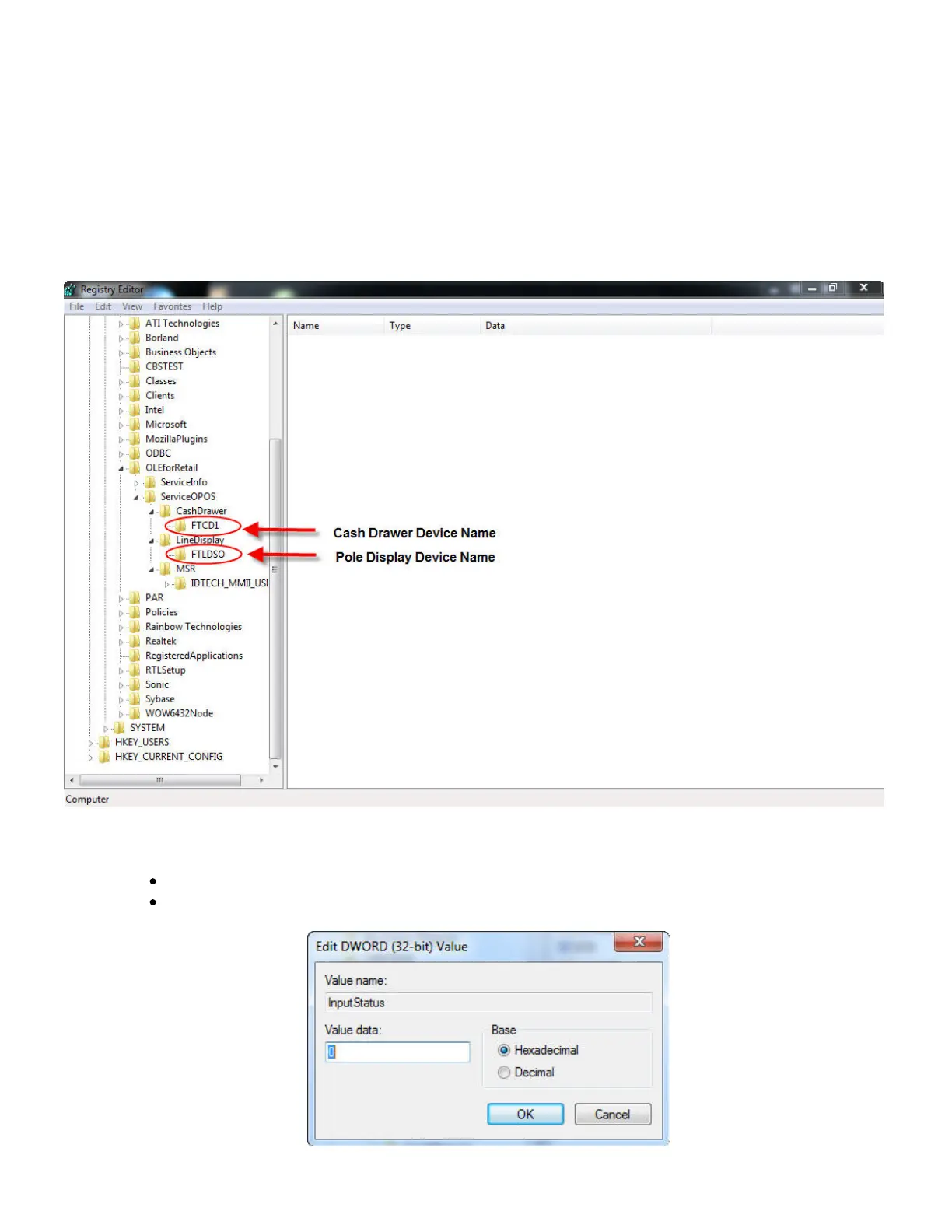
In order for the cash drawer to be properly configured, a particular key in the Windows
Registry must have a particular value. It is set as follows:
1. Open the Windows Registry Editor.
2. Navigate through the keys (folders) on the left to the following path:
\HKEY_LOCAL_MACHINE\SOFTWARE|OLEforRetail\ServiceOPOS\CashDrawer\FTCD1
3. Double-click on InputStatus in the right panel, and edit the Value data field
appropriately:
If the cash drawer is made by PARTech, this should be "0".
If the cash drawer is not made by PARTech, this should be "1".



 To Next Page