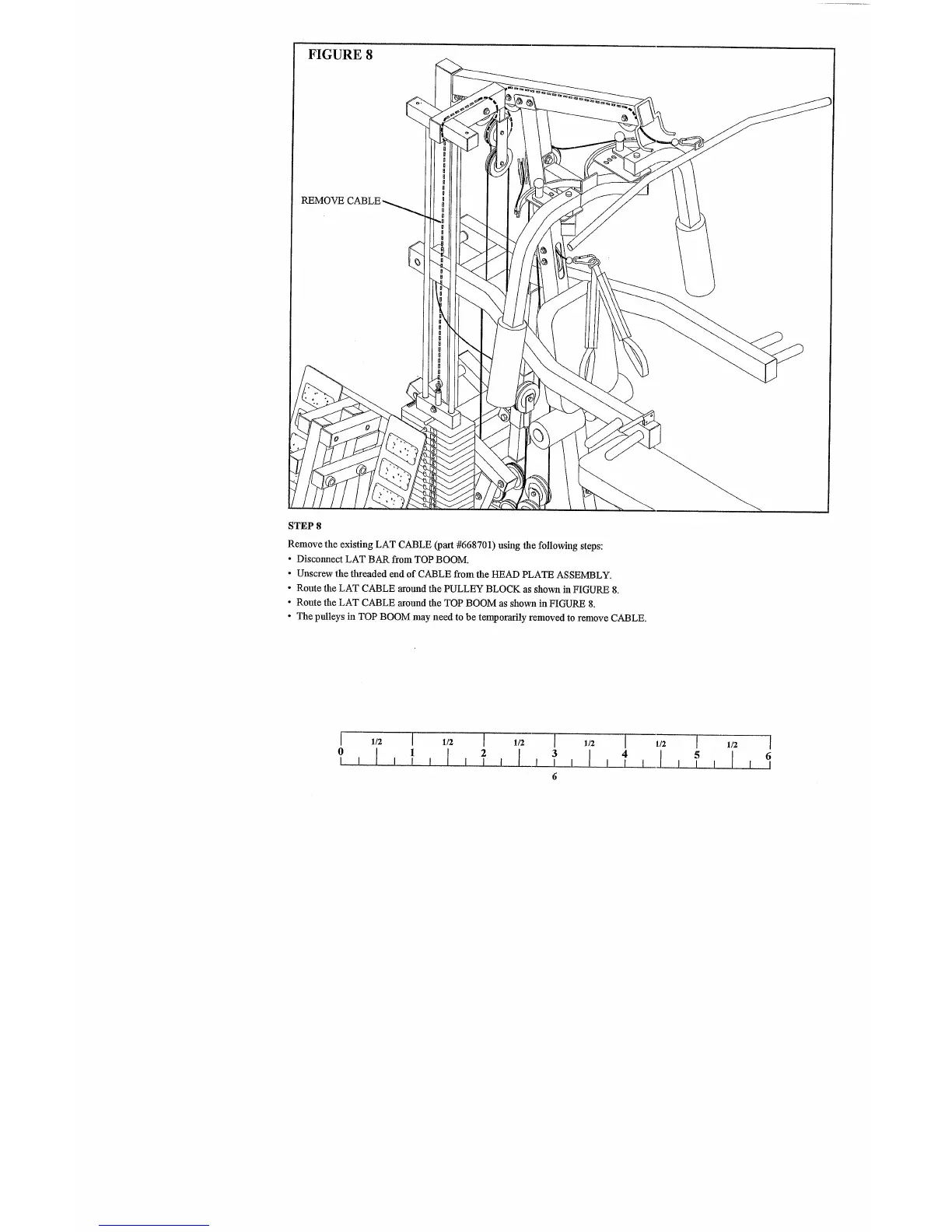
FIGURE 8
REMOVE
STEP 8
Remove the existing LAT CABLE (part #668701) using the following steps:
¯ Discolmect LAT BAR from TOP BOOM.
¯ Unscrew the threaded end of CABLE from the HEAD PLATE ASSEMBLY.
¯ Route the LAT CABLE around the PULLEY BLOCK as shown in FIGURE 8.
¯ Route the LAT CABLE around the TOP BOOM as shown in FIGURE 8.
¯ The pulleys in TOP BOOM may need to be temporarily removed to remove CABLE.
[ 1/2 [ 1/2 I 1/2 I 1/2 [
0 1 2 3 4
1/2
[ 1/2
I
5
6



 To Next Page