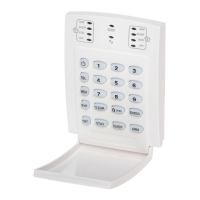
Esprit Keypads 5
Note: Avoid programming simple or
obvious access codes, such as your
telephone number, address or codes such
as 1234.
To create or modify access codes, follow the steps
indicated in section2.2. The master code and user
codes are identified by a 2 digit “code number”.
2.2 CREATING USER CODES
1) Press [ENTER] and then enter your master code
(default 474747) or user 1 code. You will hear
the “confirmation” beep and the [ENTER] key will
flash.
2) Enter the two digit “code number” (01-48) for the
user code you wish to program (or 00 to change
the master code). You will hear the
“confirmation” beep and the [ENTER] key will stay
on.
3) Key in 4 or 6-digit user access code and press
[ENTER]. The “confirmation” beep will be heard
again. The [ENTER] key will flash. You may
continue programming other user codes, or
press [CLEAR] to exit programming mode.
Note: [2ND] key flashes if location is empty
(no code programmed).


 To Next Page