VIX AE SERVO DRIVE USER GUIDE
84
Servo Setup
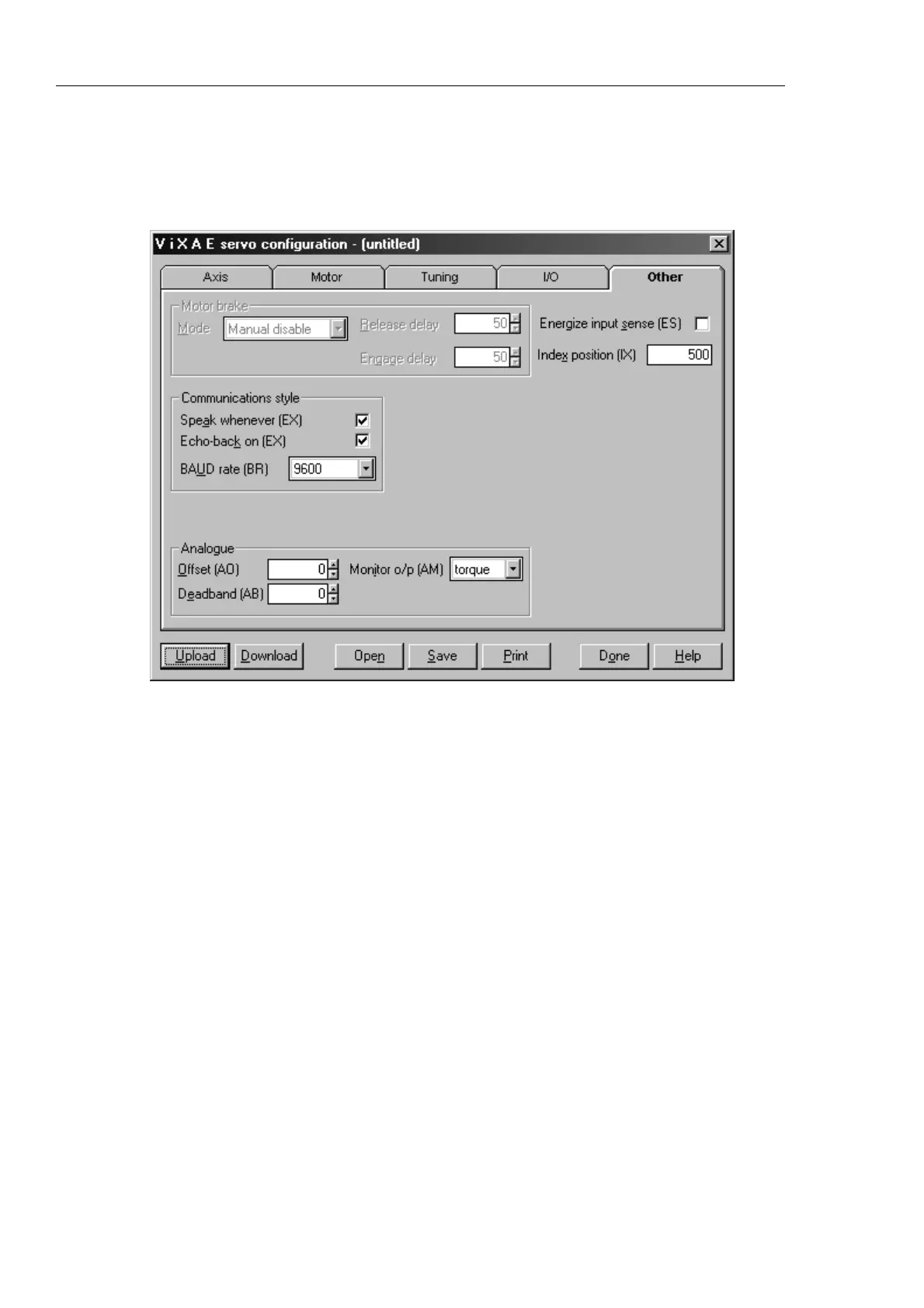
This facility gives easy access to setting system variables in a more direct manner than
Guided Servo Setup. Figure 5-5 shows a sample screen.
Figure 5-5. Other Tab of Servo Setup
The buttons displayed along the base of this screen can be used as follows:
Upload retrieves the current settings for the selected axis
Download updates the current axis with your latest changes
Open opens a stored .cfg file
Save save the file to disk as a .cfg file
Print prints the value of all the settings of all the tabs
Done closes the set-up window
Help accesses the help file


 To Next Page