50 GB/IE
Displaying maximum or minimum
readings
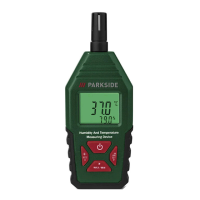
In measurement mode, press MAX/MIN[6] once.
MAX
[] is shown on the display[2]. The maximum
temperature
[] and the maximum humidity[] which have
been measured since the product was turned on are shown
on the display (fig.D).
Press MAX/MIN
[6] again. MIN[] is shown on the
display
[2]. The minimum temperature[] and the minimum
humidity
[] which have been measured since the product
was turned on are shown on the display (fig.E).
Press MAX/MIN
[6] again. MIN[] goes off in the
display
[2]. The product returns to measurement mode. The
display shows the current temperature and humidity.
NOTE: The product takes measurements only in the
measurement mode.
Erasing all maximum or minimum
readings from memory and display
While the maximum readings are shown on the display[2],
press and hold DP WBT/SET
[4], until the display shows
“‒‒.‒”. The maximum readings for temperature and
humidity have been erased.
Press MAX/MIN
[6] once to return to measurement mode.


 To Next Page
 Loading...