EasyManua.ls Logo

Parrot BLAZE - Flying

Parrot BLAZE
23 pages
Print Icon
To Next Page IconTo Next Page
To Previous Page IconTo Previous Page
Loading...
6 Flying
Flying
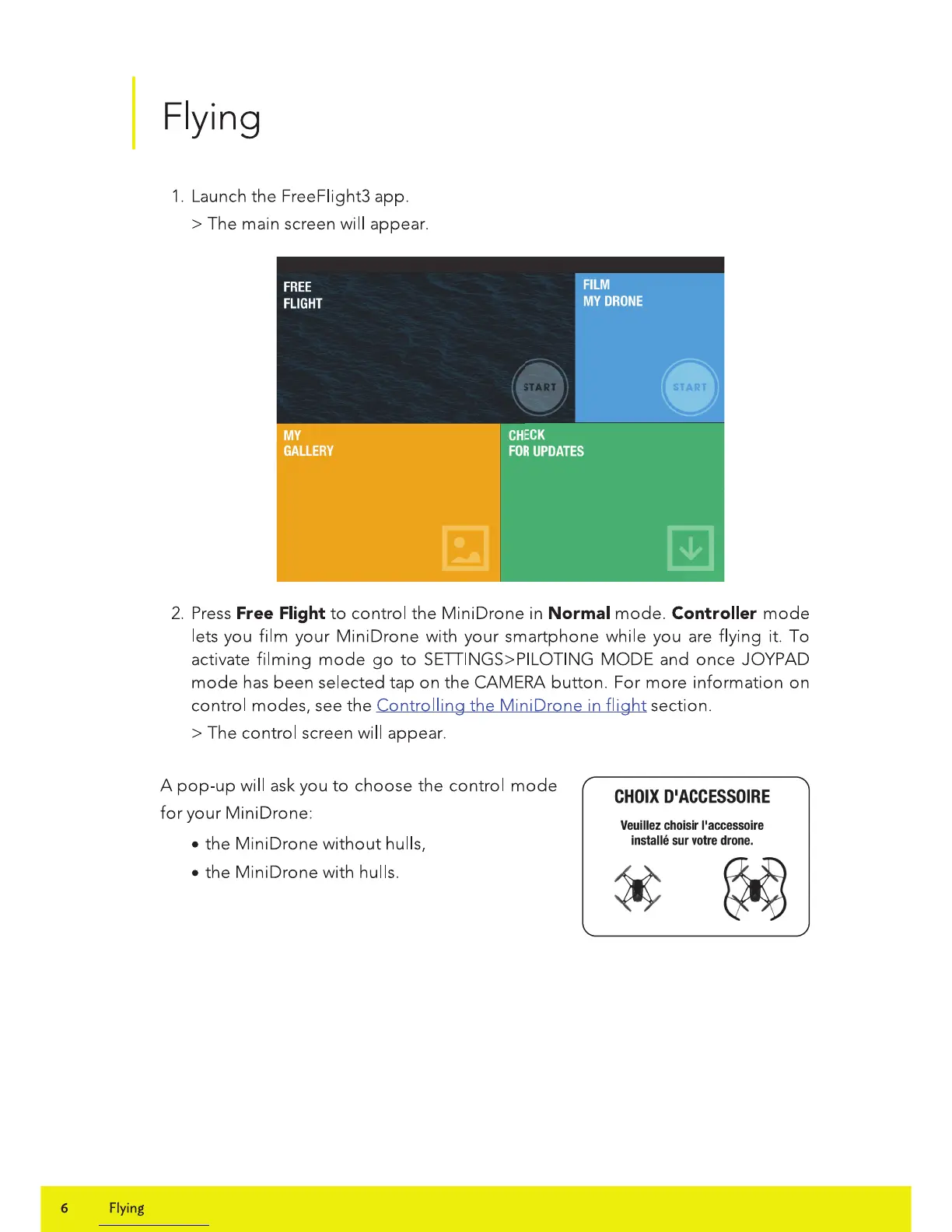
1.
Launch
the
FreeFiight3 app.
>The
main screen will appear.
2.
Press
Free Flight
to
control the Mini Drone in Normal
mode.
Controller
mode
lets you film your
MiniDrone
with your smartphone while you are flying it. To
activate
filming
mode
go
to
SETIINGS>PILOTING
MODE
and
once
JOYPAD
mode
has
been selected tap on the CAMERA
button.
For
more
information
on
control modes, see
the
Controlling
the
Mini Drone in
flight
section.
>The
control screen will appear.
A
pop-up
will ask you
to
choose the control
mode
for
your Mini Drone:
the
MiniDrone
without
hulls,
the Mini Drone with hulls.
CHOIX
D
1
ACCESSOIRE
Veuillez
choisir
l'accessoire
installe
sur
votre
drone.

Related product manuals