Operating Basics
Rev. 007 Date 2010-01-13 CyFlow
®
space Instrument Operating Manual 17/26
Threshold: Lower Level (L-L)
Lower Level (L-L)
Note
L-L and U-L cannot be
adjusted after the
acquisition.
After acquisition, you
may use 1P ranges or
2P polygons to gate out
undesired signals
instead.
Note
L-L values do not
directly correlate with
axis values.
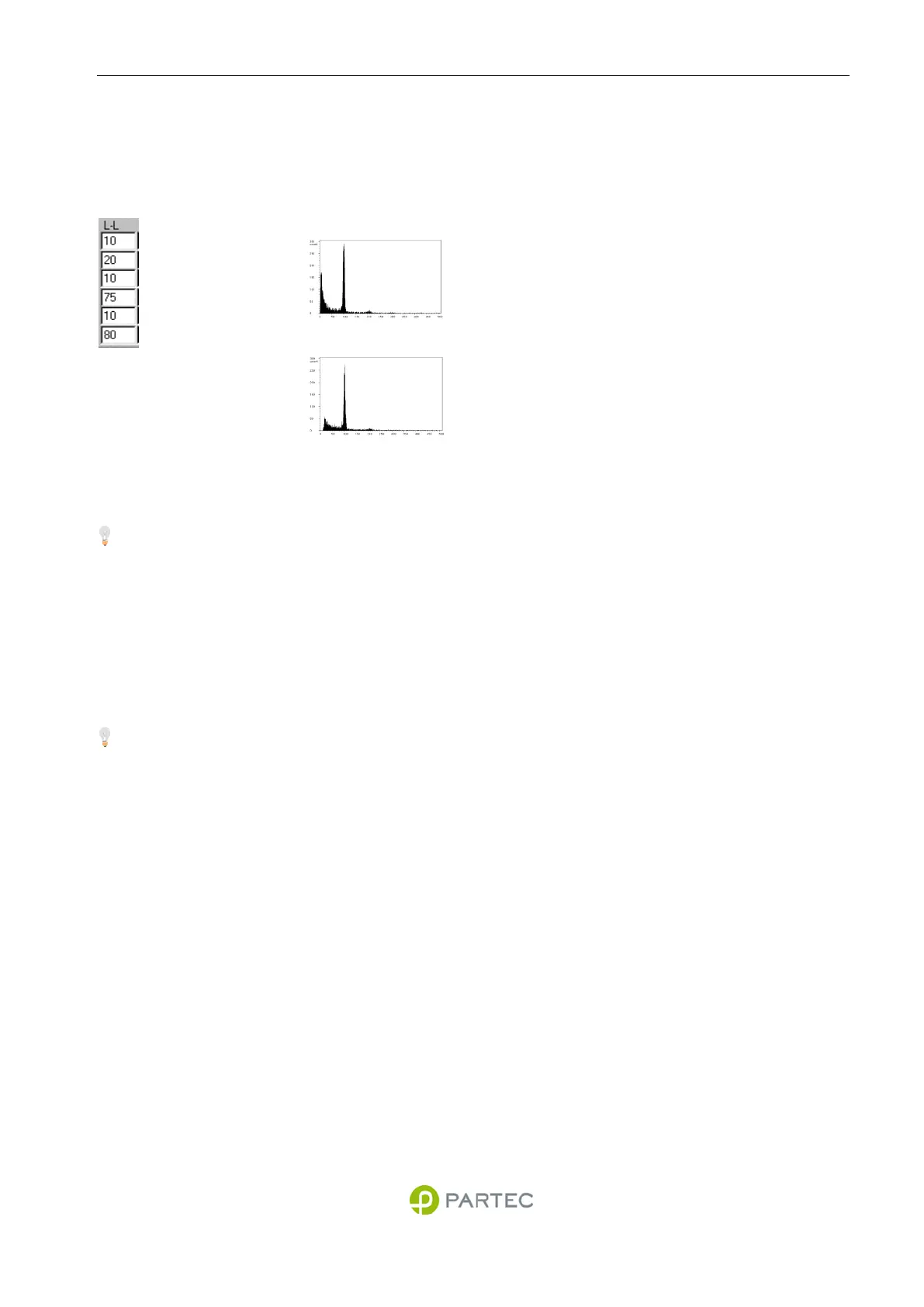
Typical effect of
change
L-L = 10
L-L = 40
Adjustment
Lower Level L-L
Setting a proper lower level (L-L) avoids the
acquisition of small and unwanted background or
"noise" signals below a threshold.
The L-L value of a parameter can be increased
(decreased) by clicking into the corresponding L-L
value field in the instrument settings box and using
the Right (Left) buttons (see Fig. 4).
Start with a low L-L (e.g. 10). Increase the L-L until
no more of the small "noise" signals appear in the
histograms. Make sure not to remove signals from
particles of interest by a L-L being too high.
A L-L range of 0…999.9 corresponds to the full
histogram scale, independent of the channel
resolution actually selected.
If a leading trigger is selected, then the L-L can only
be effectively set on this trigger parameter.



 To Next Page