ESC T n
[Name] Select print direction in page mode
[Format] ASCII ESC T n
Hex 1B 54 n
Decimal 27 84 n
[Range] 0≤n ≤3,
48≤n ≤51
[Description] Select the print direction and starting position in page mode.
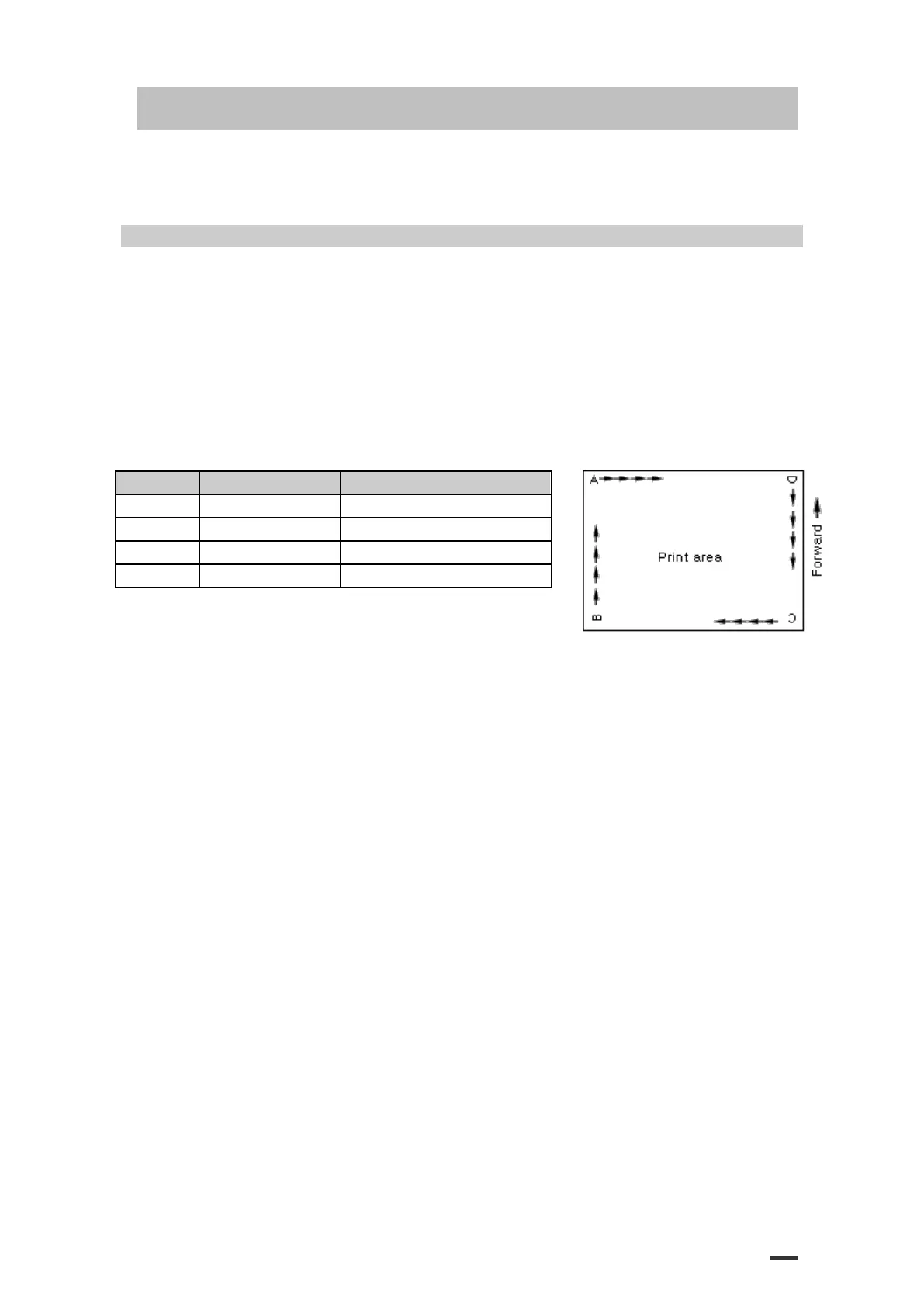
n specifies the print direction and starting position as follows:
Upper left(A in the figure)
Lower left(B in the figure)
Lower right(C in the figure)
Upper right(D in the figure)
[Details] ·When the command is input in standard mode, the printer executes only
internal flag operation. This command does not affect printing in standard
mode.
·This command sets the position where data is buffered within the printing area set by ESC W.
·Parameters for horizontal or vertical motion units (x or y) differ as
follows, depending on the starting position of the printing area:
①If the starting position is the upper left or lower right of the printing
area, data is buffered in the direction perpendicular to the paper feed direction:
Commands using horizontal motion units: ESC SP, ESC $, ESC\
Commands using vertical motion units: ESC 3, ESC J, GS $, GS\
②If the starting position is the upper right or lower left of the printing
area, data is buffered in the paper feed direction :
Commands using horizontal motion units : ESC 3, ESC J, GS &, GS\
Commands using vertical motion units : ESC SP, ESC $, ESC\
[Default] n = 0
[Reference] ESC $, ESC L, ESC W, ESC\, GS $, GS P, GS\



 To Next Page