PS-3225 Connect the Sensor Wirelessly in PASCO Capstone
37
013-16123A
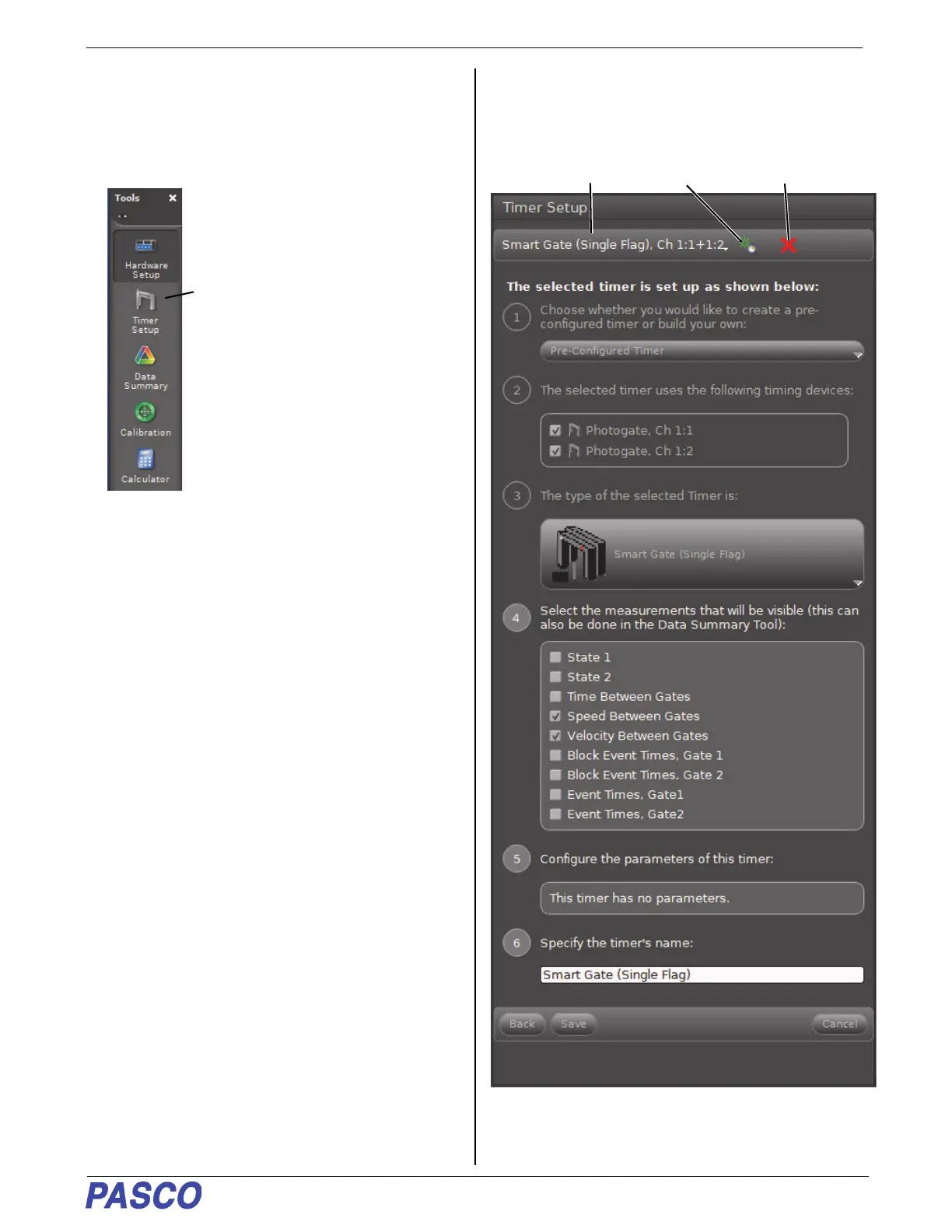
Smart Gate (Single Flag) Setup
1. Click the “Hardware Setup” icon in the Tools palette
to close the “Hardware Setup” panel.
2. Click the “Timer Setup” icon in the tools palette to
open the Timer Setup panel.
• The Timer Setup panel is revealed. The Timer
Setup panel is the same as it was previously for
Remove the
selected timer
Create a
new timer
Name of
current timer


 To Next Page