16 | P a g e
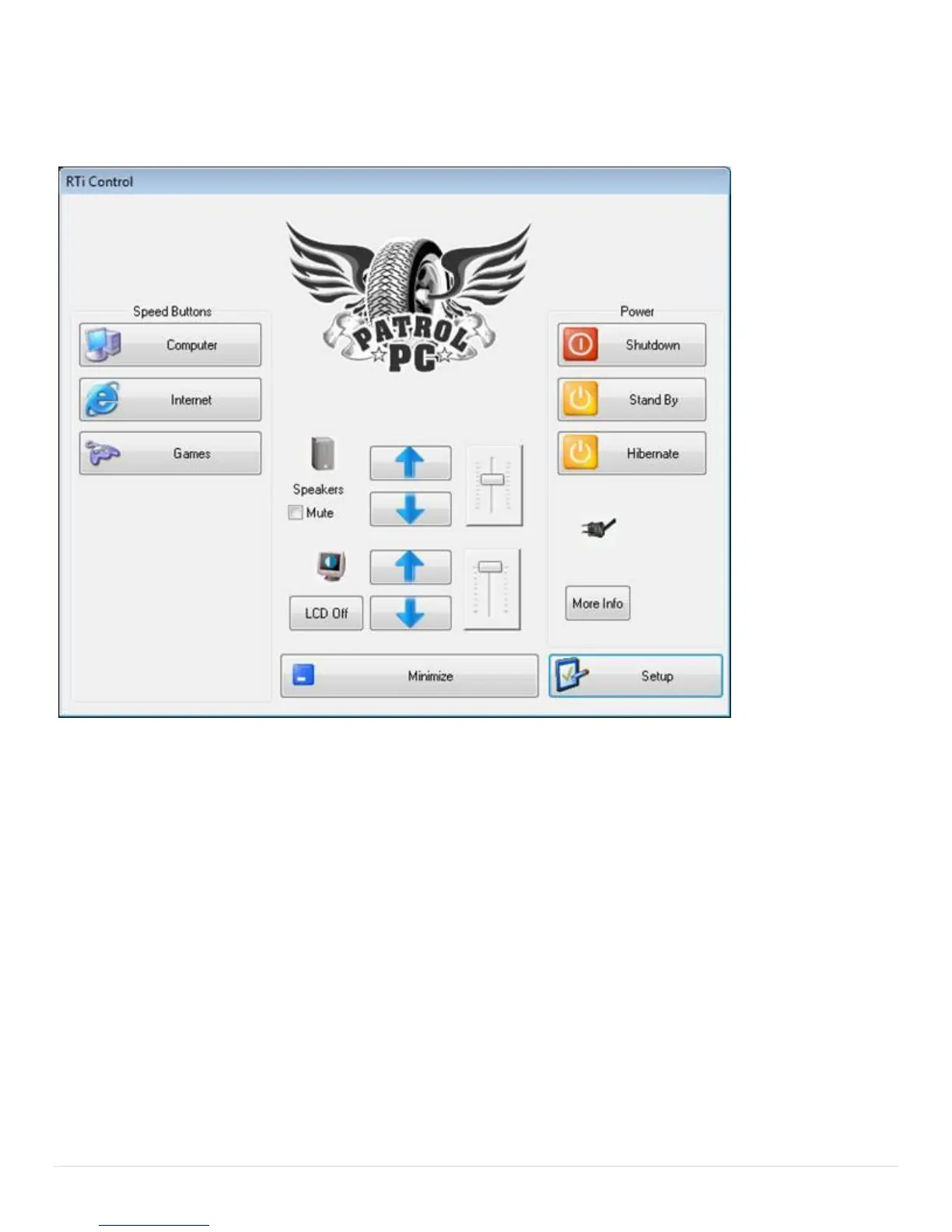
Control Panel Overview
The RTi Control Panel is a great tool to customize your RT-12i computer to your personal preferences.
Speed Buttons: Assignable shortcuts to various programs.
Speakers: Volume sliders, buttons, and mute function.
Power: Turn off, hibernate, or put your computer to sleep.
LCD Off: Turns off the LCD backlighting until the touch screen, brightness slider, volume slider, mouse, or
track pad is touched.
More Info: Information on the computer battery if it is installed.
Minimize: Minimize the RTi control panel window.
Setup: Change various computer settings.


 To Next Page