17 | P a g e
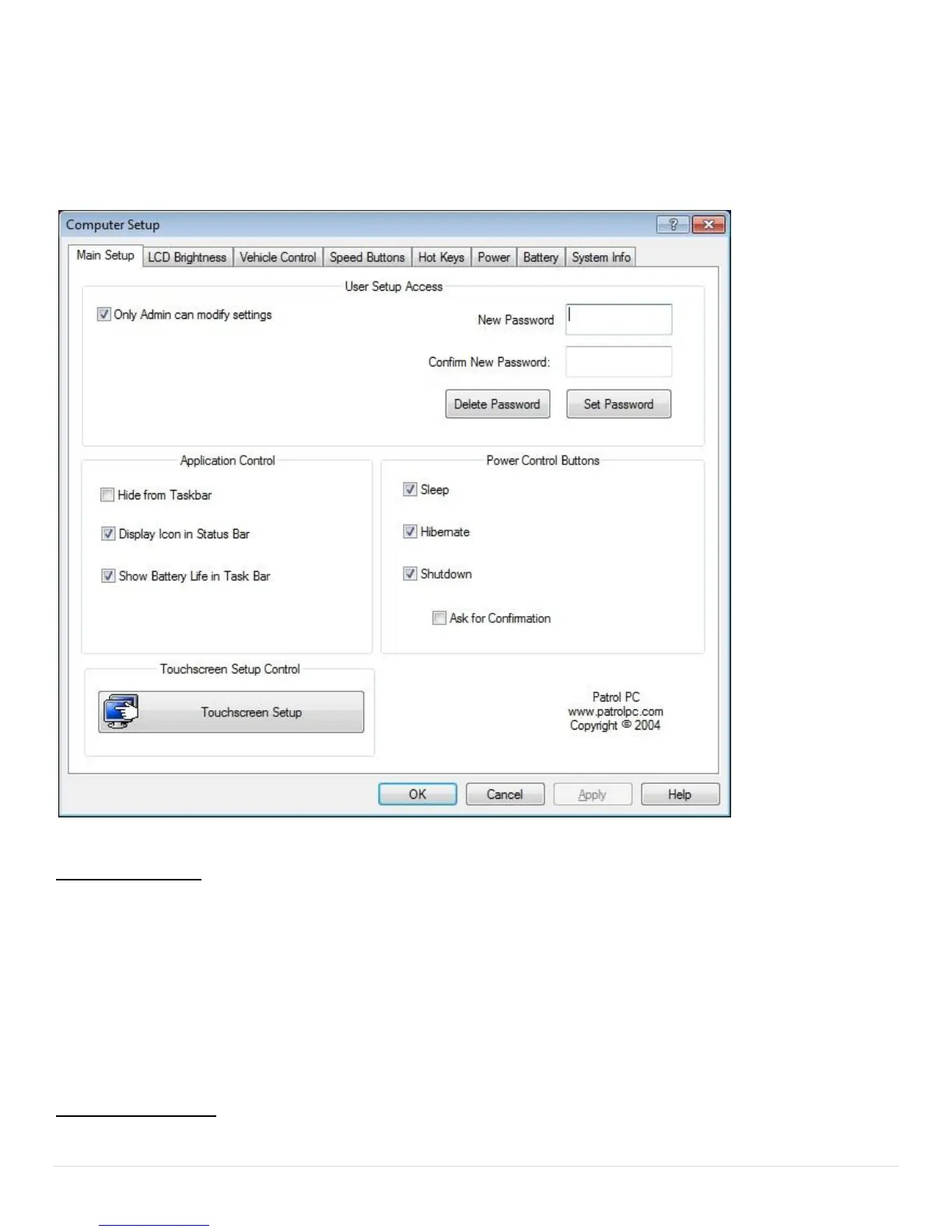
Main Setup Tab
The Main Setup tab has an assortment of top-level control panel settings. You can create a password to get into
the settings. You can also change which buttons are available in the RTi Control Panel window. See below for
more details.
User Setup Access
Only Admin can modify settings - If check-marked, only a Windows account with Administrator credentials
can view or change the RTi Control Panel Settings.
Password Section - If a password is desired to view and make changes to the RTi Control Panel settings, type
the desired password in both fields, then press "Set Password". The next time you try to enter the Computer
Setup page, it will require a password to view and make changes to the RTi Control Panel settings. To remove
the password, just click "Delete Password".
Application Control
Hide from Taskbar - If check-marked, the RTi Control Panel program will not show up on the Windows



 To Next Page