39 | P a g e
Hard Drive Access for Units with Internal Antennas Installed
ESD Warning: The internal components of the RT-12i tablet are sensitive to electrostatic discharge. Please
observe precautions for handling electrostatic sensitive devices, including proper grounding prior to opening
the unit.
1. Remove the power cable from the computer.
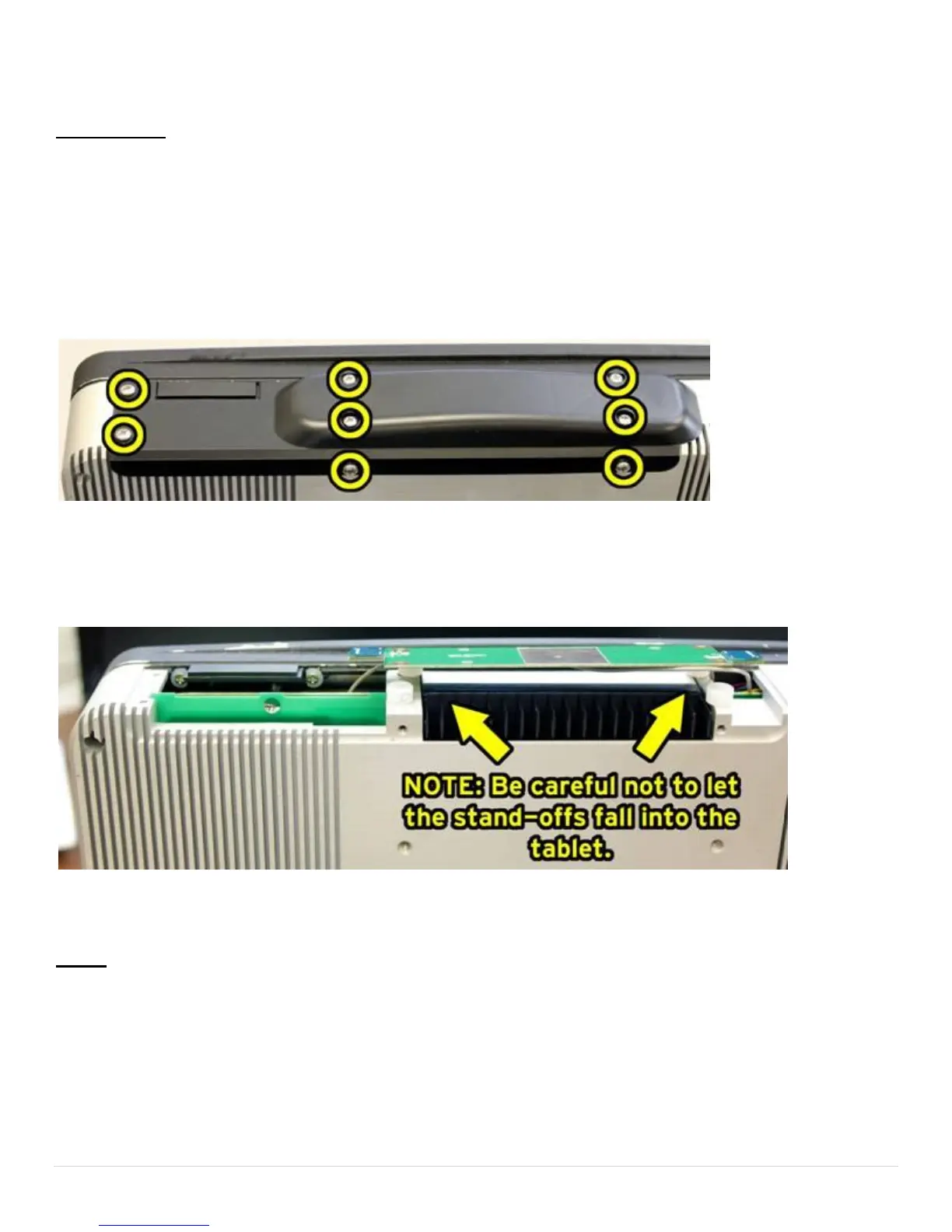
2. Remove the 8 screws circled below.
3. Carefully remove the black plastic cover. You will see the antenna board resting on nylon stand-offs. Make
sure the stand-offs do not fall into the tablet.
4. While holding the antenna board out of the way, pull out the hard drive tray.
NOTE: An easy way to get it out is to insert a screw driver into the small hole in the tray and use the screw
driver as a lever to unseat the hard drive tray.


 To Next Page