29 | P a g e
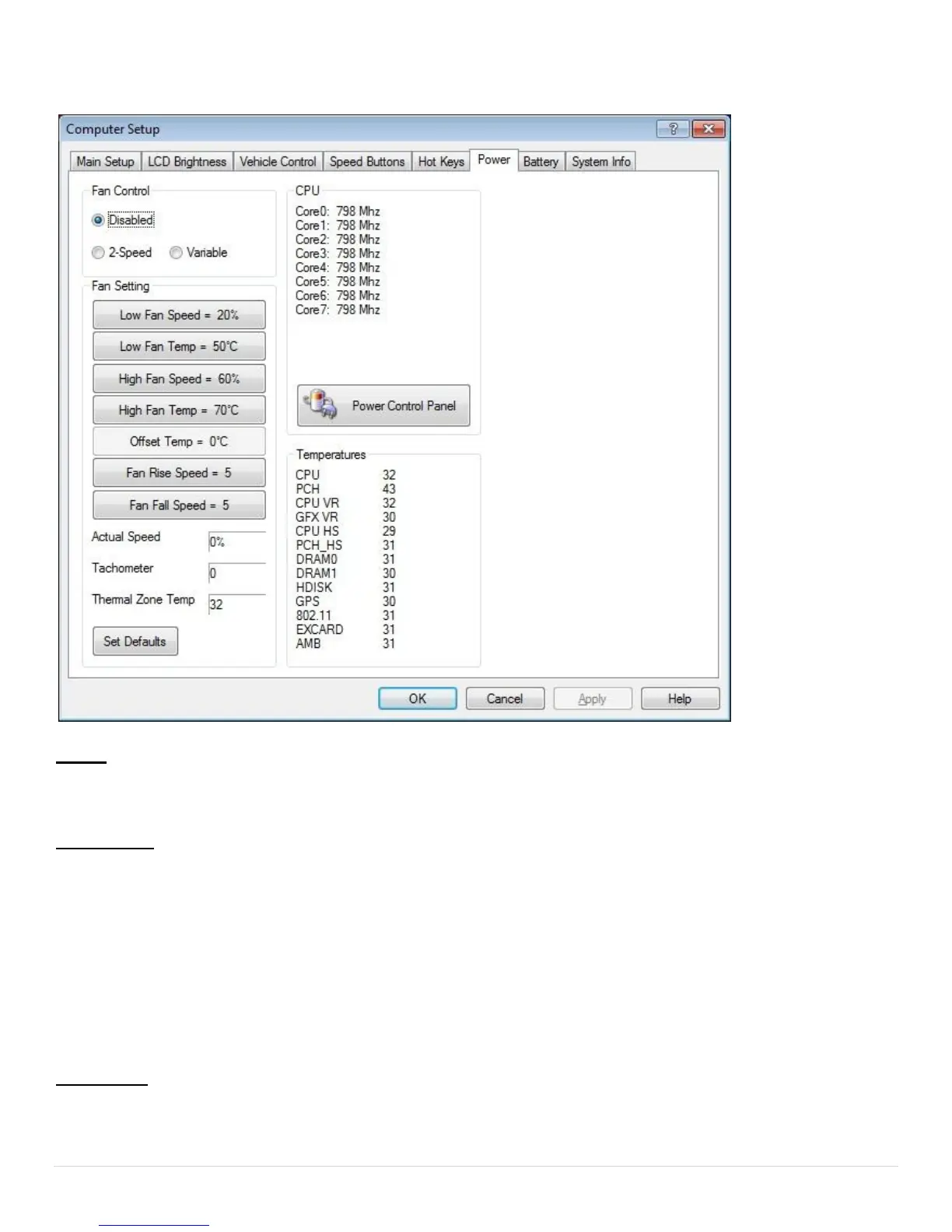
Power Tab
NOTE: The Fan Settings will only make a difference if the Fan option is installed in your unit. If your unit does
not have a fan installed, select "Disabled" under "Fan Control".
Fan Control
Disabled - When check-marked, the internal fan will be disabled.
2-Speed - When check-marked, the fan will only have two speeds, low and high. These speeds will be
triggered according to the temperatures set in the "Fan Setting" field.
Variable - When check-marked, the fan will gradually increase speed based on the fan settings as the computer
temperature rises.
Fan Setting
Low Fan Speed [20% to 99%] - Sets the lowest fan speed allowed.


 To Next Page