32 | P a g e
1. Navigate to the "System Info" tab in the RTi Control Panel Setup window.
2. Click "Backup all system settings". This will create a small file containing all the RTi Control Panel
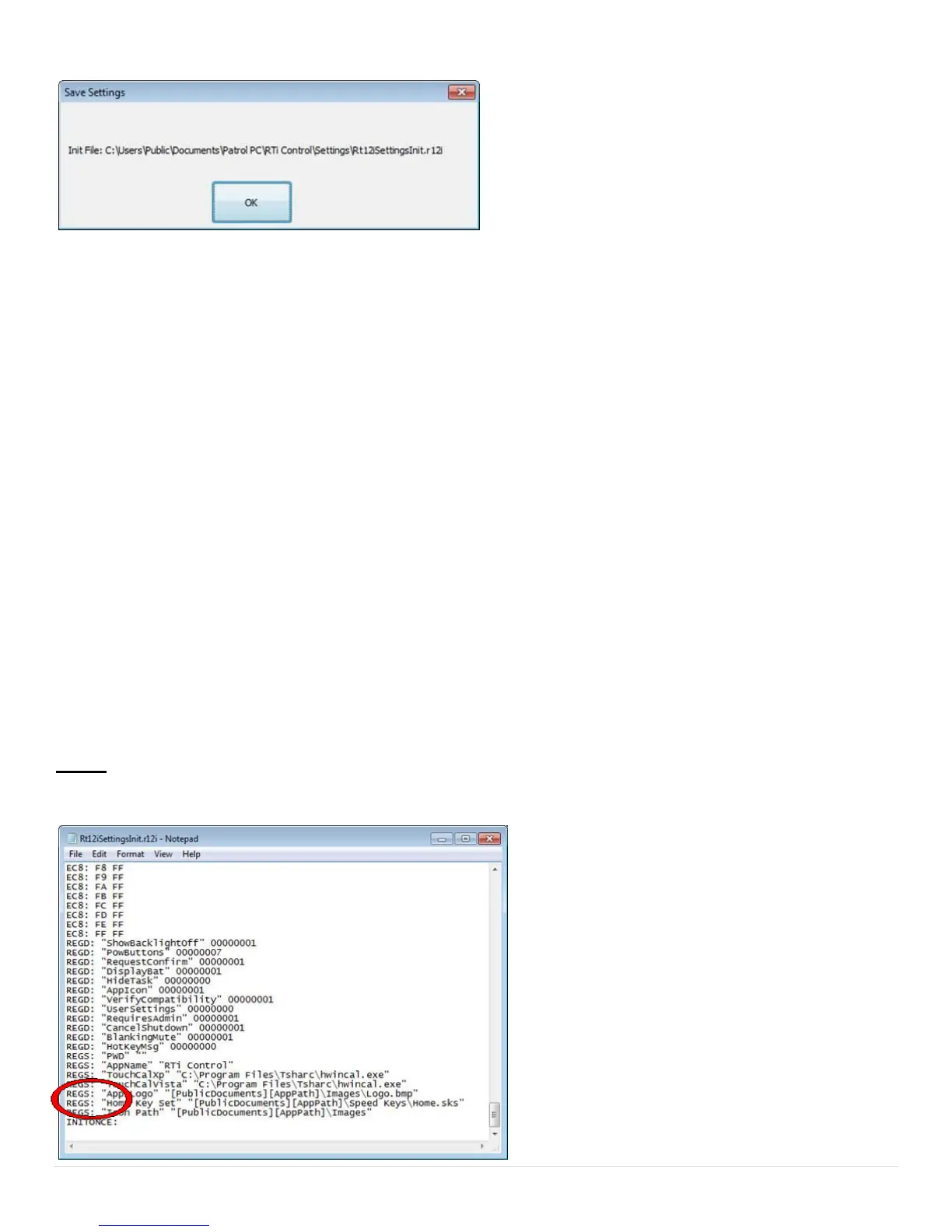
settings except for the Speed Buttons and Hot Keys. A window will pop up, similar to the one on the right,
letting you know where the backup file is stored. Please note this directory.
3. The next time the RTi control panel is started, it will look at this file and load all the settings from it
automatically. This will occur only once.
4. If you want to load the settings from it each time the RTi control panel is started (for example, every time the
computer boots up) you must alter the file slightly.
-To alter the file, navigate to the file, then double-click it. You will get a message telling you there is no
program to open the file. Choose to open it in "Notepad".
-Scroll to the bottom of the file until you see INITONCE:
-Delete INITONCE: and then save the file. The RTi control panel will now load these settings each time it is
started (i.e. each time the computer boots up).
NOTE: If you no longer want the settings to load each time the RTi Control Panel is started, simply re-type
INITONCE: at the same location and save the file.



 To Next Page