6 | P a g e
2. Type in your username and password, then click "Login".
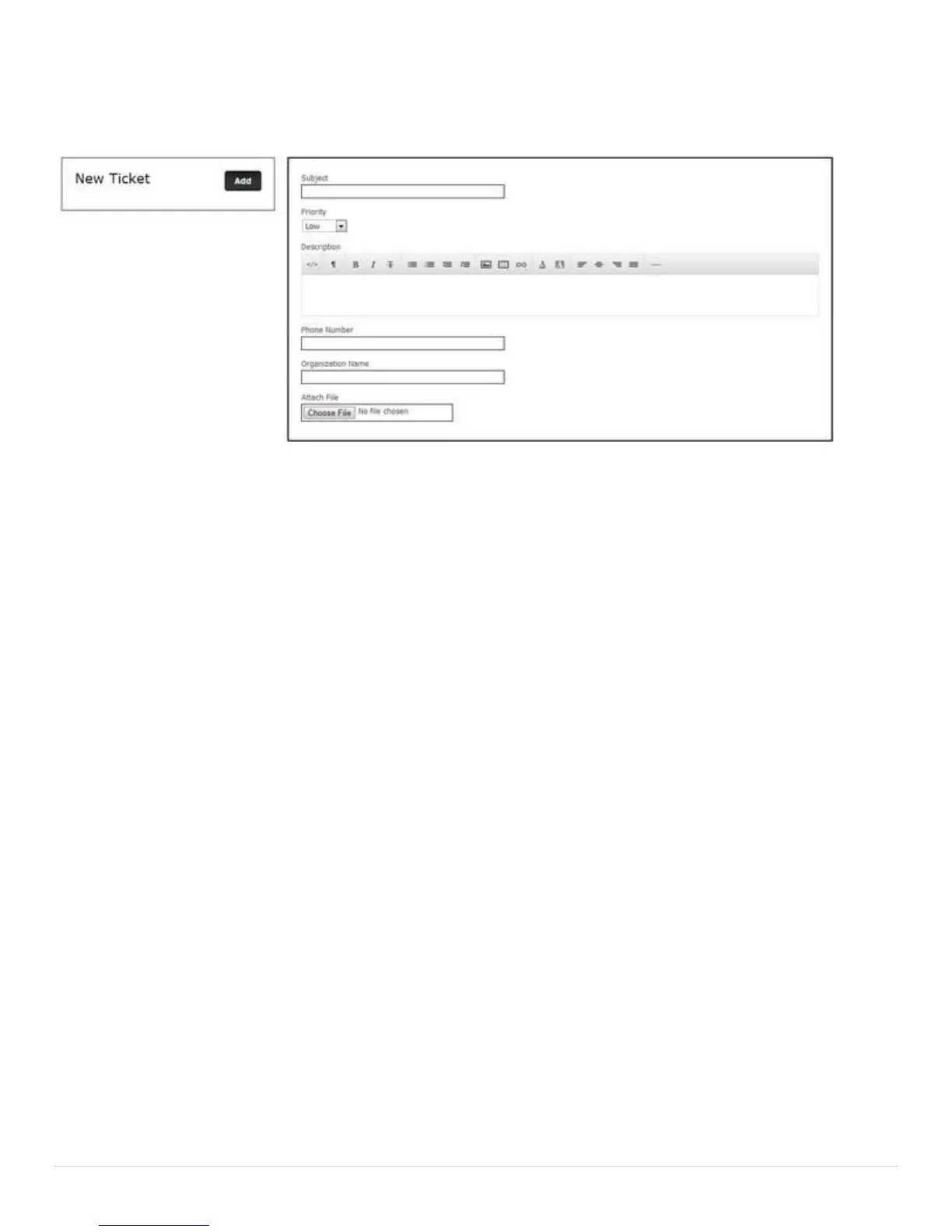
3. Click on the "Add" button in the "Tickets" box. You should now be at a screen similar to the one below.
4. Fill in all fields. Describe the issue you are experiencing in the "Description" field. If possible, please
mention which model is experiencing the problem, the serial number, what version of Windows it is running,
and the version of your RTi Control Panel Software. If you have a screenshot or picture or text file that may
help diagnose the issue, you may attach it in the "Attach File" field. Just click "Choose File", then navigate to
and select the file you wish to attach to the support ticket.
5. When you are finished with all the fields, verify your phone number, then click "Add".



 To Next Page