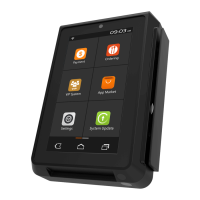
Tip adjust
Step 1. From the idle screen, select the
Func option.
Step 2. From the Func menu, select the
Tip Menu.
Step 3. From the Tip Menu, select the desired
search format. To search by Operator ID,
select By Operator.
Step 4. Select the desired transaction.
Step 5. The transaction details will be
displayed. Scroll the screen to display the
Adjust option. To adjust the tip, select Adjust.
Step 6. Enter the tip amount and select
Confirm.
Step 7. To confirm the tip amount adjustment,
select OK. To cancel the tip amount
adjustment, select Cancel.
Step 8. The terminal will display the
transaction status.
11
12


 To Next Page
 Loading...