15
CREDIT SALE
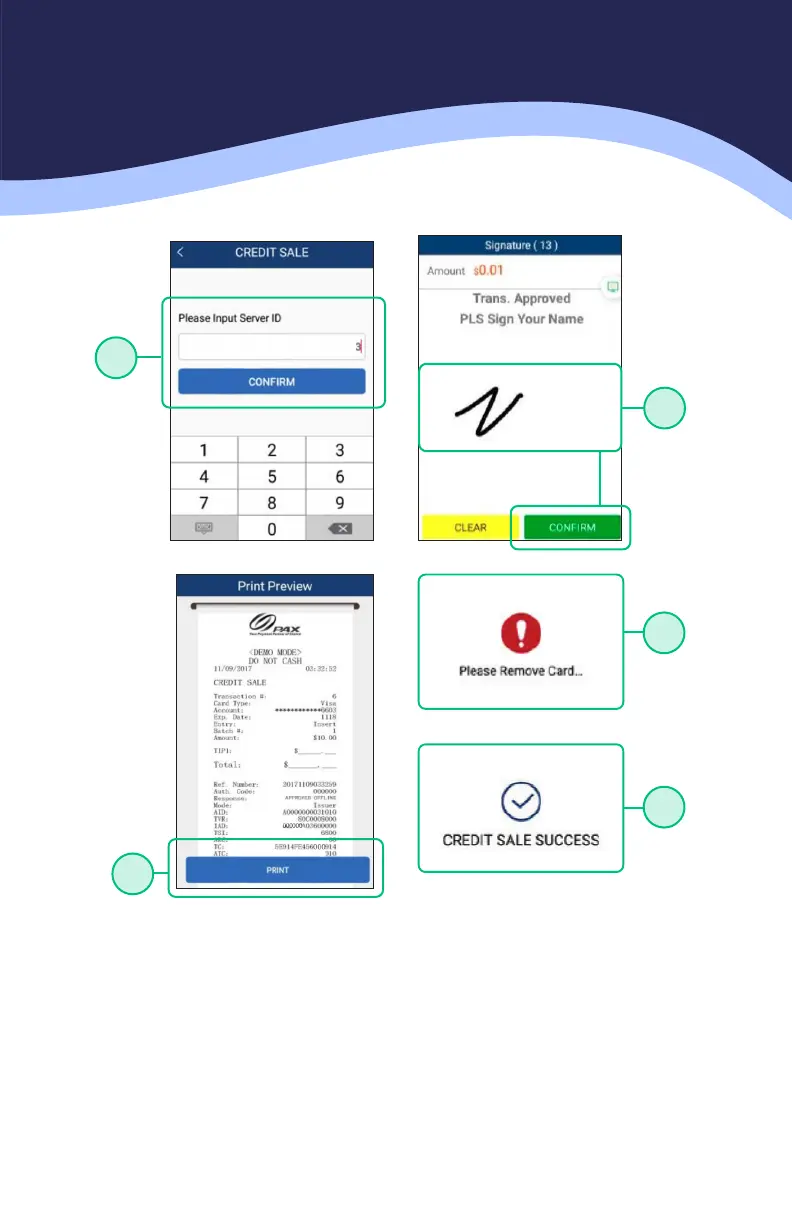
5. RESTAURANT ONLY: Enter the Server ID and select CONFIRM
6. Once card holder signs on the screen, select CONFIRM to accept or CLEAR to
clear the signature and retry the signature.
7. Select the PRINT button to print the receipts.
8. Please remove the card.
9. The terminal will display the transaction status.
5
6
7
8
9



 To Next Page
 Loading...













