22
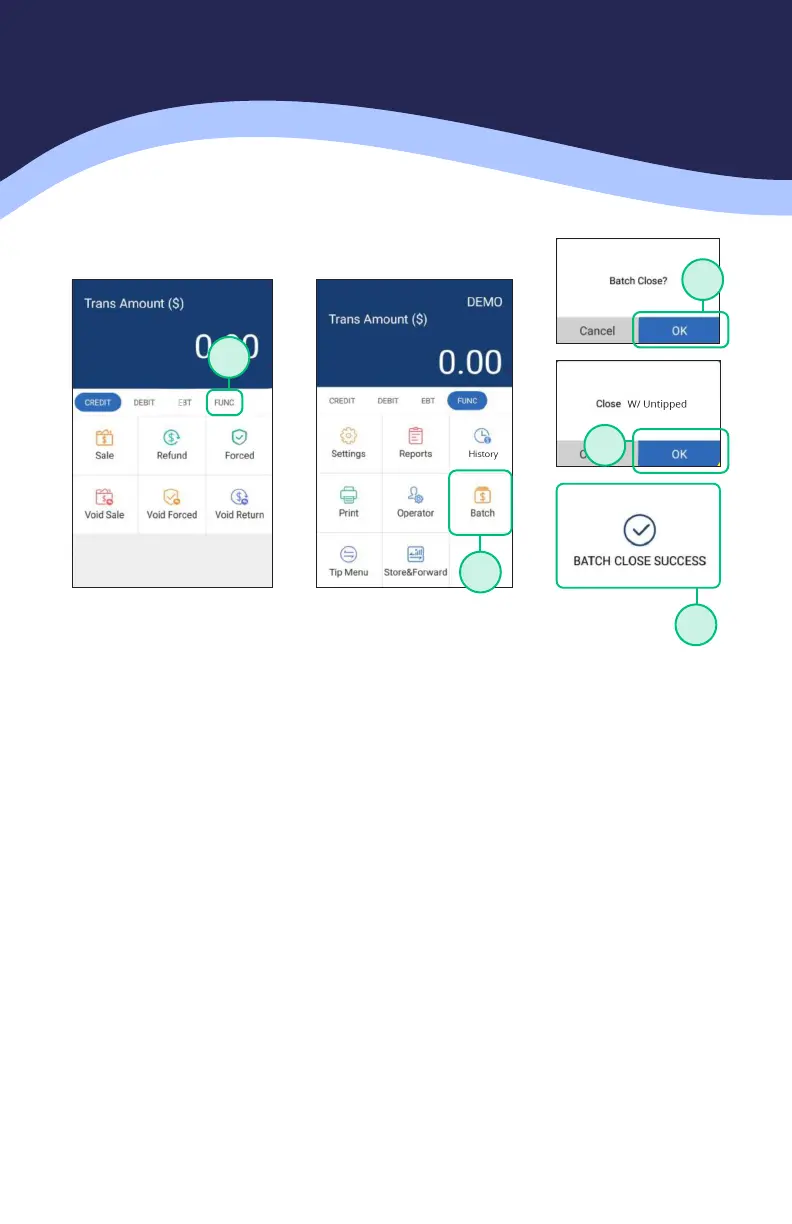
CLOSE BATCH
1. From the idle screen select the FUNC option.
2. Select the BATCH option.
3. When prompted “Close Batch?” select OK to close the batch or select
CANCEL to stop the batch close.
4. If prompted “Close W/Untipped?” select OK to zero out untipped
transactions and close the batch or select CANCEL to stop the batch close.
5. The terminal will display the batch close status.
1
2
3
4
5



 To Next Page
 Loading...













