Chapter 1: Installing Your Faxmodem 11
8
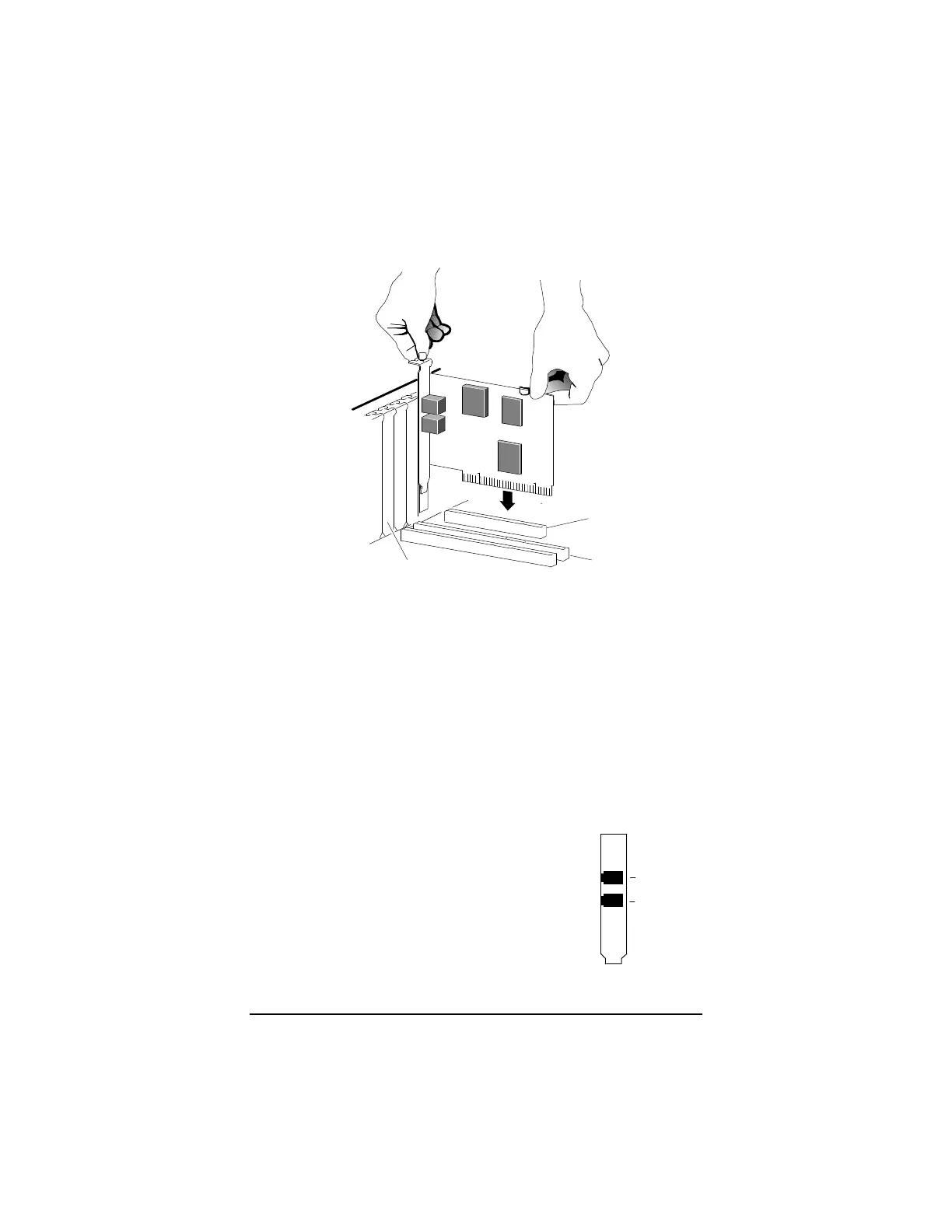
Now remove your new faxmodem from its antistatic
bag and insert it firmly into an available PCI slot.
See the following illustration:
16-bit
Typical cover
plate
Be sure that the bracket is lined up properly, then
screw the bracket into the computer using the
screw you removed with the cover plate. Be sure
that the back end of the card (smaller gold finger
area) is properly seated into the connector. If you
have a tower or mini-tower computer case with a
vertical main board, you may want to lay the com-
puter down gently on its side so you can push
straight down on the faxmodem card to seat it
firmly in its slot.
9
Replace the computer cover.
10
Connect the telephone cord. Plug
one end of the phone cord into the
jack marked LINE. Plug the other
end into a phone jack (typically the
wall jack where you would normally
connect a phone). Plug your phone
into the PHONE jack if you want to
use a phone on the same line.
PHONE (optional)
LINE
PHONE



 To Next Page