EasyManua.ls Logo

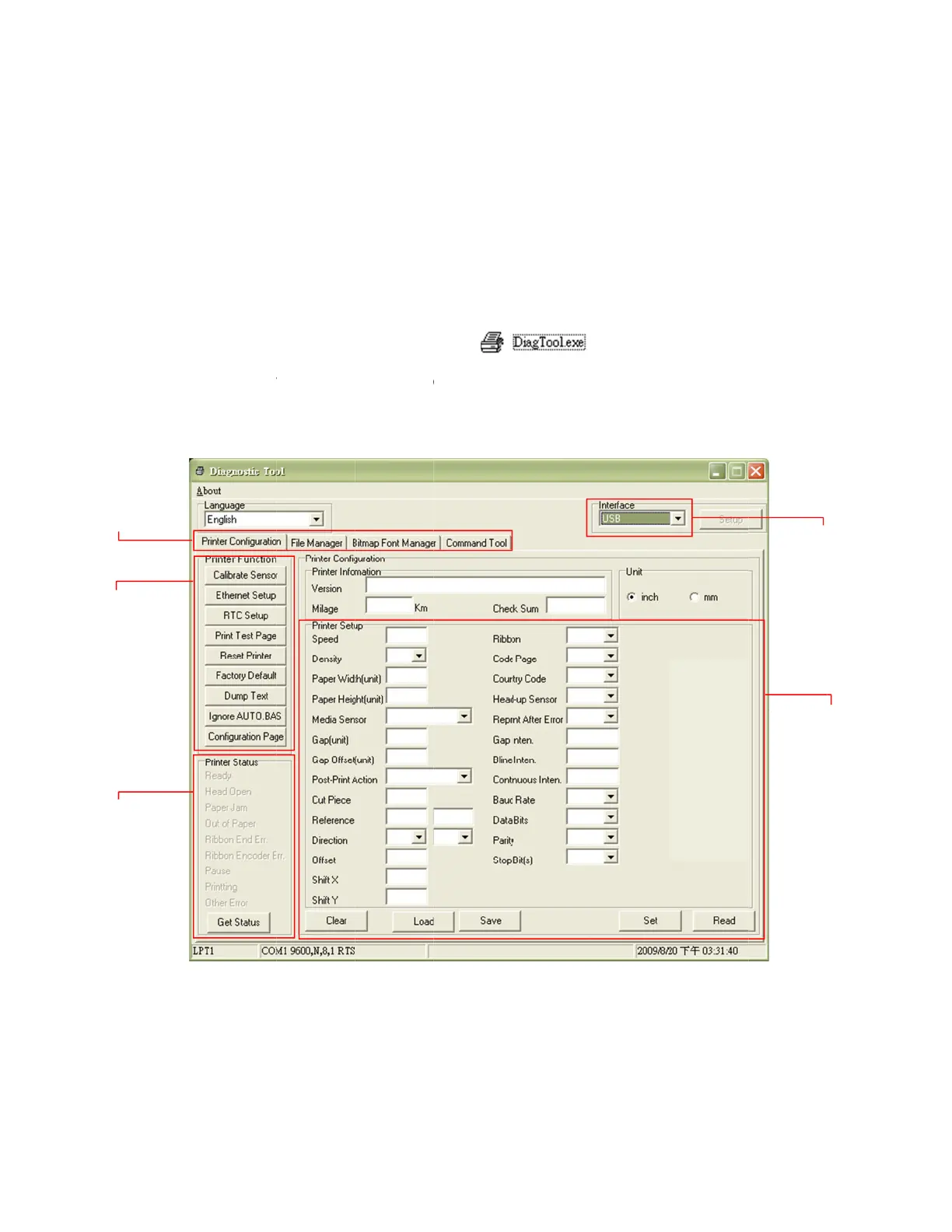
PDC CERTIS B2 - Diagnostic Tool; Start the Diagnostic Tool

PDC CERTIS B2
30 pages
Print Icon
To Next Page IconTo Next Page
To Previous Page IconTo Previous Page
Loading...
3
3.
Featur
e
Printer fu
Printer
.
3 Diagn
o
The Di
toolbo
x
downl
o
comm
a
setting
Note: Th
3
.1
Start t
1.
Dou
2.
The
r
Co
m
e
s tab
nctions
Status
o
stic To
o
agnostic
U
x
that allo
w
o
ad graphi
c
a
nds to th
e
s and trou
is utility w
o
he Diagn
o
ble click o
n
r
e are fou
r
m
mand To
o
o
l
U
tility is en
c
w
s users t
o
c
s, fonts,
a
e
printer.
U
bleshoot t
h
o
rks with pr
i
o
stic Tool
n
the Diag
r
features (
o
l) include
d
c
losed in t
h
o
explore t
h
a
nd firmw
a
U
sing this
c
h
e printer.
i
nter firmw
a
nostic tool
Printer C
o
d
in the Di
a
10
h
e USB st
i
h
e printer'
s
a
re; create
c
onvenient
a
re V6.00 an
icon
o
nfiguratio
n
a
gnostic u
t
i
ck Utilitie
s
s
settings
a
printer bit
m
tool, you
c
d later vers
n
, File Ma
n
t
ility.
s
directory.
a
nd status
;
m
ap fonts;
c
an explor
ions.
to start th
n
ager, Bit
m
The Diag
;
change
p
and to se
n
e
the print
e
e software
m
ap Font
M
nostic Utili
p
rinter setti
n
d additio
n
e
r status
a
.
M
anager,
Int
e
Print
e
ty is a
ngs;
n
al
a
nd
e
rface
e
r setup