EasyManua.ls Logo

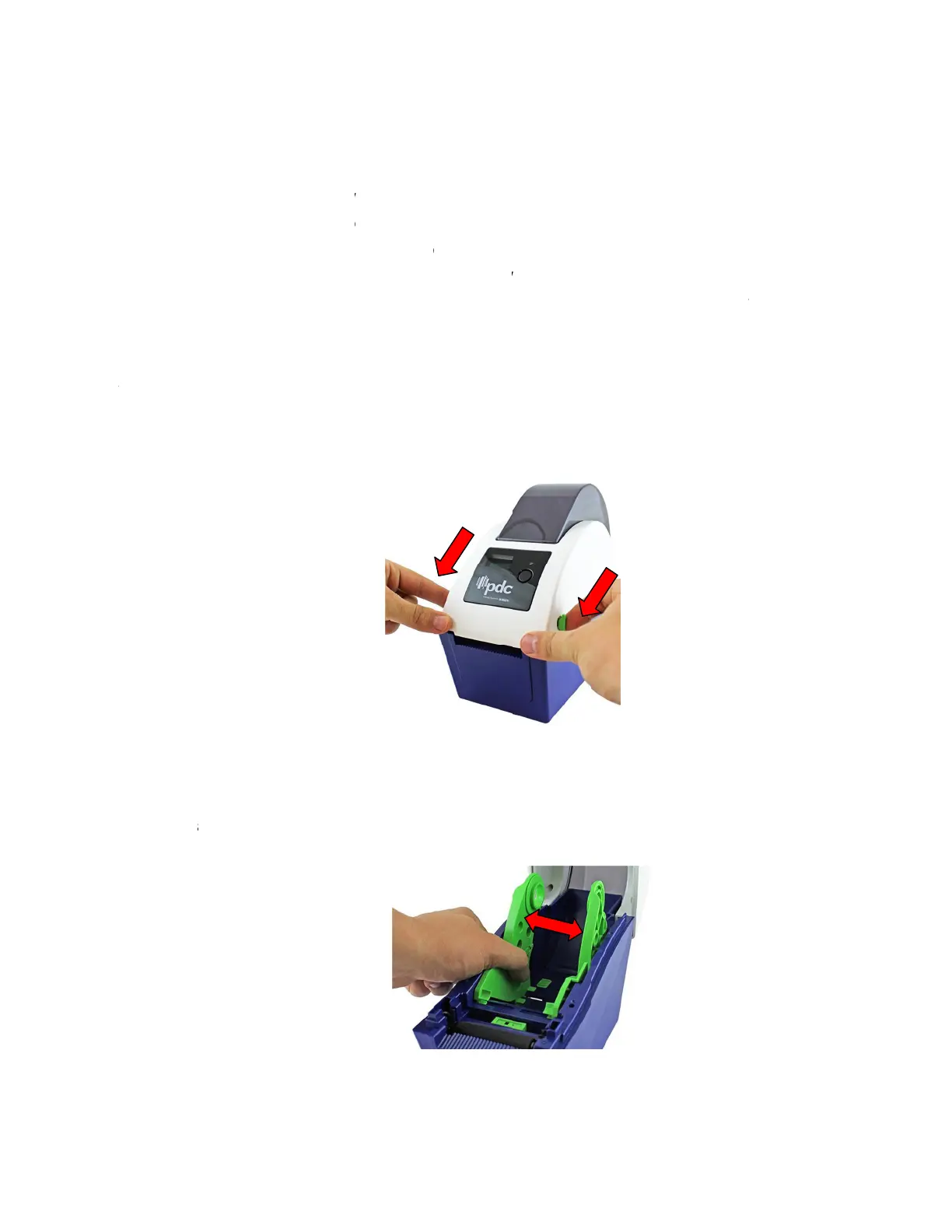
PDC CERTIS B2 - Setup; Setting Up the Printer; Loading the Wristband Roll Media

PDC CERTIS B2
30 pages
Print Icon
To Next Page IconTo Next Page
To Previous Page IconTo Previous Page
Loading...
3
3
3.
3
. Set
u
.
1
Setti
n
1.
Pla
c
2.
Ma
k
3.
Con
4.
Plu
g
the
p
Note: P
.
2
Load
2
.1
Loadi
n
1.
Ope
prin
t
3.
Sep
a
u
p
n
g Up t
h
c
e the prin
t
k
e sure the
nect the p
g
the powe
p
ower cor
d
lease switc
h
d
ing the
n
g the M
e
n the print
e
t
er, and th
e
arate the
m
h
e Prin
t
t
er on a fl
a
power s
w
rinter to th
e
r cord into
d
into a pr
o
h
OFF print
e
Wristb
dia
e
r top cov
e
e
n lift the t
o
m
edia hol
d
t
er
a
t, secure
s
w
itch is set
e
comput
e
the AC p
o
o
perly gro
u
e
r power s
w
and Ro
er
by pulli
n
o
p cover t
o
d
ers to the
7
s
urface.
to “off”.
e
r with the
o
we
r
cord
s
u
nded po
w
w
itch prior t
o
ll Medi
a
n
g the tabs
o
the maxi
m
wristband
provided
U
s
ocket at t
h
w
e
r
outlet.
o
plug in th
e
a
located o
n
m
um ope
n
roll width.
U
SB cable
.
h
e rear of t
e
power co
r
n
each sid
e
n
angle.
.
he printer,
r
d to printe
r
e
towards
t
and then
p
r
power jac
k
t
he front o
f
p
lug
k
.
f
the