User Manual PEAK INSTRUMENTS INC
Address: 16223 Park Row, Houston, TX-77084, USA. Website: www.peakii.com. Tel: +1 2819353455
III. Device Instructions
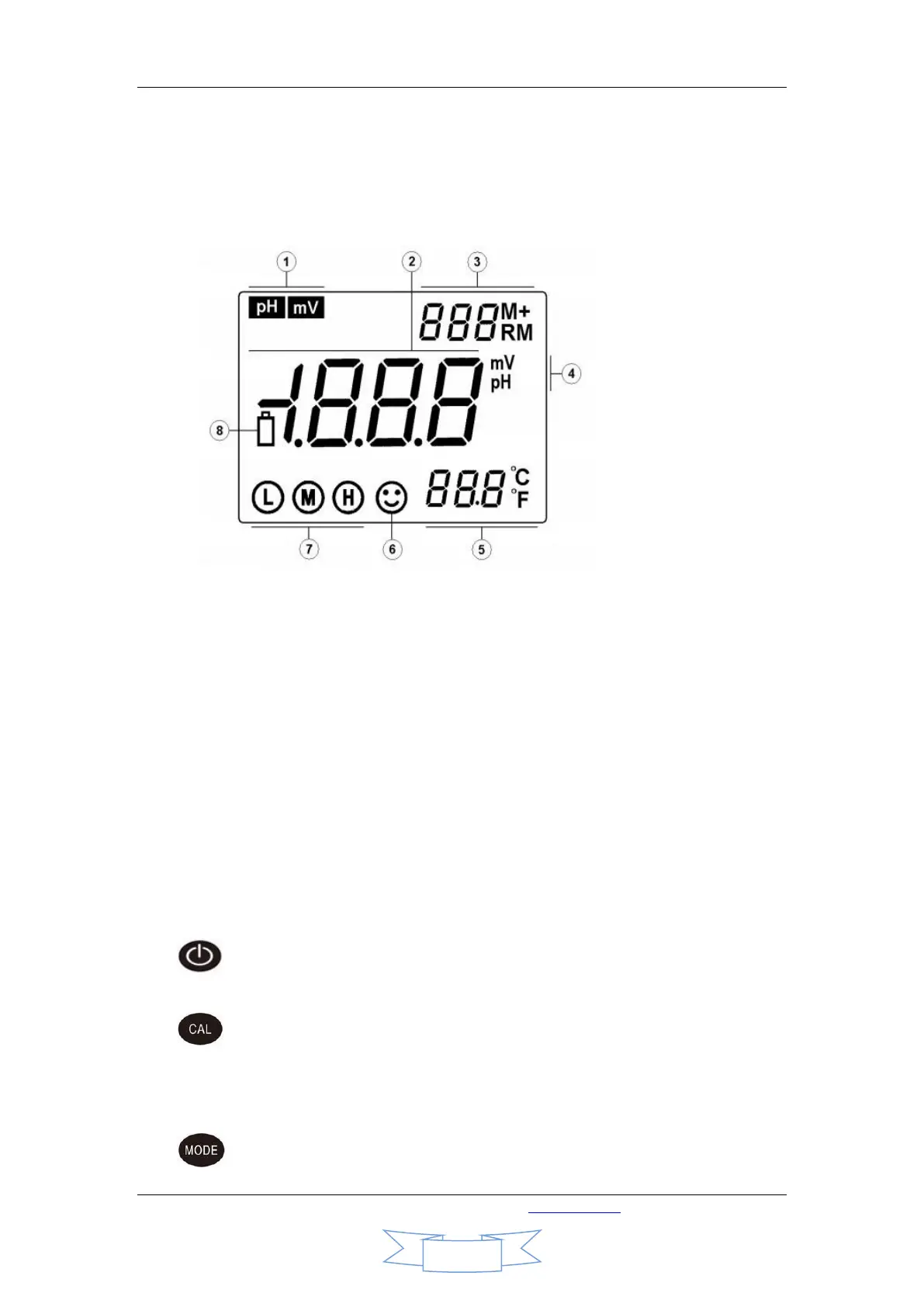
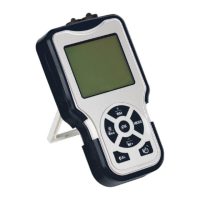
1. Display indicators
① Parameter mode tag
② Measurement value
③ Data storage and replay number and symbol. Indicator of special status. M+ is
symbol for data storage. RM is data replay icon.
④ Measurement unit
⑤ Temperature and unit
⑥ Stability symbol
⑦ Calibration indicators
⑧ Low voltage symbol, when the voltage is lower than 2.6V, the symbol will be shown
to remind customer for battery change.
2. Operation Keys
There are seven operating buttons
2.1. On/off button, it is used to switch on/off the device in measuring mode.
This key is not working in other modes.
2.2. Calibration key.
2.2.1. Press this button to enter calibration mode in measuring mode.
2.2.2. Press this key to back in other modes.
2.3. Function key. In measuring mode, short press(less than 1.5 seconds) this


 To Next Page