User Manual PEAK INSTRUMENTS INC
Address: 16223 Park Row, Houston, TX-77084, USA. Website: www.peakii.com. Tel: +1 2819353455
4. Parameter setup
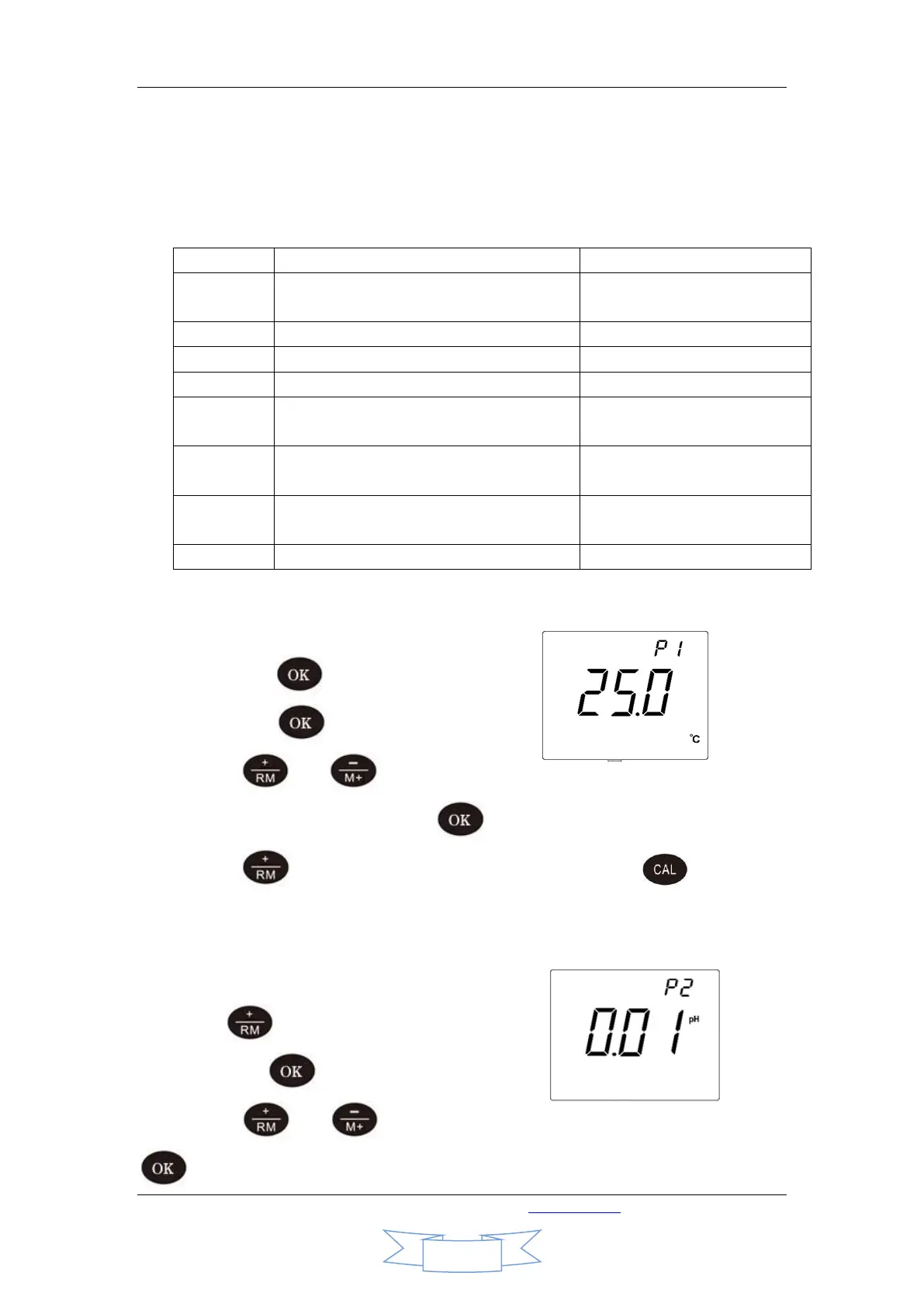
4.1. Table of pH meter parameter setup
4.2. Manual temperature compensation setting(P1)
4.2.1. Long press to enter set mode
Then press to enter P1.
4.2.2. Press or to change temperature. Long press these keys to
change the figures continuously. Press to confirm the change and back.
4.2.3. Press to enter next parameter setting or press to back to
measuring mode.
4.3. Resolution setting(P2).
4.3.1. Press to choose P2 in mode P1,
Then press to enter P2.
4.3.2. Press or to select resolution between 0.1 and 0.01. Press
to confirm the change and back.


 To Next Page