Товариство з обмеженою відповідальністю "АЛДІТОП"
Продажа 050-660-22-31
Сервис 050-415-60-94
3. Loosen the screws of the upper package stand, take off the upper column and remove
the package stand.
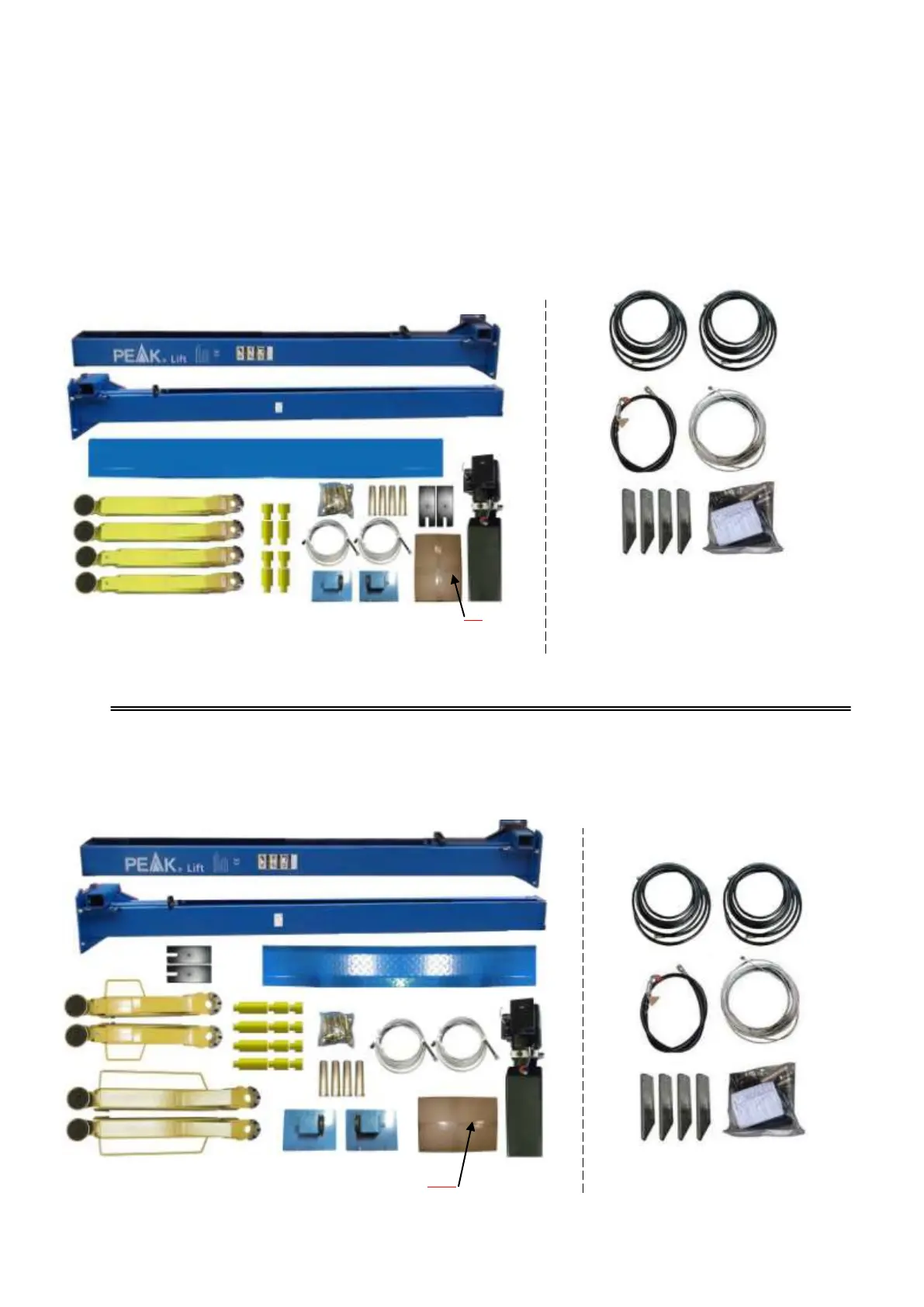
4. Move aside the parts and check the parts according to the shipment parts list.
4.1 For model 209(See Fig. 11, Fig. 12).
4.2 For model 209X (See Fig. 13, Fig. 14).
Fig. 12
Parts in the parts box(77)
Fig. 14
Parts in the parts box (77A)


 To Next Page