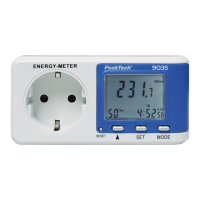
• Press the MODE button one time to switch from
PRICE 1 to PRICE 2.
• Press the SET button to make the adjustment of the
cost of Price2.
• The first digit (ten units of money per kWh) starts
flashing.
• Press the ▲ key to change this value (e.g.: 0 -at a
rate of 00.21 € per kWh)
• Press the SET button to the second digit (a unit of
money per kWh) input.
• Press the ▲ key to change this value (e.g.: 0 -at a
rate of 00.21 € per kWh)
• Press the SET button to select the third digit (0.1
unit of money per kWh).
• Press the ▲ key to change this value (e.g.: 2 -at a
rate of 00.21 € per kWh)
• Press the SET button to select the third digit (0.01
cash per unit kWh).
• Press the ▲ key to change this value (e.g.: 1 -at a
rate of 00.21 € per kWh)
• Press the SET button to set the decimal point
change.
• Press the ▲ key to change the decimal point (in €
not necessary)
• Press the SET button for the appropriate day of the
week for Price 2 change.
-31-


 To Next Page