support@pecron.com
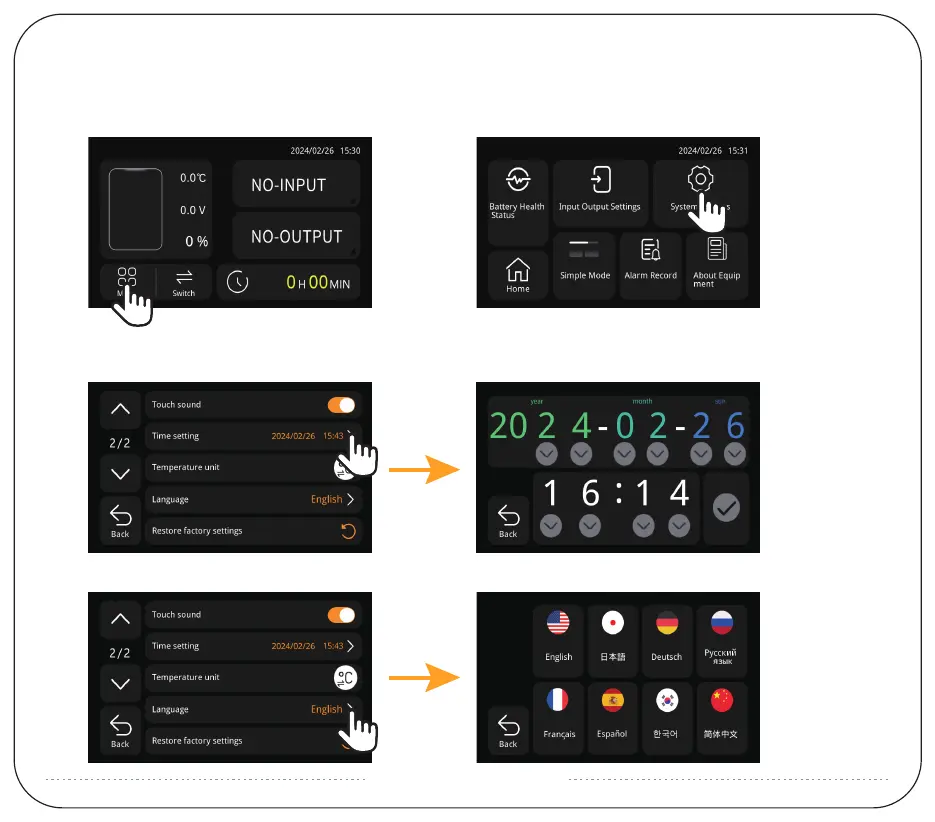
HOW TO SET THE TIME AND LANGUAGE OF THE SCREEN ?
Click "Menu" showed as (Picture 1).
Then click "System Setting" showed as (Picture 2).
(Picture 1) (Picture 2)
1: Page up/down by clicking "∧"/"∨" on the left side.
2: Click "Time setting" to adjust the time showed as (Picture 3).
(Picture 3)
3: Click "Language" to adjust language type. Showed as (Picture 4).
(Picture 4)


 To Next Page