Need help?
Do you have a question about the Pecron S1500 and is the answer not in the manual?
Manages power on/off, sleep mode, and LCD brightness control.
Controls DC/USB outputs and AC output, cycles through display modes.
Features LCD screen for status and USB ports for device charging.
Details DC input/output, AC sockets, cooling fan, and air inlet.
Covers inverter, controller, and battery pack protection mechanisms against faults.
Step-by-step instructions for operating the AC output function of the power station.
Explains methods for charging the power station using AC adapter, solar, or car.
Instructions for using the DC 12V output and USB ports for powering devices.
Shows visual examples of discharge, charge, DC, and USB output tests.
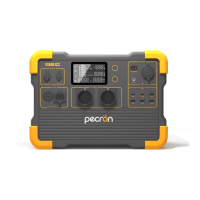
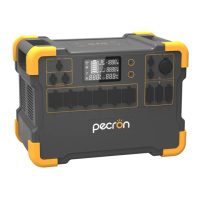
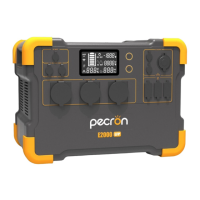
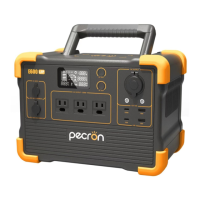
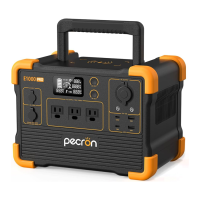
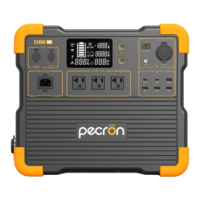
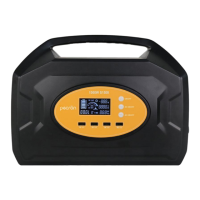
The Pecron S1500 is a functional outdoor portable power station designed to provide portable power solutions. It features a safe Lithium-ion battery and inverter conversion technology, offering a lightweight, high-capacity, and high-power function.
The S1500 provides a pure sine wave AC output, ensuring compatibility with a wide range of electronic devices. For DC power, it offers 12V10A output and four USB ports, all supporting QC3.0 fast charging. The device is equipped with an LCD smart display screen that provides real-time information about its operation. It supports multiple charging methods, including solar charging and car charging (requiring an external car charger adapter).
This power station is versatile and can be used with various smart products such as mobile phones, satellite telephones, digital cameras, mobile drivers, tablets, and for car starting. It is also suitable for outdoor illumination, water pumps, and telecommunications equipment. The S1500 finds applications in diverse fields, including financial services, first aid, digital exploration, military operations, scientific research, media, tourism, disaster relief, medical assistance, and areas experiencing widespread power shortages.
To begin using the S1500, it is recommended to fully charge the power station upon receipt, as it may be in a low-capacity state for safe transportation. For fast charging, the standard original power adapter or a 36V 200-300W solar panel can be used. Always disconnect the charger once the S1500 is fully charged to ensure safety.
To turn on the device, lightly press the power switch. The LCD will display a dynamic percentage, light up fully, and then resume normal operation after 1 second, with 100% brightness. While the power station is on, a light press of the power switch will adjust the LCD brightness to 50%. To shut down and enter sleep mode, press and hold the power switch for 1 second.
With the power station on, press and hold the DC switch for 1 second to activate the USB and 12V outputs. The LCD screen will then show the battery percentage, DC discharge time (in hours), DC discharge power, and the "DC OUT" symbol. To turn off the USB and 12V outputs, press and hold the DC switch for 1 second again. A light press of the DC switch while DC output is on will toggle between displaying real-time battery percentage and real-time battery voltage.
After powering on the device, press and hold the AC switch for 1 second to enable AC output. The LCD screen will display the battery capacity percentage or battery voltage, AC discharge time (in hours), AC discharge power, and the "AC OUT" symbol. To shut down the AC output, press and hold the AC switch for 1 second while AC output is on. A light press of the AC switch while AC output is on will cycle through displaying AC discharge power + AC discharge time and AC discharge voltage + PF value mode.
When the DC switch is on, the USB output ports can supply power to USB devices.
The 16MF two-core aviation connector (1 positive, 2 negative) provides 12V 10A DC power when the DC switch is turned on.
The 16MF four-core aviation connector (1, 2 positive; 3, 4 negative) is used for charging the power station with the power adapter (29.4V9A) or a solar panel.
Two AC output sockets are available. When AC output is enabled, appliances can be connected to these sockets.
The device includes a cooling fan outlet and a cooling air inlet to manage internal temperatures.
Before using AC output, ensure that the input voltage and frequency of your appliance match the S1500's specifications. The appliance's rated power should be lower than 1500W, ideally not exceeding 80% of the rated power. Exceeding these limits may damage the charger or cause it to malfunction. If your appliance requires more than 1500W, a higher-power portable power station should be used.
It's important to note that some appliances, especially sensitive load devices, can have a start-up current that is 3-8 times their rated power. Energy-saving lamps can have start-up power dozens of times their rated power. If the start-up power exceeds the S1500's peak power, it will trigger overload protection and shut down. The S1500 is equipped with overload, short circuit, and over-temperature protection.
The S1500 will stop output to protect appliances if:
To activate the 16MF two-core aviation connector for 12V DC output (rated current 10A), press the DC switch for 1 second. To turn it off, press the DC switch for 1 second again. Similarly, to turn on the USB output, press the DC switch for 1 second. To turn it off, press the DC switch for 1 second again.
The S1500 incorporates several protection instructions to ensure safe and reliable operation:
 General
| Rated Power | 1500W |
|---|---|
| Peak Power | 3000W |
| Battery Capacity | 1488Wh |
| DC Output | 12V/10A |
| Charging Methods | AC, Solar, Car |
| Battery Type | LiFePO4 |
| USB Output | 5V/2.4A |
| USB-C Output | 1 x USB-C PD |
| Solar Input | 12V |
| Car Input | 12V |

 To Next Page