EasyManua.ls Logo

Pecron E2000 LFP - User Manual

Pecron E2000 LFP
16 pages
Print Icon
To Next Page IconTo Next Page
Loading...
Please read the user manual thoroughly before using
support@pecron.com
USER MANUAL
E2000
LFP
Question and Answer IconNeed help?

Do you have a question about the Pecron E2000 LFP and is the answer not in the manual?

Summary

USER MANUAL

FUNCTION INTRODUCTION

LCD Display

Details the features and indicators shown on the device's LCD screen.

Charging Ports

Identifies and describes the DC input charging ports for different voltage ranges.

Output Ports

Details the various AC and DC output ports available on the unit.

Control Switches and Wireless Charging

Explains the function of control switches for DC/USB/Wireless and AC outputs, and the wireless charger.

Battery Expansion Port

Indicates the port for connecting additional battery modules.

SPECIFICATIONS

Battery and Charging Specs

Covers battery type, capacity, lifespan, and charging times.

Performance and Safety Specs

Details protections, operating temperature, dimensions, and weight.

Output Specifications

Lists specific details for AC, USB-A, USB-C, DC 5525, Cigar Port, and Wireless Charger outputs.

Input Specifications

Provides details for GX16MF and 5521 DC input charging ports.

HOW TO USE THE E2000 LFP

LCD Smart Display Overview

Explains the function of various icons and readouts on the LCD display.

Alarm Icons Explained

Details the meaning and indicators of Temperature and AC Overload alarms.

EXPANDABLE BATTERY

PACKING LIST

RECHARGE TIME

Wall and Generator Recharge

Provides estimated recharge times using AC wall chargers or electric generators.

Car Charger Recharge Time

Estimates the time required to recharge using a car charger.

SOLAR CHARGE TIME

Solar Panel Recharge Times

Lists estimated charging times based on different solar panel wattages.

USING SOLAR PANELS

DC5521 Solar Charging

Instructions for charging using the DC5521 port with solar panels.

GX16 MF-5 Solar Charging

Instructions for charging using GX16MF-5 ports with solar panels.

Solar Panel Wiring Limits

Key voltage and series/parallel connection limits for solar panel input.

SOLAR PANEL CONNECTION EXAMPLES

100 W Solar Panel Connection

Diagram showing how to connect a single 100W solar panel.

200 W Solar Panel Connection

Diagram showing how to connect a single 200W solar panel.

SOLAR PANEL CONNECTION EXAMPLES

400 W (2 x200 W) Series Connection

Diagram illustrating a series connection of two 200W solar panels.

400 W (2 x200 W) Parallel Connection

Diagram illustrating a parallel connection of two 200W solar panels.

SOLAR PANEL CONNECTION EXAMPLES

600 W (3 x200 W) Series Connection

Diagram for connecting three 200W solar panels in series.

Warning: Three Panel Series Limit

Critical warning against wiring three solar panels in series due to voltage limits.

SOLAR PANEL CONNECTION EXAMPLES

800 W (4 x200 W) Series Connection

Diagram for connecting four 200W solar panels in series.

Warning: Four Panel Series Limit

Critical warning against wiring four solar panels in series due to voltage limits.

SOLAR PANEL CONNECTION EXAMPLES

1200 W (6 x200 W) Connection

Diagram for connecting six 200W solar panels for maximum input.

FAQS

Battery and Performance FAQs

Answers questions about battery type, lifespan, device compatibility, and UPS function.

Usage and Storage FAQs

Addresses charging while discharging, running time calculation, indoor use, and storage.

MPPT Controller and Storage

Explains MPPT controller details and best practices for storing the unit.

DISCLAIMER

WARNINGS

General Safety Precautions

Covers basic safety rules regarding placement, liquids, static, and physical damage.

Temperature and Handling Risks

Details risks associated with extreme temperatures and improper handling or vibration.

Accident and Fire Response

Provides guidance for accidental immersion, fire response, and disposal of damaged units.

Device Care and Storage Safety

Instructions for cleaning, preventing damage from falls, and safe storage for children/pets.

DISPOSAL

Battery Disposal Procedures

Guidelines for safely discharging and disposing of the product's battery.

Warranty Exclusions

Lists conditions under which the manufacturer's warranty does not apply.

CUSTOMER SUPPORT

Overview

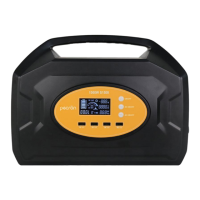
The Pecron E2000 LFP is a portable power station designed to provide reliable power for various devices. It features a robust design with multiple input and output ports, an LCD smart display for easy monitoring, and expandable battery capabilities.

Function Description

The Pecron E2000 LFP serves as a versatile power source, capable of delivering both AC and DC power. Its primary function is to store electrical energy in its internal battery and then convert and output it to power a wide range of electronic devices and appliances. The unit is equipped with a comprehensive set of ports to accommodate different charging and power needs.

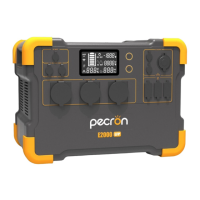
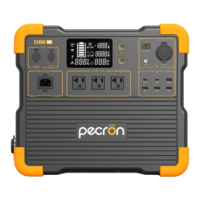
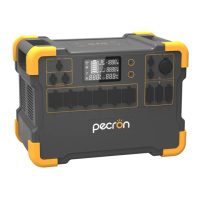
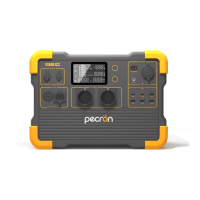
On the front panel, the device features an LCD display that provides real-time information about its operational status. Below the display, there are various output ports, including multiple AC 100V~120V outputs, DC 12V auxiliary outputs, and DC12V(5525) outputs. For smaller electronic devices, it offers USB-A and USB-C ports, as well as a wireless charger for convenient charging of compatible smartphones and accessories.

For charging the unit itself, there are dedicated input ports: a DC 12V~18V charging port and a DC 32V~95V charging port, allowing for flexible charging options from various sources, including solar panels. The device also includes a battery expansion port, enabling users to increase its overall capacity by connecting additional Pecron 24V battery modules.

The E2000 LFP is designed with safety in mind, incorporating several protection mechanisms such as over-voltage, overheat, overload, short-circuit, and self-recovery features to ensure safe and stable operation.

Usage Features

The Pecron E2000 LFP is user-friendly, with straightforward controls and an informative display.

Powering On/Off:

  • To turn on or off the DC, USB, or wireless charger functions, users simply press and hold the corresponding button.
  • For AC output, there is a separate button that needs to be pressed and held to activate or deactivate the AC function. It is recommended to turn off the AC function if there is no AC load connected to the unit to conserve power.

LCD Smart Display: The LCD display provides critical information at a glance:

  • Charge Indicator: Shows the current charging status.
  • Discharge Indicator: Indicates when the unit is discharging power.
  • Net Input/Output Wattage: Displays the real-time power input or output.
  • DC Out: Shows the status of DC output.
  • AC Input Wattage(W)/Voltage(V): Provides details about the AC input.
  • AC Out: Shows the status of AC output.
  • PF Value/Remaining Charging/Discharging Time(Hrs): Offers an estimate of remaining operational time.
  • Time Indicator: Displays the current time.
  • Temperature Alarm Icon: Flashes if the working temperature exceeds 45°C, indicating a potential shutdown to prevent damage. The unit can operate in temperatures ranging from -20°C to 45°C.
  • AC Overload Alarm Icon: Flashes if the connected AC devices exceed the 2000W power limit, leading to a power supply shutdown.

Charging the E2000 LFP: The unit supports multiple charging methods:

  • Wall Charger: Provides a standard charging time of 3.5 to 4 hours, or 1.5 to 2 hours with two adapters.
  • Electric Generator: Offers similar charging times to a wall charger.
  • Car Charger: A slower option, taking approximately 20 hours.
  • Solar Panels: The E2000 LFP is equipped with a built-in MPPT charge controller, supporting PV charging up to 1200W. It has two GX16MF-5 charging ports (32V~95V, 600W max each) and one DC5521 charging port (12V~18V, 100W max).
    • When using solar panels, it's crucial to adhere to voltage limits. For the GX16MF-5 ports, the PV operating voltage range is 32V~95V, and the open circuit voltage (VOC) of the solar panel/array must not exceed 95V to prevent damage. Users should not wire more than two 36V (AKA 24V) solar panels in series, or more than four 18V (AKA 12V) solar panels in series.
    • For the DC5521 port, the PV operating voltage is 12V~18V, and the VOC must be less than 25V.
    • Various solar panel configurations are detailed in the manual, showing how to connect multiple Pecron 100W or 200W solar panels in parallel or series-parallel combinations to achieve different charging wattages (e.g., 100W, 200W, 400W, 600W, 800W, 1200W). Specific warnings are provided against wiring too many panels in series to avoid exceeding voltage limits and damaging the unit.

Battery Expansion: The E2000 LFP's capacity can be expanded by connecting extra Pecron 24V battery modules using a Pecron battery expansion cable. It is critical to only use Pecron-branded battery modules for expansion to prevent damage to the unit.

Maintenance Features

Proper maintenance ensures the longevity and optimal performance of the Pecron E2000 LFP.

Storage:

  • When not in use, the unit should be turned off and stored in a dry, well-ventilated area at normal room temperature.
  • Avoid placing the unit near water sources or in wet/moist environments.
  • For long-term storage, it is recommended to discharge the battery to 30% every three months and then recharge it to 60% to prolong battery life.

Cleaning:

  • The surface of the device should be cleaned with a dry cloth.

Safety Precautions:

  • Environmental Conditions: Do not place the device near heat sources (fire, heating furnace) or immerse it in liquids. Avoid strong static electricity or electromagnetic environments.
  • Physical Handling: Do not disassemble or puncture the product. Avoid impacts, falls, and violent vibrations. If the unit experiences a major exterior impact, turn it off immediately and place it in an open area, away from combustibles, before disposing of it according to local regulations. Fasten the unit firmly during transportation.
  • Ventilation: Ensure air vents are not blocked during use, and do not leave the device in a non-ventilated or dusty space.
  • Accessories: Only use accessories or parts provided by Pecron.
  • Temperature Limits: Adhere to the specified ambient temperature for use (0℃~45℃ for charging, -20℃~45℃ for discharging). Operating outside these ranges can degrade battery performance or even lead to self-combustion.
  • Disposal: When disposing of the product, ensure the battery is completely discharged and placed in a designated battery recycling box. Batteries contain dangerous chemicals and should not be disposed of in ordinary trash. If the battery cannot be fully discharged due to product failure, contact a professional battery recycling company.

Troubleshooting (FAQs):

  • Running Time Calculation: Running Time = Total Capacity (1920Wh) * 0.85 (Depth of Discharge) / Loading Power (Watts).
  • Indoor Use: The E2000 LFP is safe for indoor use and charging.
  • Charging While Discharging: The unit can run devices while being charged, but the battery will deplete if discharge power exceeds charge power.
  • UPS Function: The UPS function is not supported.

By following these guidelines, users can ensure the safe and efficient operation of their Pecron E2000 LFP power station.

Pecron E2000 LFP Specifications

General IconGeneral
Capacity2000Wh
Output Power2000W
Peak Power4000W
Charging MethodsAC, Solar, Car
Battery TypeLiFePO4
USB-A Output2 x 5V/2.4A
USB-C Output2 x 100W PD
USB Ports4 (2 USB-A, 2 USB-C)
Car Output1 x 12V/10A
Car Charging Input12V Car Charger
Operating Temperature14°F to 104°F (-10°C to 40°C)
Warranty24 months
Cycle Life3000+ cycles to 80% capacity

Related product manuals